Avoid Paying Ransoms with Automated Ransomware Alerts and Remediation
Protect your SaaS data with ransomware alerts, automated remediation, and safe snapshot recovery.Available for
Contact SalesGoogle Workspace
Microsoft 365

Why do you need ransomware detection and recovery?

Why do you need ransomware detection and recovery?
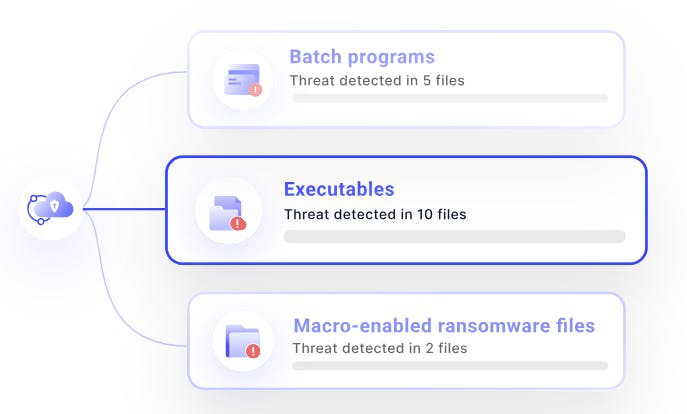
Ransomware detection with automated recovery workflows
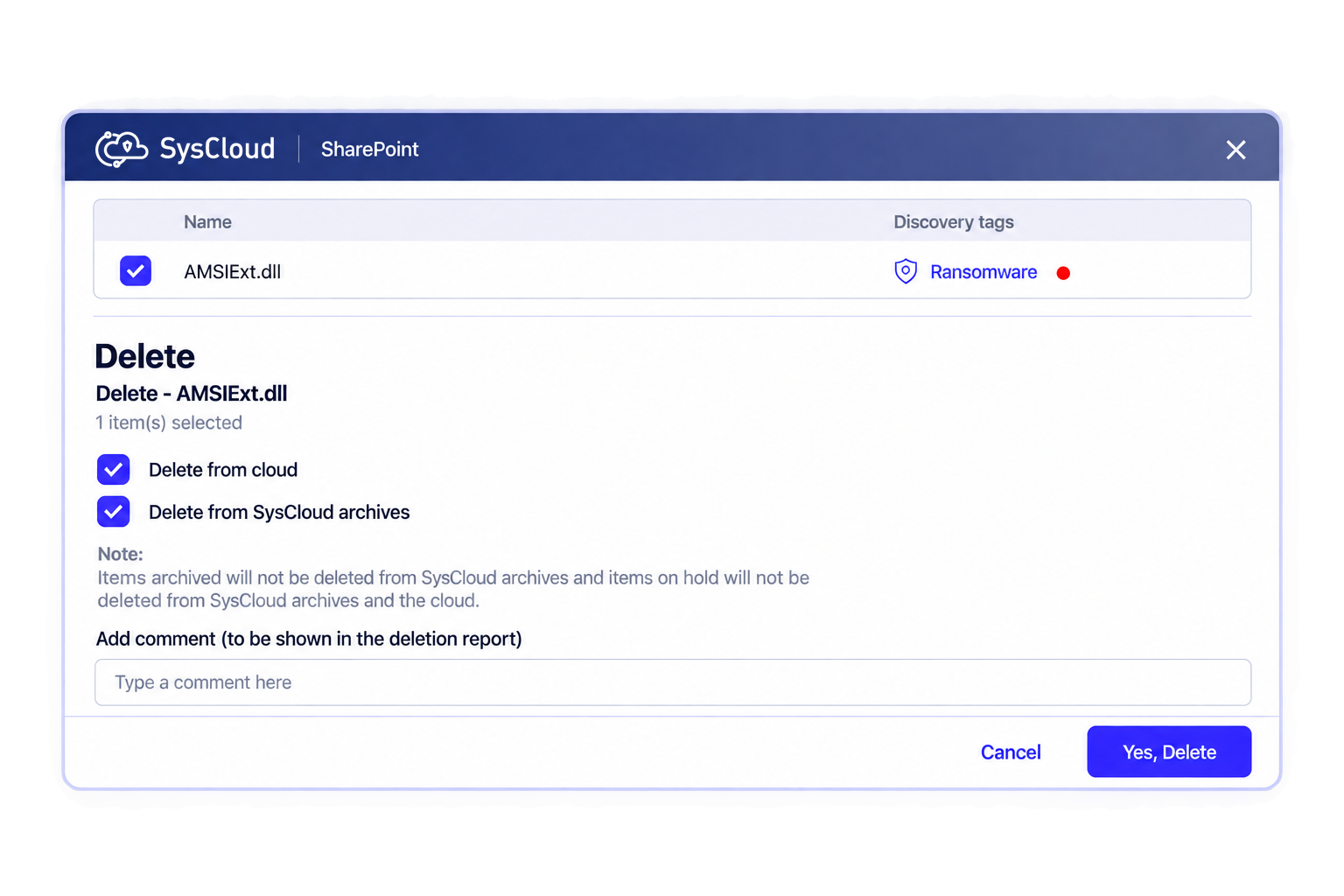
Granular recovery options for ransomware-encrypted or deleted files
Scope the incident faster with Sky
Ask which users and shared drives were hit, and Sky reads across the backup snapshots to show you who and what was affected.
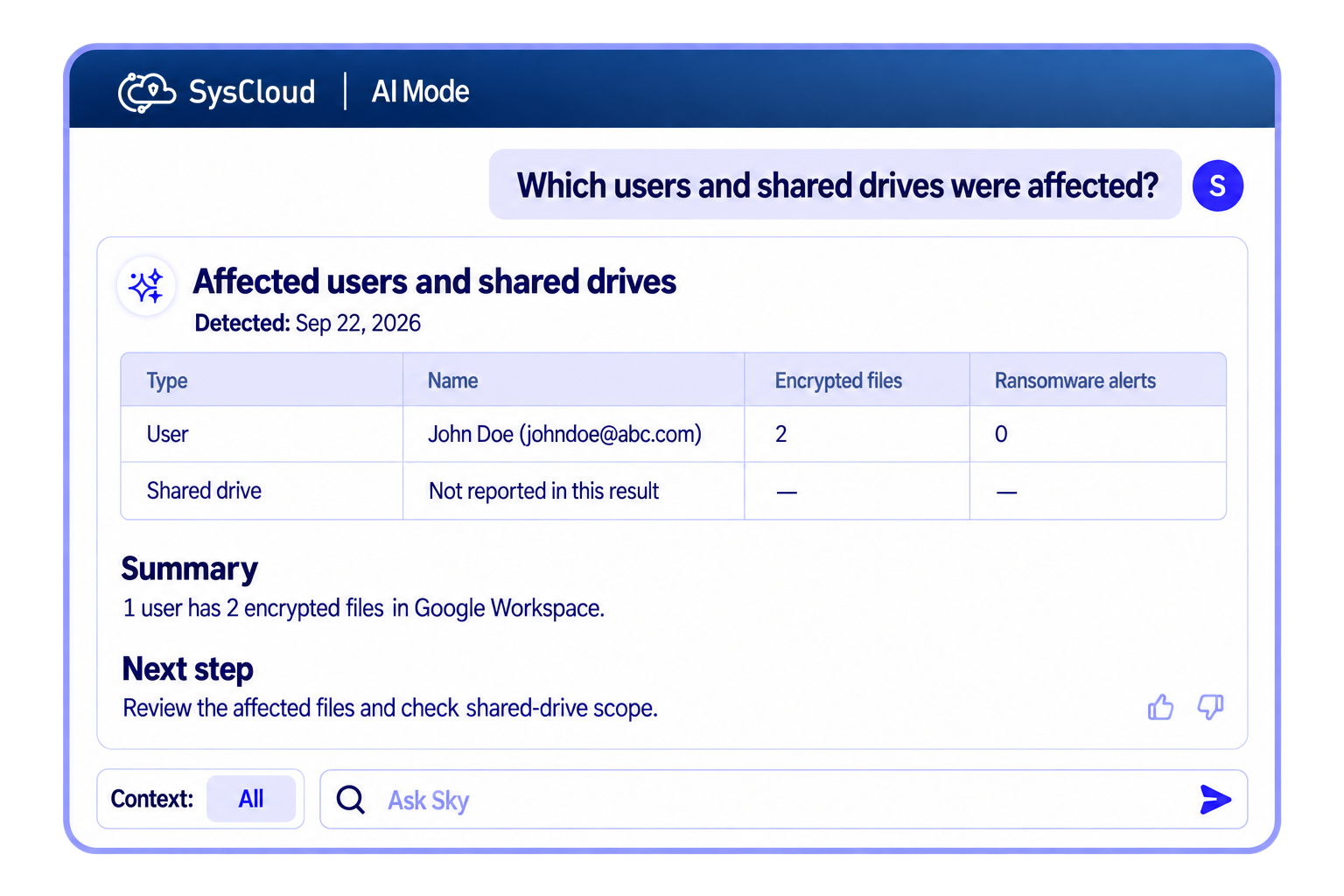
Available for Google Workspace. Microsoft 365 to follow.

Frequently asked questions
If you’re hesitating, do not worry, we are here to explain everything you might want to know. Let us help!
Which applications are supported by SysCloud's Ransomware Protection?
SysCloud's ransomware protection is available for Google Workspace and Microsoft 365.
What actions can I take for ransomware files detected by SysCloud?
Use Action Flows to automate remediation or apply fixes manually. Action Flows can transfer ownership or grant access, remove sharing (all sharing, external collaborators, or link sharing), and optionally notify the admin and content owner. You can also mark as true positive, dismiss, or delete the flagged files.
What actions can I take for ransomware-encrypted files?
Recover using a safe snapshot, then remediate access and exposure. You can restore from a safe snapshot and use Action Flows to transfer ownership or grant access, remove sharing (all sharing, external collaborators, or link sharing), and optionally notify the admin and content owner. You can also mark as true positive, dismiss, or delete the affected files.
Yes, SysCloud scans for ransomware-encrypted files in the backup archives, including those shared by external users.
How to purchase this add-on?
Contact Sales to purchase the ransomware detection and recovery add-on.
Can Sky help me scope a ransomware incident?
Yes, for Google Workspace today, with Microsoft 365 to follow. Ask Sky which users and shared drives were hit and how far the event spread, and it will identify the last known-good backup snapshot before the encryption started and recommends the Action Flow that fit. Sky recommends and scopes. You approve and run the recovery.


Explore more Add-Ons!
We take security and compliance seriously