Sky, your AI Copilot for Backup, Investigation, and Recovery
Chat with Sky in plain language to check your backups, get instant recommendations when errors arise, and export audit-ready reports once they are fixed.
Available in
SysCloud app
MCP for AI clients

How Sky helps admins

How Sky helps admins
What you can ask Sky
Sky reads from a defined set of governed areas, each mapped to a set of approved queries. It does not have open-ended access to your raw data, which is why every answer can be traced back to a record.
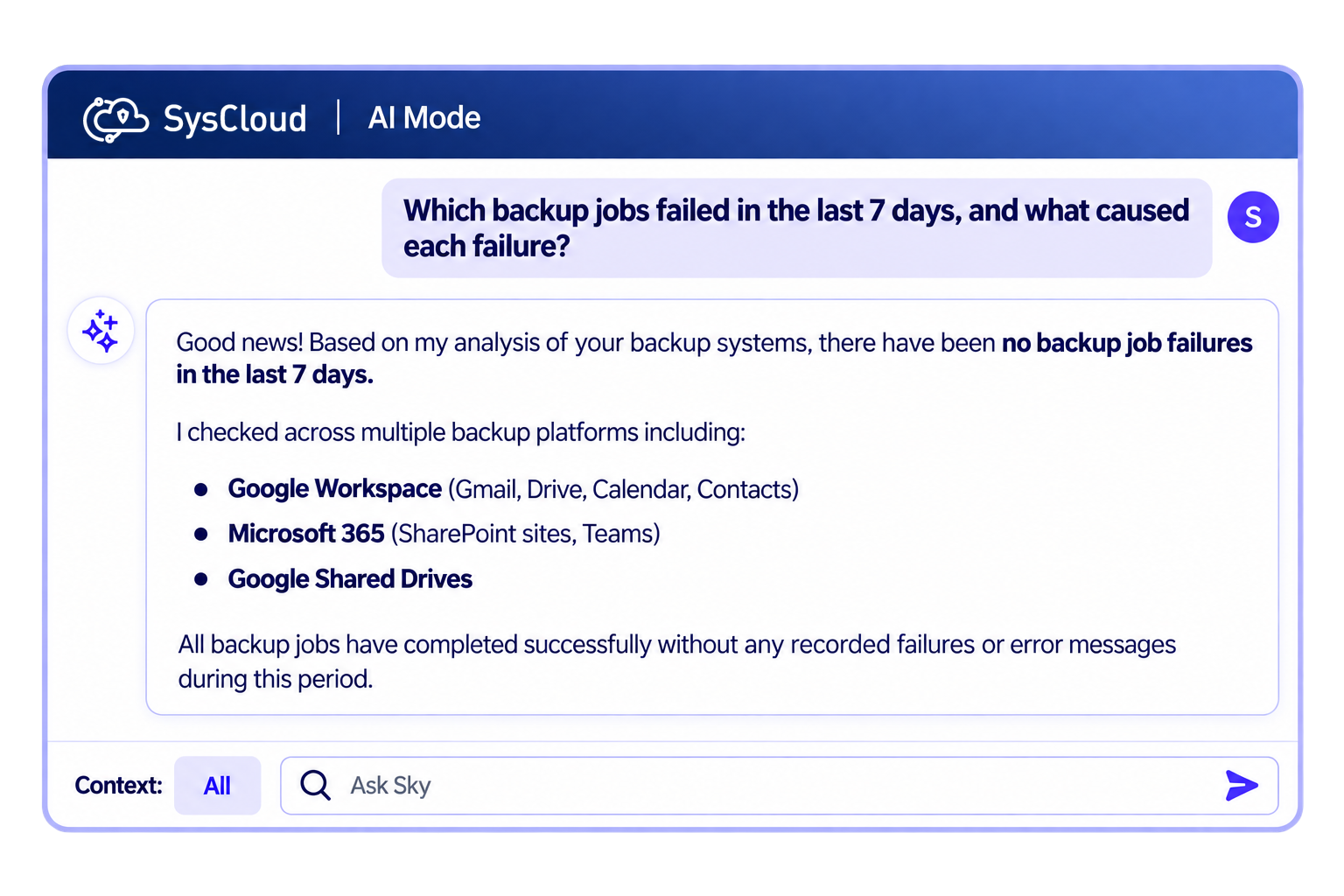
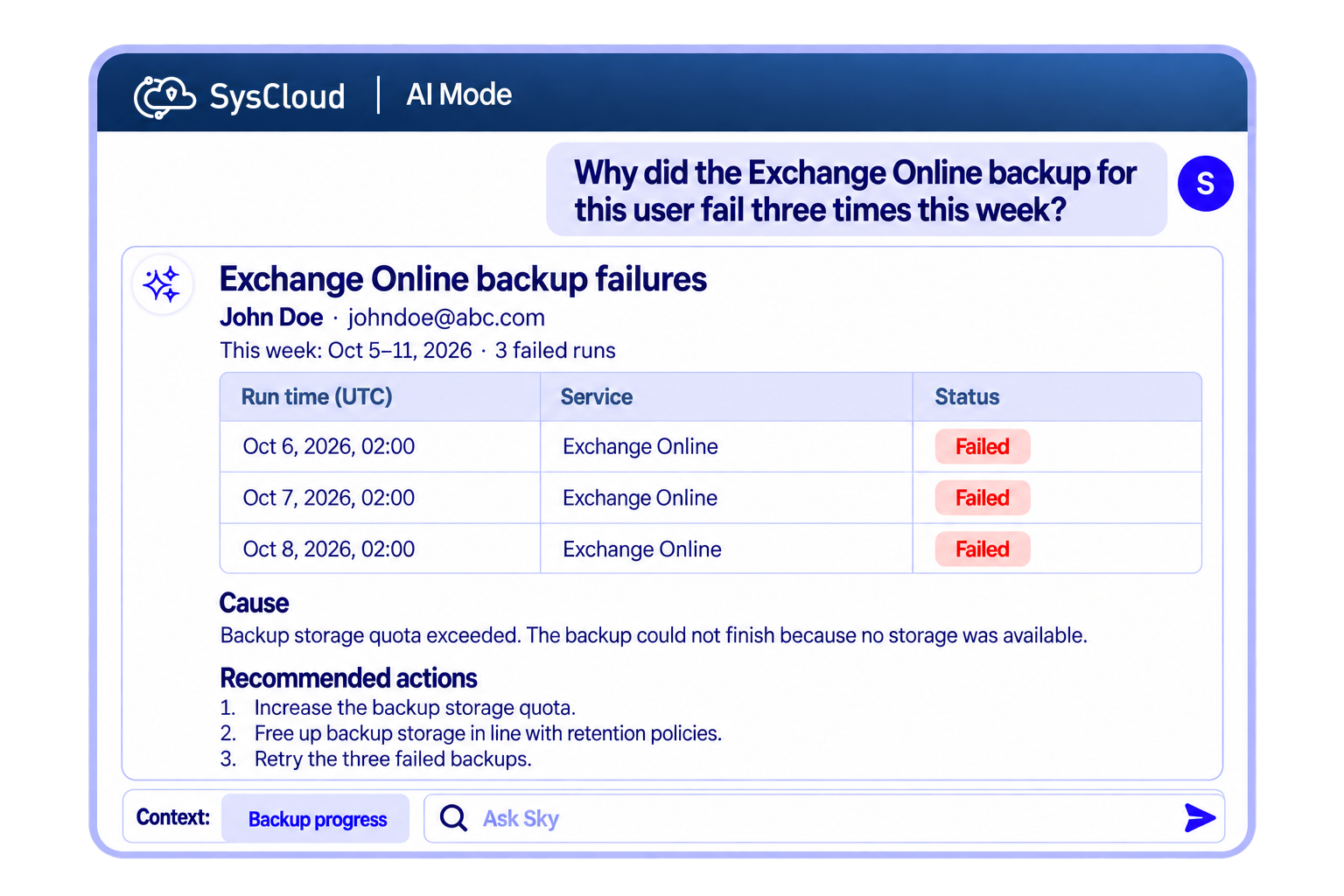
What you can ask Sky
Sky reads from a defined set of governed areas, each mapped to a set of approved queries. It does not have open-ended access to your raw data, which is why every answer can be traced back to a record.
Experience the future of backup administration with Sky
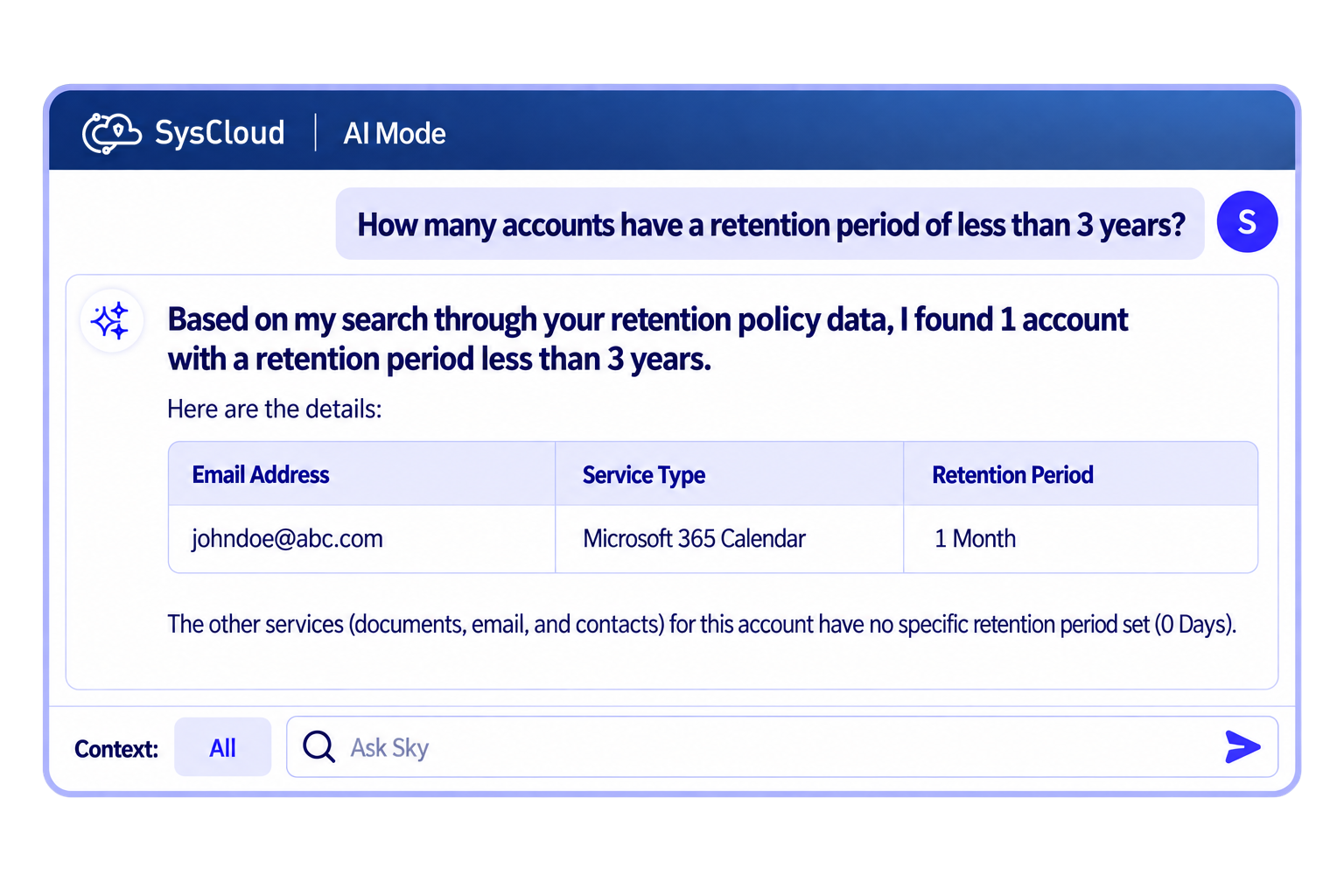
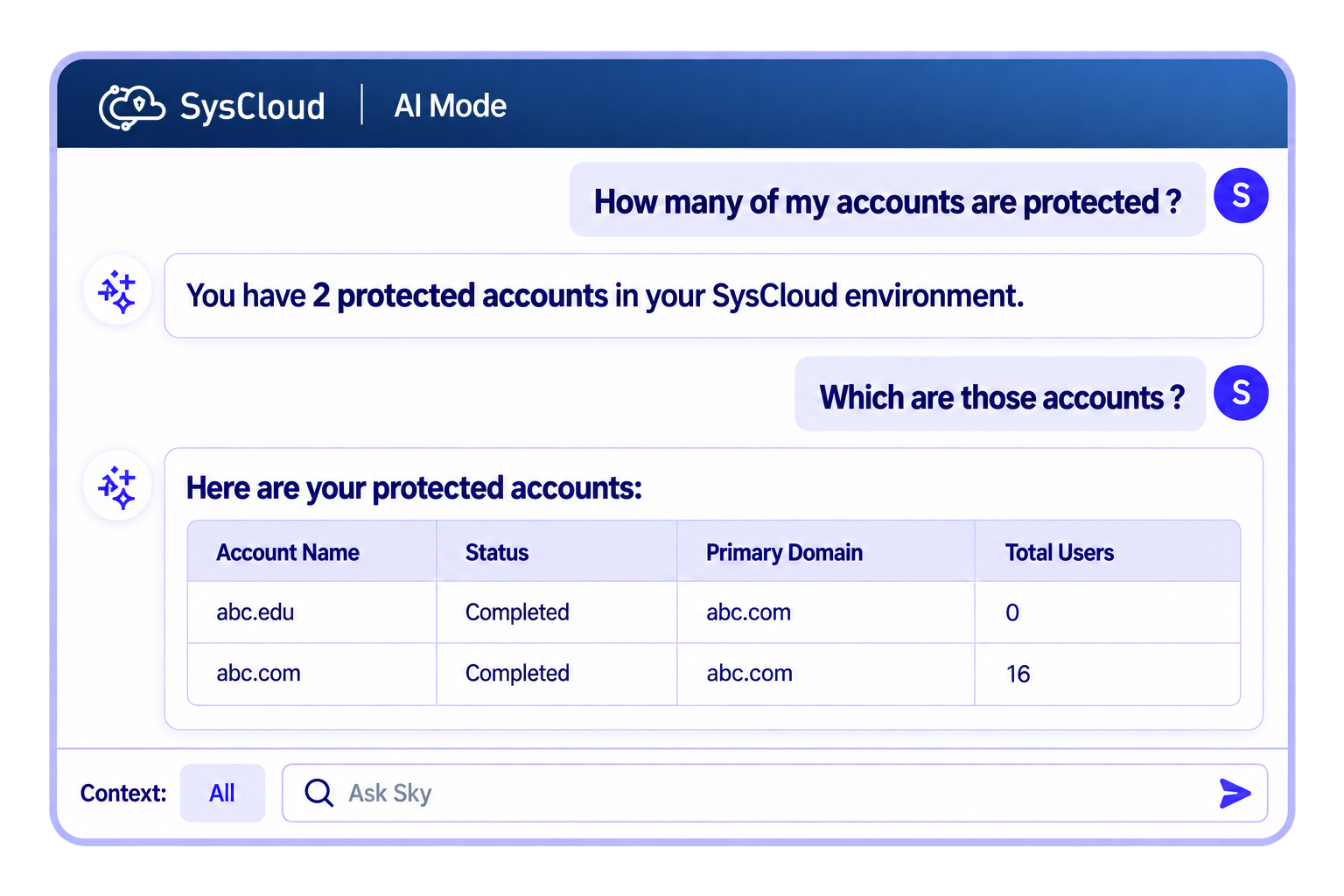
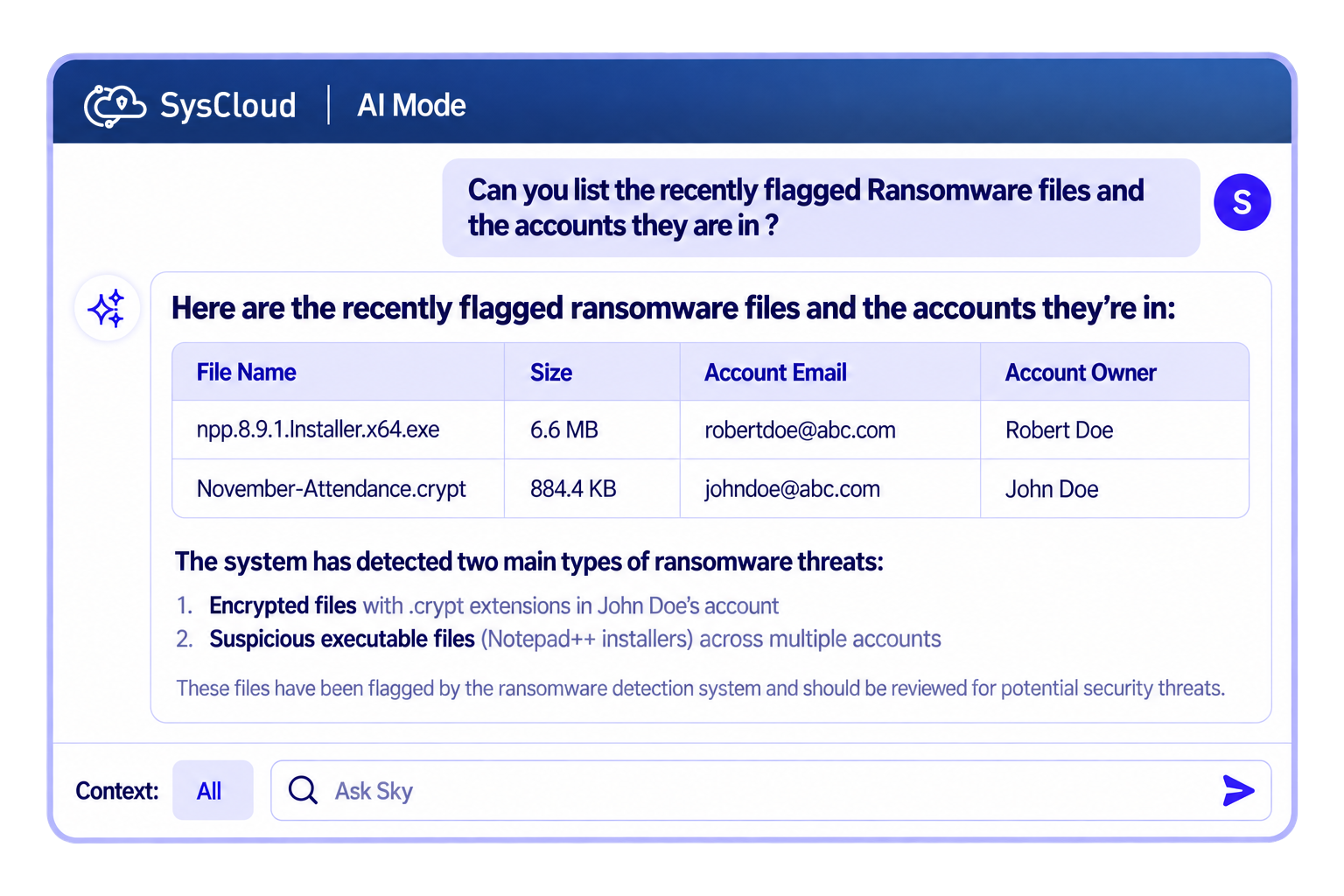
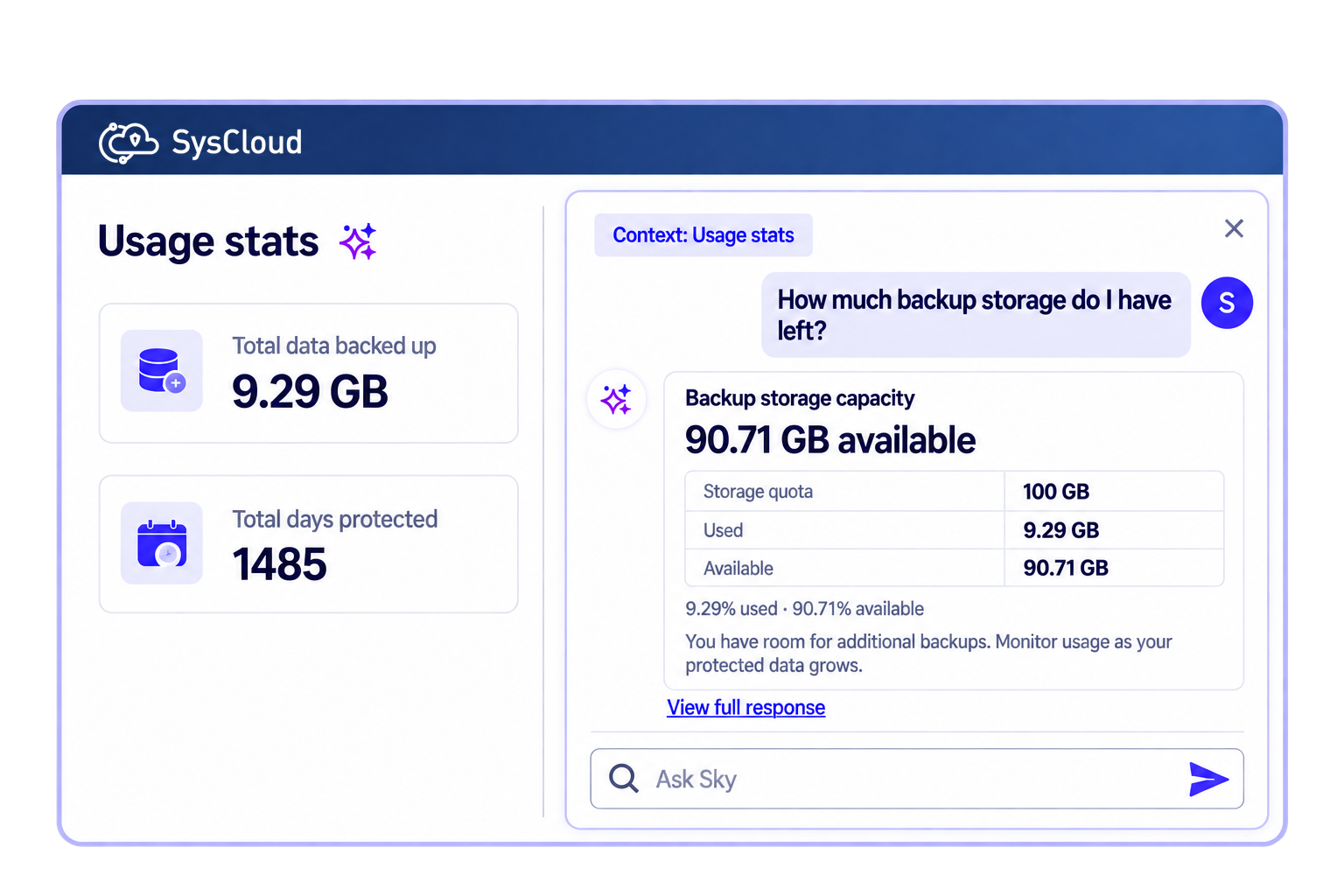
Ask the questions the dashboard cannot answer
Ask Sky things like "How many accounts have a retention period of less than 3 years?" and get answers that are not available as a filter anywhere in the application.

Frequently asked questions
If you’re hesitating, do not worry, we are here to explain everything you might want to know. Let us help!
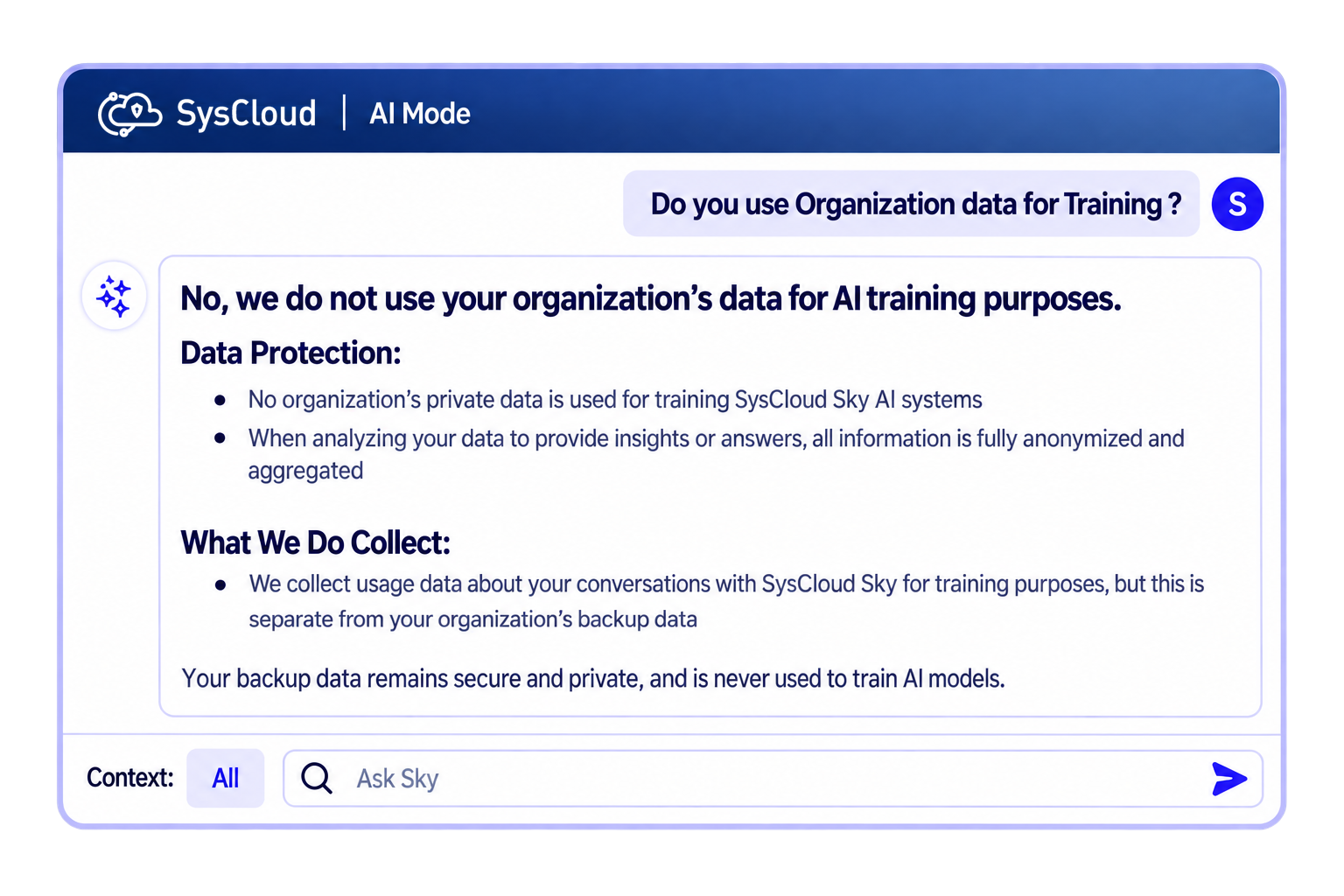
Is my organization's data used for AI training?
We take great care ensuring that our AI meets the best safety, security and ethical practices. Your organization's data is never used to train the AI systems of SysCloud Sky.
When SysCloud Sky AI systems analyze data to provide insights, recommendations, or answers to queries, the data is fully anonymized and aggregated. The AI algorithms can detect patterns and structures but do not access raw data directly, memorize private details, or store any identifiable information. Our AI model only sees the structure of the data without any personal or identifiable information. Your data is securely fetched from our database and the response is provided to you in a natural and conversational manner.
We collect your queries with SysCloud Sky and the intent behind those queries, which we use to improve the product. This never includes your backed-up data.
How secure is SysCloud Sky?
Sky is built to be secure and private, and it respects your existing roles and permissions. Every query is scoped to the admin asking it and isolated to your tenant, and Sky reads from governed metadata and approved queries rather than your raw content.
How does the topic-based conversation work?
The topic-based conversation allows Sky to maintain context over multiple interactions, making it easier to manage ongoing tasks and discussions without losing track of previous exchanges.
Can I try Sky before committing to it?
Yes, Sky is available as soon as you start a free trial with SysCloud. The free trial version has a limit of up to 10 queries.
How can I remove the monthly query limits on SysCloud Sky?
To remove the monthly query limit on SysCloud Sky, you must upgrade to a paid version of Sky. Contact sales to purchase.
Who in my organization can access SysCloud Sky?
Any admin role you create in SysCloud can use Sky. It used to be limited to the account holder. Each admin sees only what their role already allows them to see.
What languages does Sky support?
Sky supports multiple languages, like English and Japanese.
How can I provide feedback on the quality of responses?
You can provide feedback for the responses by clicking on thumbs up, if you think the response is satisfactory, or thumbs down, if the response is not satisfactory.
Where can I find more information or support for Sky?
For more information, contact our sales team directly.
Where can I use Sky?
Sky runs in the SysCloud app and through MCP for AI clients. The same permissions, audit trail, and cited answers apply wherever you use it.
Can Sky make changes to my environment?
Sky asks for your confirmation before anything runs. It cannot start a backup, change a setting, or alter roles and permissions. For higher-impact work such as a bulk restore, Sky scopes it and you complete it in the SysCloud app.
What evidence can Sky produce?
After a restore or a containment workflow, Sky assembles a summary covering scope, the actions taken, the snapshot used, and the outcome, with every line cited to the underlying backup snapshot, restore log, or audit record. You can export it as a table, and it is recorded in your SysCloud audit log.
We take security and compliance seriously