Choose a cloud to explore available features

Slack
Advanced features
Automated Backup
Create a custom automated backup job that includes the scope of data being backed up along with retention settings.

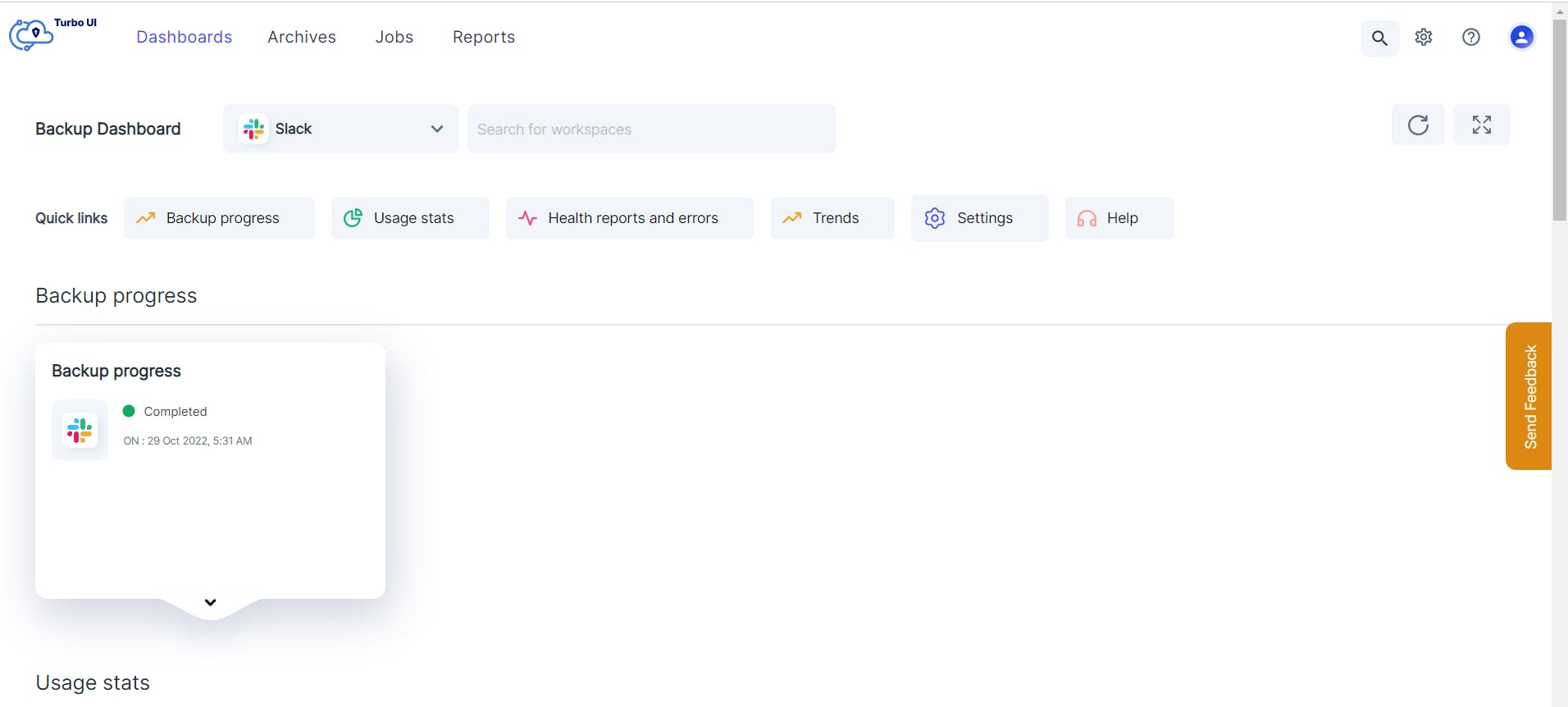
Granular backup scope
When creating a backup job, admins can select the workspaces to be included in the backup. This is ideal for Enterprise Grid subscribers who want to back up only selected workspaces in their Slack Enterprise.
Multiple backup jobs can be created to customize retention settings for different workspaces within Slack. Admins also have the option to edit the backup job, if required.
Multi-workspace backup
Save on subscription costs by backing up multiple workspaces from a single SysCloud account. Easily switch and search between workspaces to administer the backup archives.
Private channels and direct messages backup
Back up, restore, or export all private channels and direct messages. To initiate the backup of private channels, at least one member of the private channel has to authorize it. To back up a user's DMs, a Slack workspace admin requires authorization from the user.
Learn why you need end-user authorization to back up private channels and direct messages.
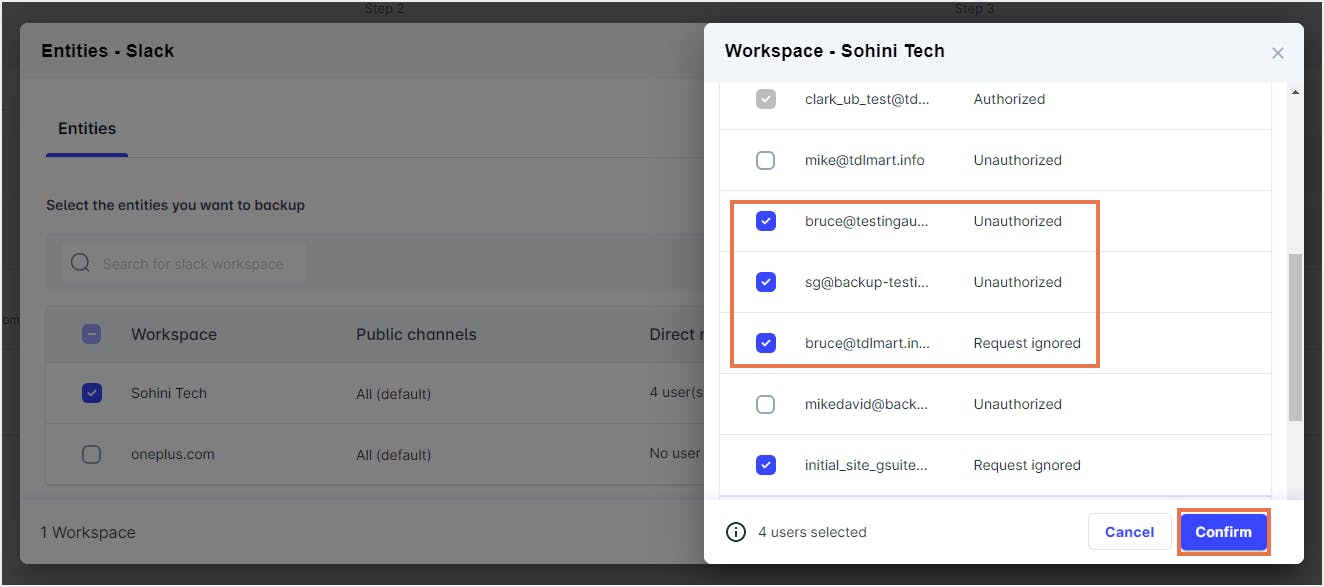
Granular progress tracking
Get an accurate time of completion for all your base backups, incremental backups, restores and exports. Admins can track the progress at a workspace level.
Backup on demand
Use the on-demand backup option to instantly initiate backup for a workspace. Admins can run an on-demand backup before rolling out major changes to a Slack workspace, such as data migration, third-party app integration, or data deletion to ensure that the latest data is available for restore in the event of data loss or corruption.
Backup for Slack Connect channels
Back up Slack Connect channels along with files and restore or export them when needed. During restore, external members must be re-added from Slack. Click here to learn about the limitations when restoring Slack Connect channels.
Intuitive Backup Dashboard
Real-time backup, restore, and export status
Get real-time status of the backup, restore, and export activities. The dashboard provides a complete backup health status for the past 30 days, and restore and export status for the past 90 days.
Administrators can drill down from the dashboard to see the number of in-progress and completed backups tasks, and restore and export requests.
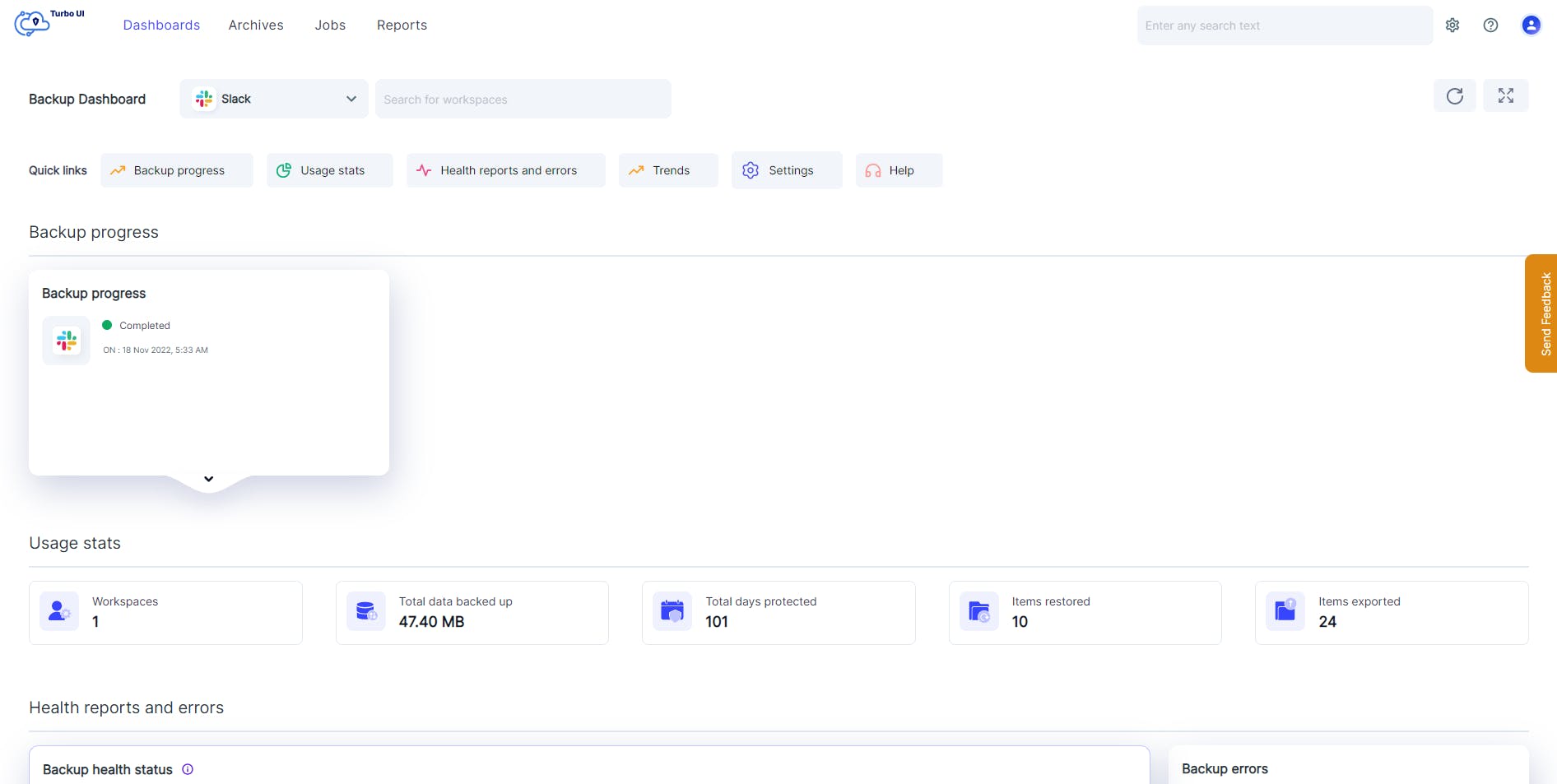
Usage stats
View the total amount of data backed up, the number of days the data has been protected, the number of items restored and exported, and the total number of workspaces backed up - all from a single dashboard.
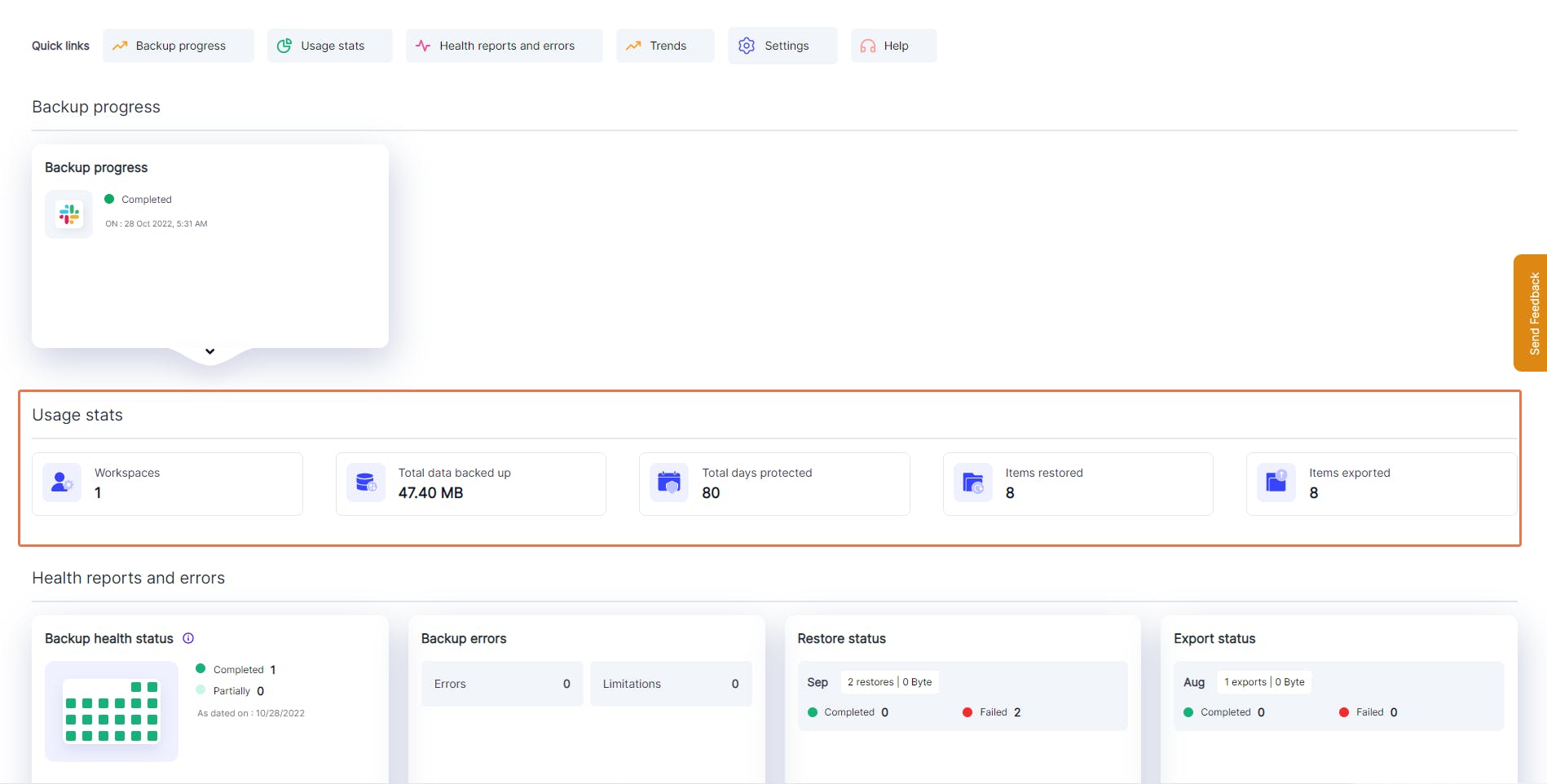
Error notifications
Quickly identify and resolve any errors with SysCloud’s real-time backup, restore, and export error notifications. Admins can drill down from the dashboard for more information and get helpful tips to fix the errors.
Smart Navigation
Easily navigate to the archives or dashboards for any workspace. Admins can search for any valid combination of cloud name, archive level, workspace name, and channel name. Learn more
eDiscovery Search
Global content search
Search for content inside conversations, files, channels, and user groups using keywords, across all your workspaces.
Metadata archive search
Search archives for channel name, file name, channel number, or user using keywords in the metadata.
Bulk export search & hold results
Export eDiscovery search results in bulk across supported SaaS apps. You can also bulk export all items under a single legal hold, reducing manual effort and speeding up investigations.
Advanced restore and export capabilities
Point-in-time restore
Go back in time to recover from accidental deletions, ransomware attacks, or data corruption using point-in-time backup snapshots from Slack files archive. Admins can review all the backup instances and choose the right version of the data that needs to be restored.
Export conversations in CSV format
Export or download thread-level or channel-level conversations in CSV formats. Quickly import downloaded threads or entire channels into any Slack workspace.
Restore and export progress and reports
Easily access restore and export reports to stay updated on the progress of restore/ export requests, along with key information such as the restore source and destination, number of restored/exported items, restore/export type, user who initiated the restore/export, and restore/export date.
Automated error management
Spend less time fixing backup errors and focus on other critical admin tasks while SysCloud automatically resolves cloud API errors.
Easily track manual error resolution tasks to completion with error resolution workflows.
Managing your account
Cloud connection management
Manage all the clouds and accounts connected to the SysCloud backup application from the Cloud Connection Center.
Notifications
Stay updated with email and in-app notifications for key events across:
• Backup: Job edited, job paused, cloud connection completed, cloud connection failed
• Restore
• Export: Export, bulk export
• Search: Search completed
• Holds: Hold, release hold
• Security actions: Mark as true positive, dismiss
• Reports: Daily/weekly status report
You can choose which notifications to turn on based on your needs. However, some critical notifications cannot be disabled, including cloud sync errors, backup errors, and billing or license updates.
Access management
Create any number of backup admin roles to distribute admin workload among the IT team and easily manage restore requests. Admins can assign granular permissions to specific users and edit them as required.
Audit logs
Get full control and visibility over all admin and end-user actions by viewing detailed audit logs for backup, restore, and export events. You can also export audit logs for reporting and compliance.
SysCloud Public API
Build custom workflows and reporting on top of SysCloud with our public API. Retrieve backup job details (including job status and retention settings), synced entity data across supported clouds, and restore or export reports from your SysCloud installation.
Query backup, restore, and export trends along with storage consumption at the cloud, service, or entity level for up to the last 30 days.
Authenticate using client credentials (short-lived access tokens), with per-endpoint rate limits to ensure consistent performance.
SysCloud for Splunk
Get a comprehensive view of SysCloud backup, restore, and export activity in Splunk. The SysCloud Add-On for Splunk collects SysCloud trends and entity data as events, and the SysCloud App for Splunk turns that data into visualizations for trends and storage consumption over time.