Choose a cloud to explore available features

Google Workspace
Advanced features
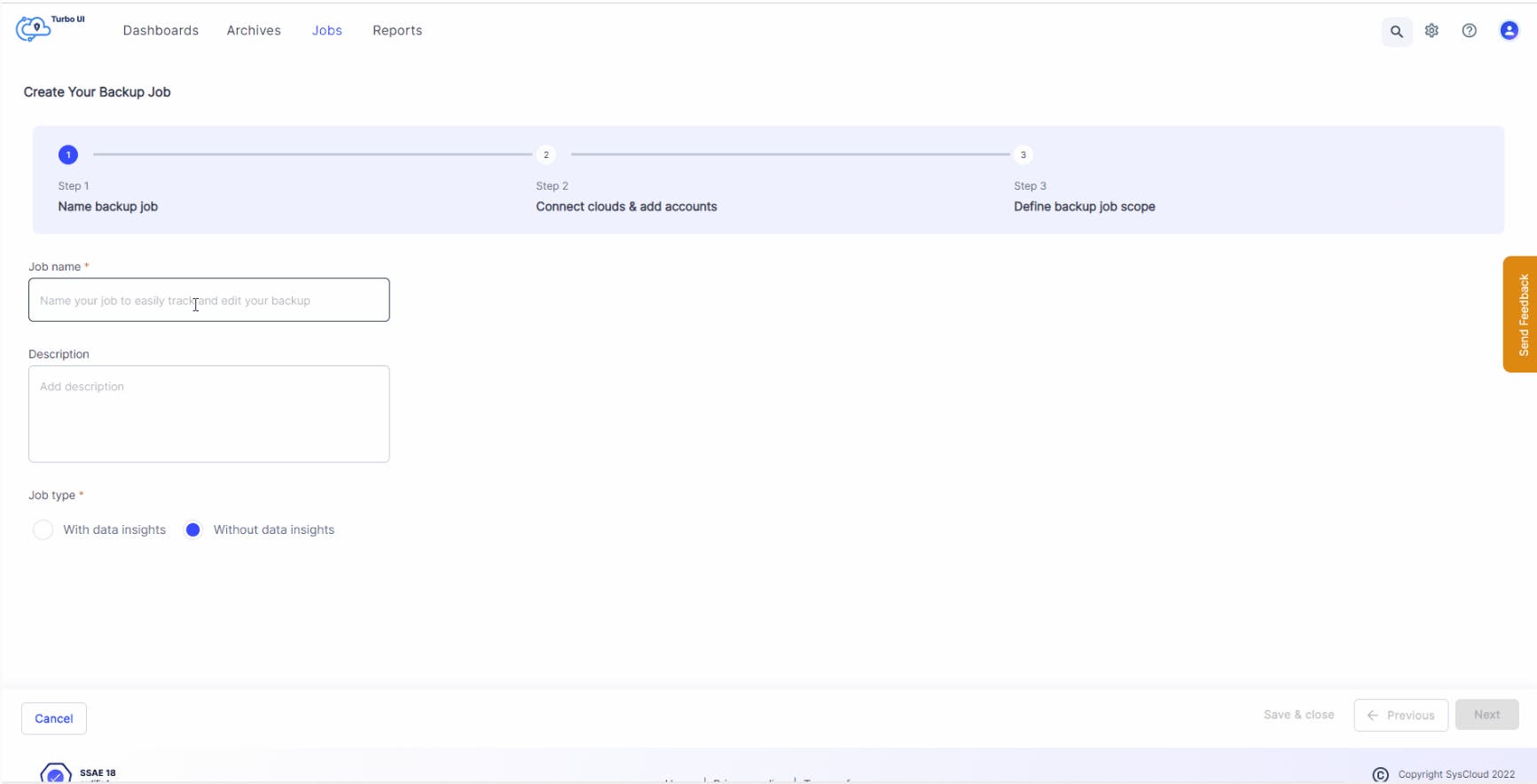
Automated Backup
Create automated backup jobs to define the scope of the backup and the apps to be backed up, along with custom retention settings. Once the job is created, SysCloud will automatically back up the data once every 24 hours.

Auto backup new users
Turn on the auto backup feature to automatically enroll new users (such as new hires) to the backup schedule.
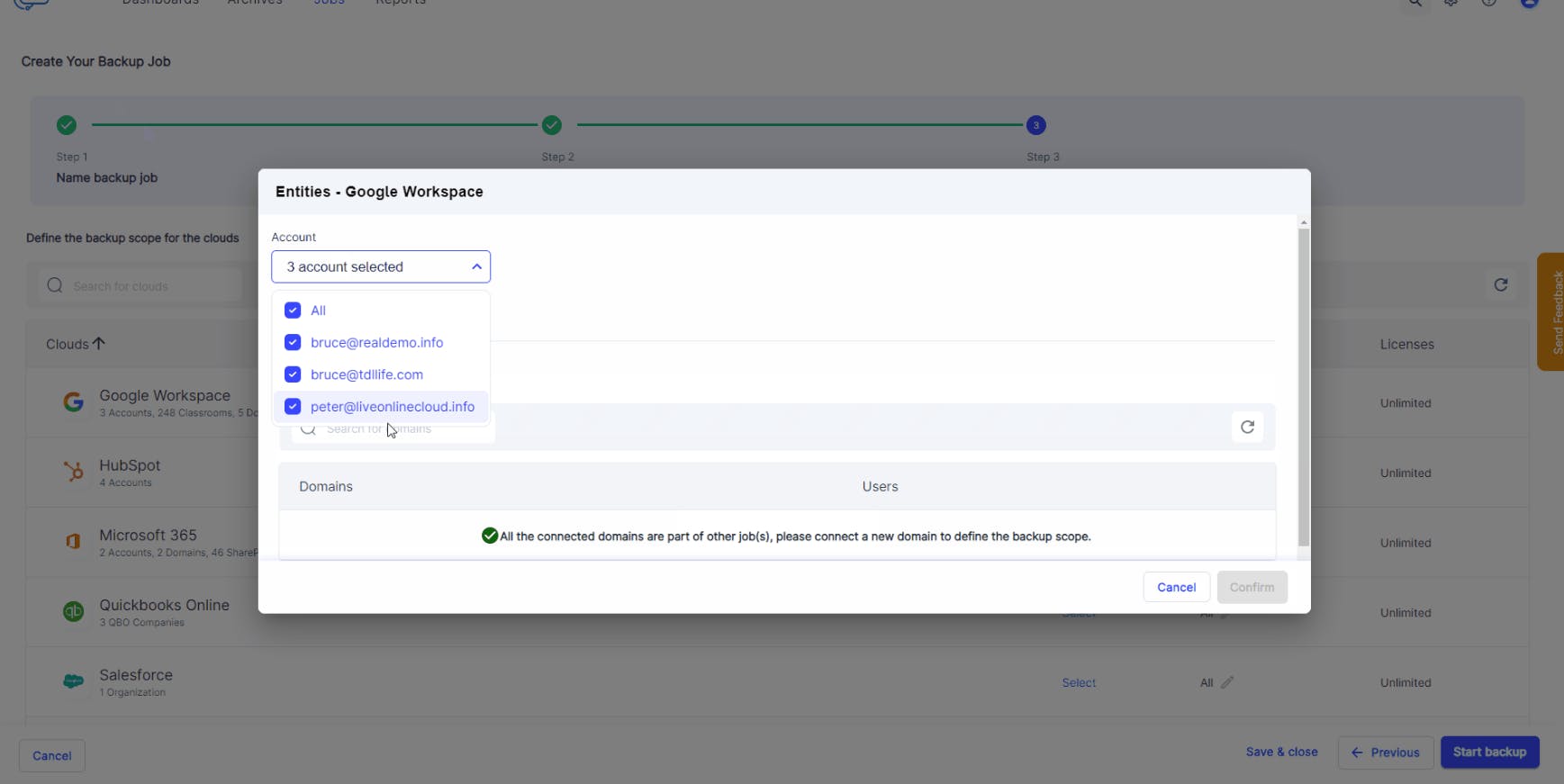
Granular backup scope
When creating a backup job, admins can select the users, domains, organizational units, and Google Workspace apps (Calendar, Google Classroom, Contacts, Gmail, Google Drive, Shared Drive, and Google Sites) to be included in the backup.
Multiple backup jobs can be created to customize retention settings for different entities within the cloud. Admins also have the option to edit the backup job, if required.
Retention management
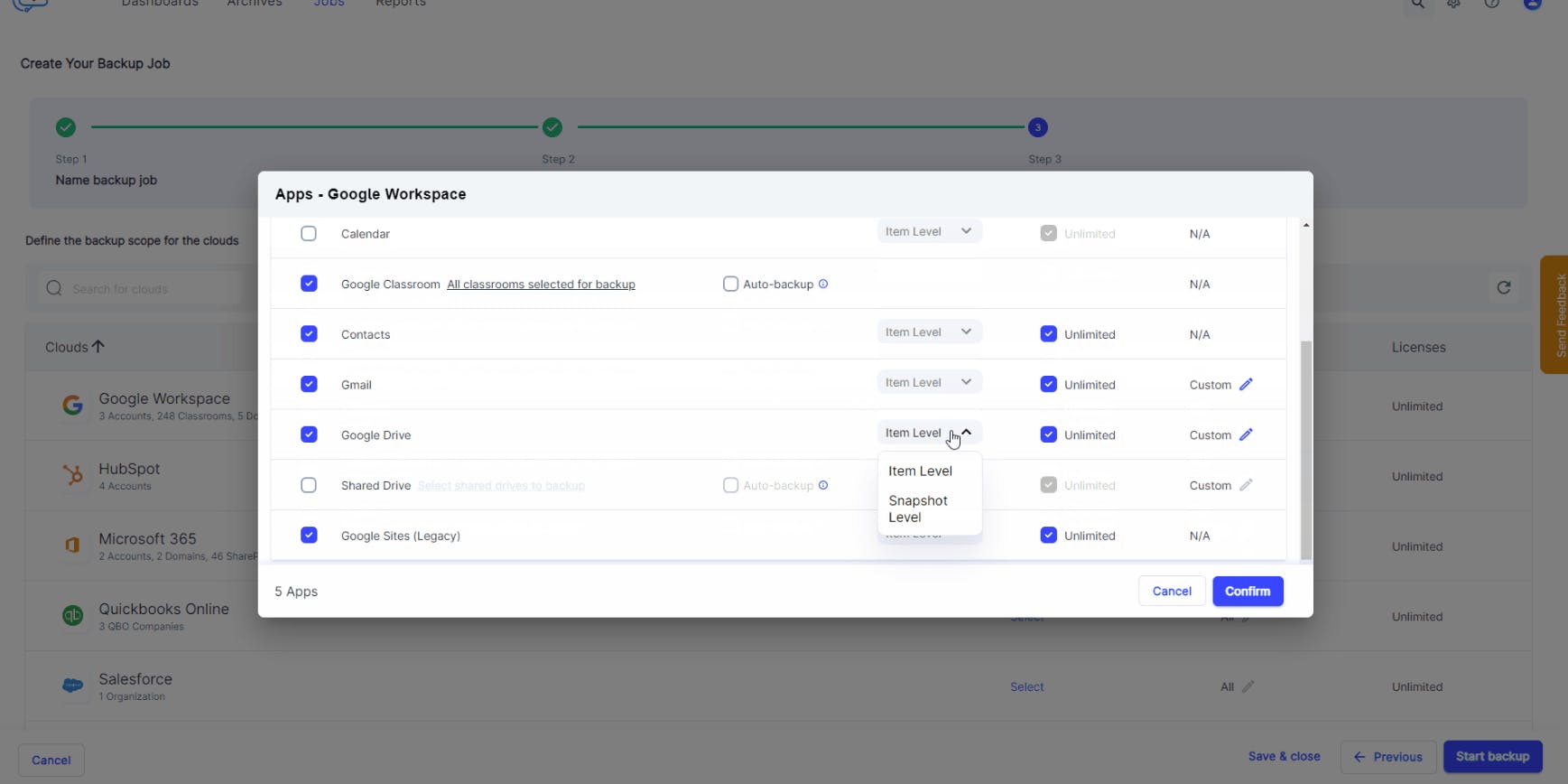
Define how long the backed up data should be retained to remain compliant with federal and state retention laws. Admins can either retain data for an unlimited period or set custom retention periods for different apps. This ensures that the backup archives are not cluttered with data that’s no longer required.
SysCloud offers two types of retention:
Item-level retention, where the retention period is calculated based on the last modified date of the item that is being backed up. Learn more
Snapshot-level retention, where the retention period is calculated from the date of the latest snapshot of the backed-up item. Learn more
Multi-domain backup
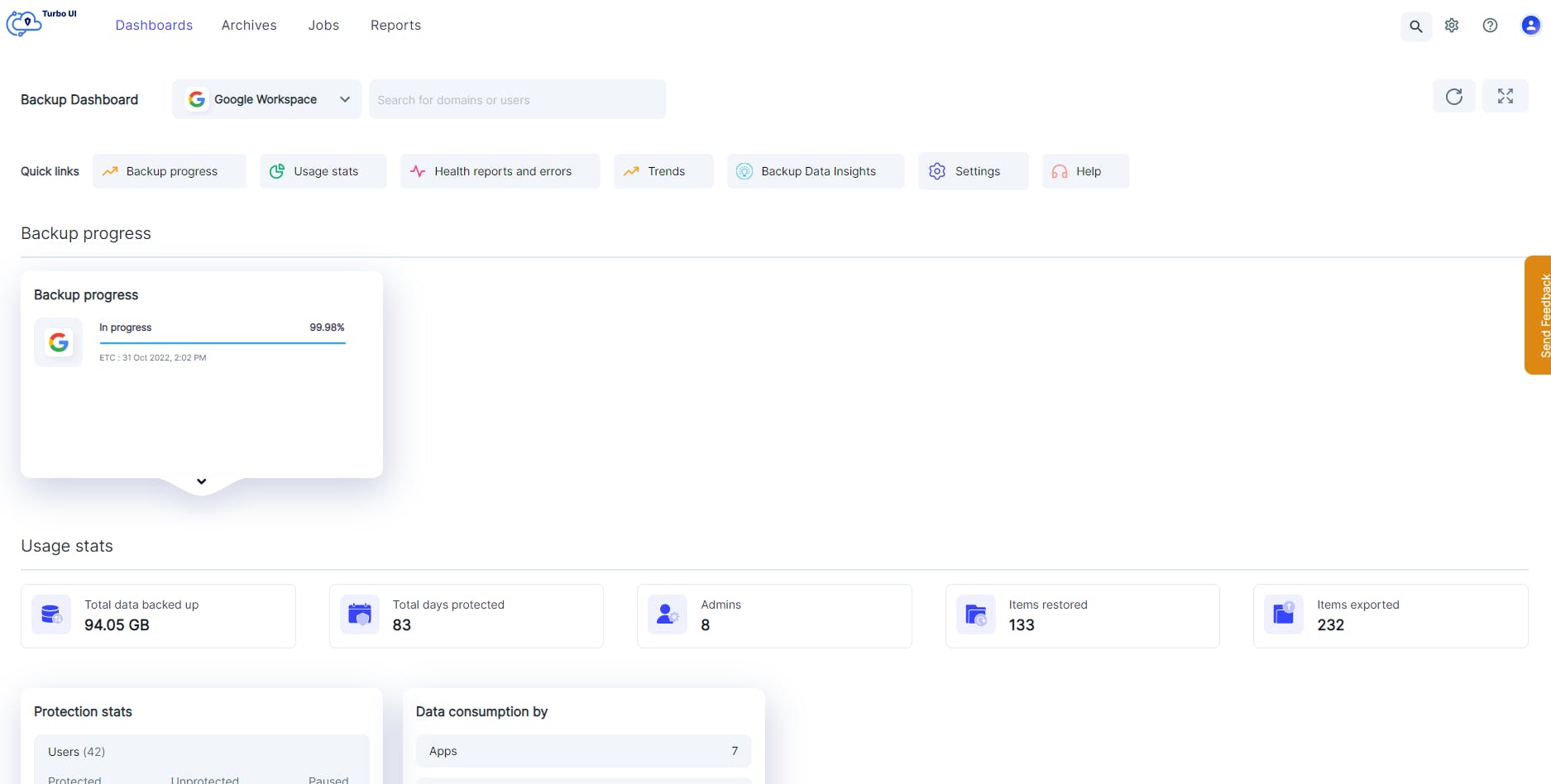
Save on subscription costs by backing up multiple domains from a single SysCloud account. Easily switch between domains to administer the backup archives.
Content exclusion
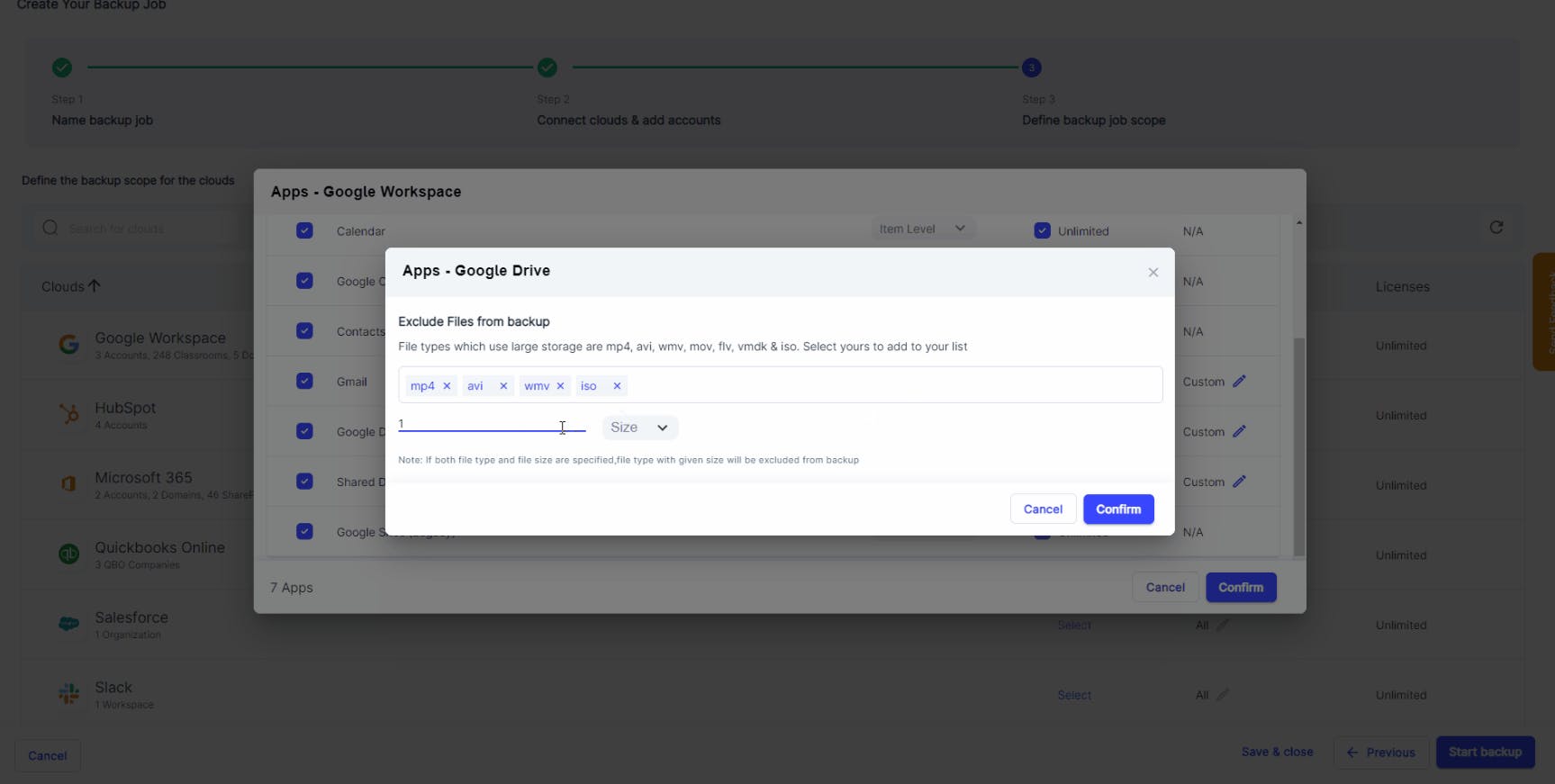
Exclude specific file types or files above a certain size when creating a backup job so that only the necessary data is backed up. This helps to speed up the backup process.
User exclusion
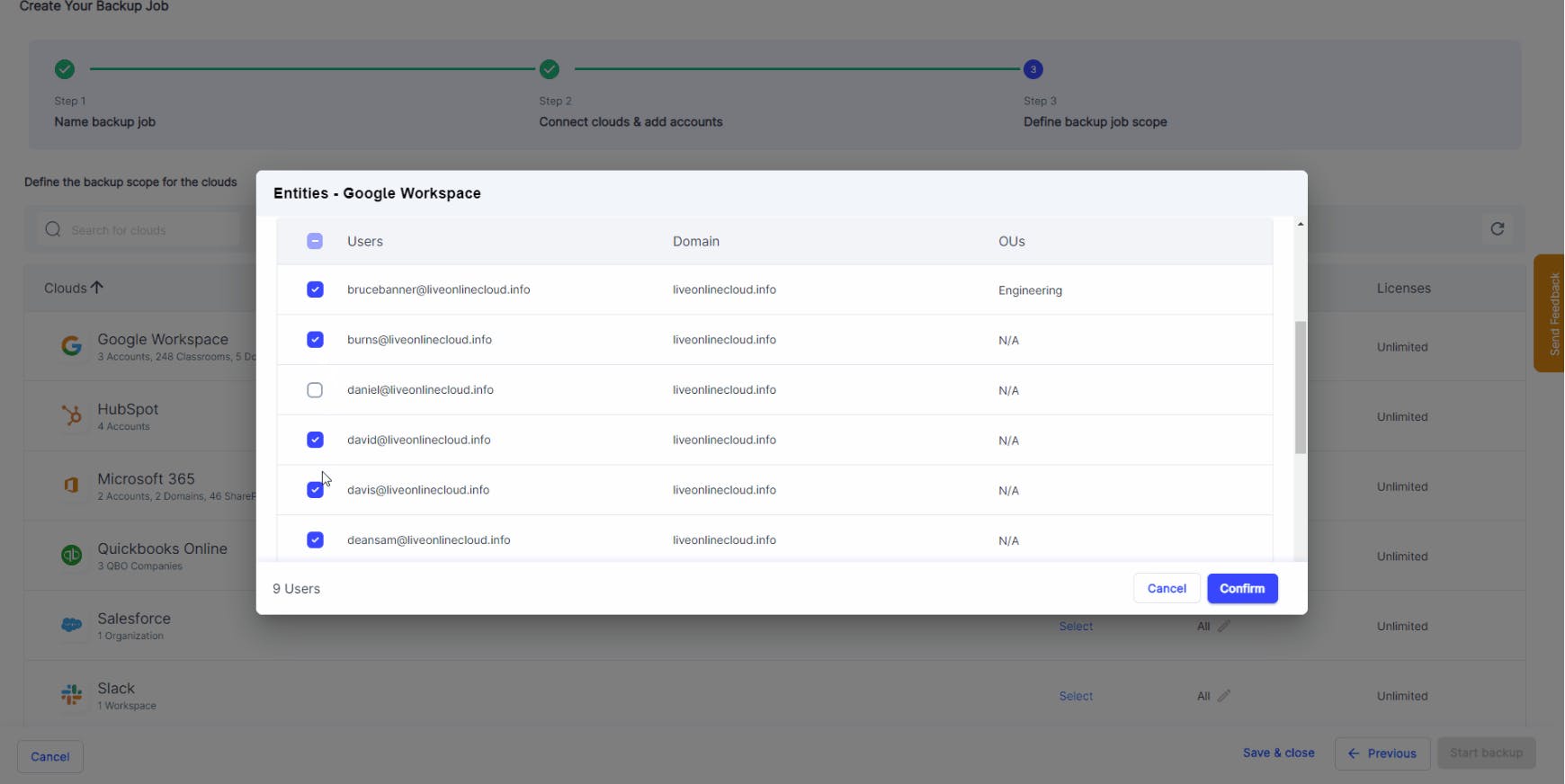
Exclude specific users and groups from the backup schedule when creating a backup job. Save on SysCloud licensing costs by excluding users from the backup job.
Granular progress tracking
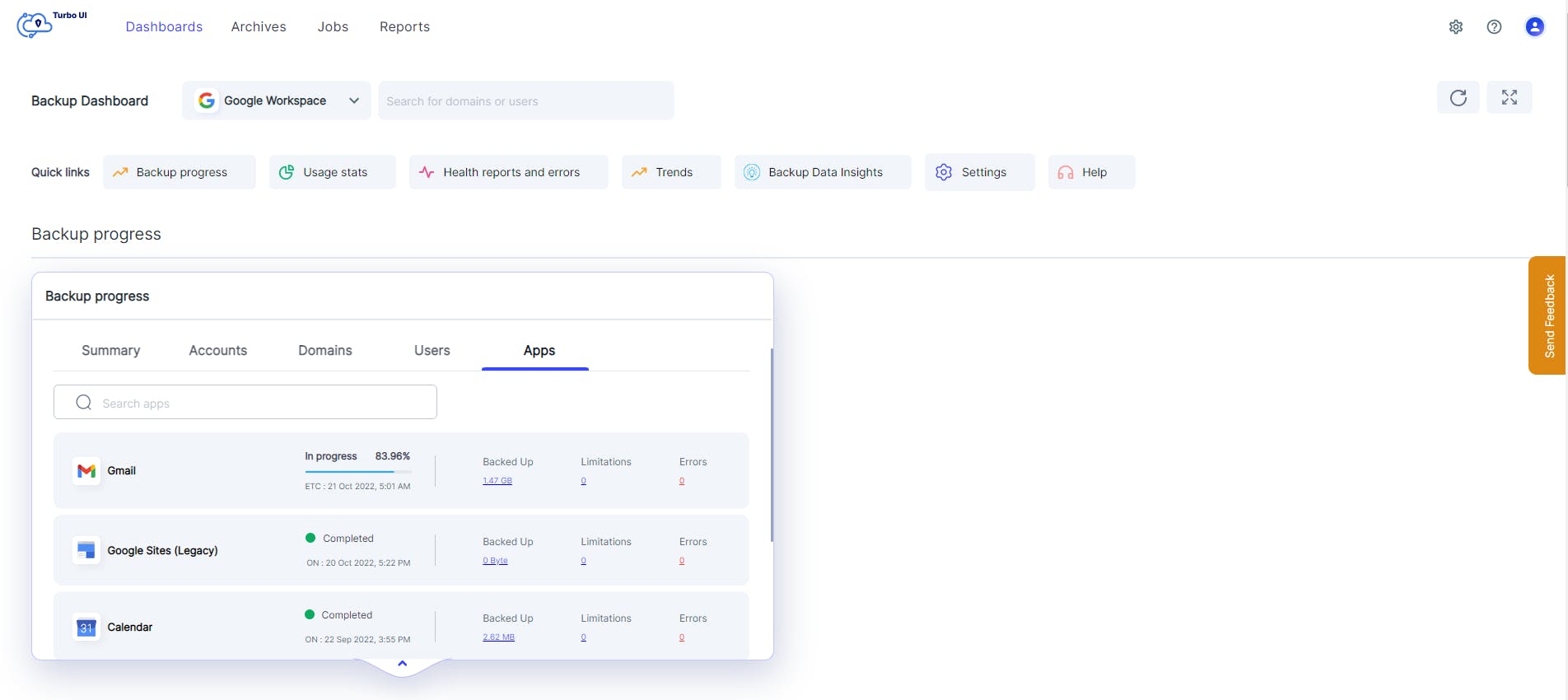
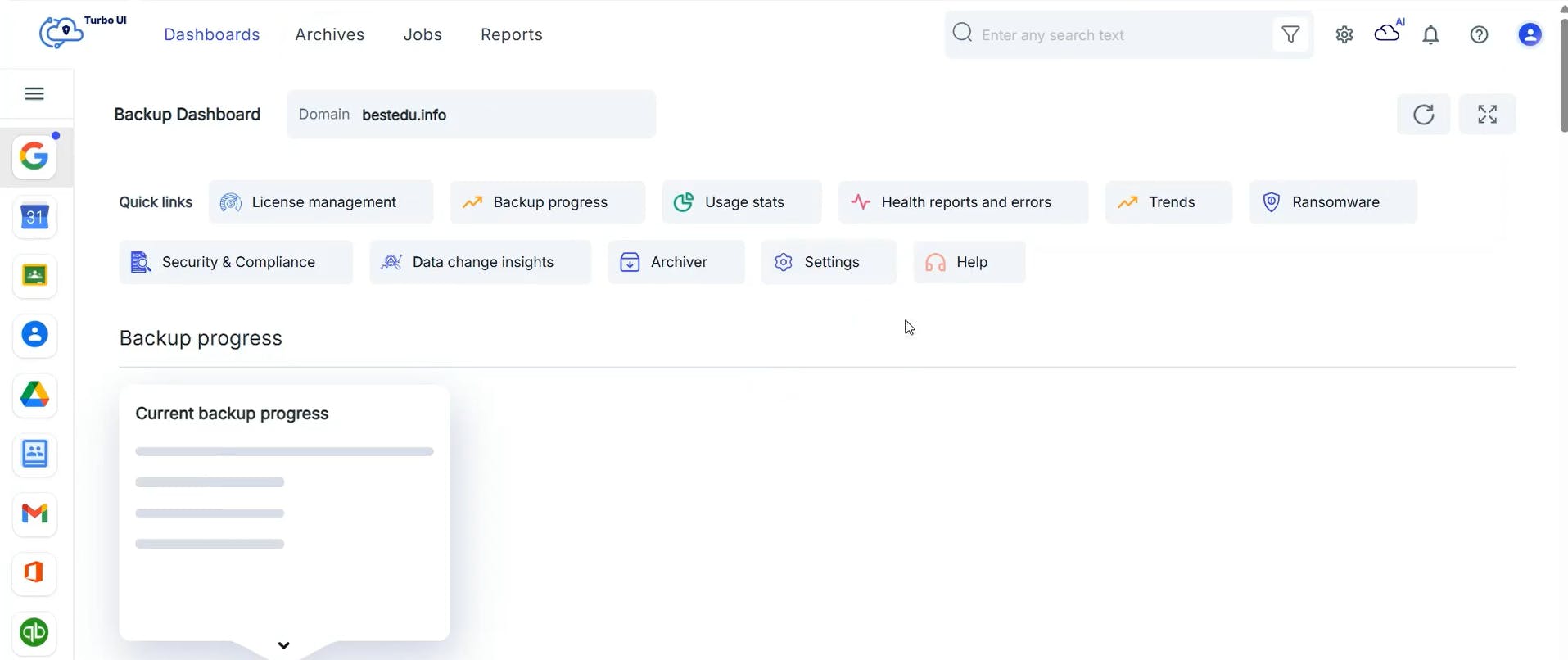
Get an accurate time of completion for all your base backups, incremental backups, restores, and exports. Admins can track the progress at an account-level, domain-level, app-level, and even at a user-level.
Backup on demand
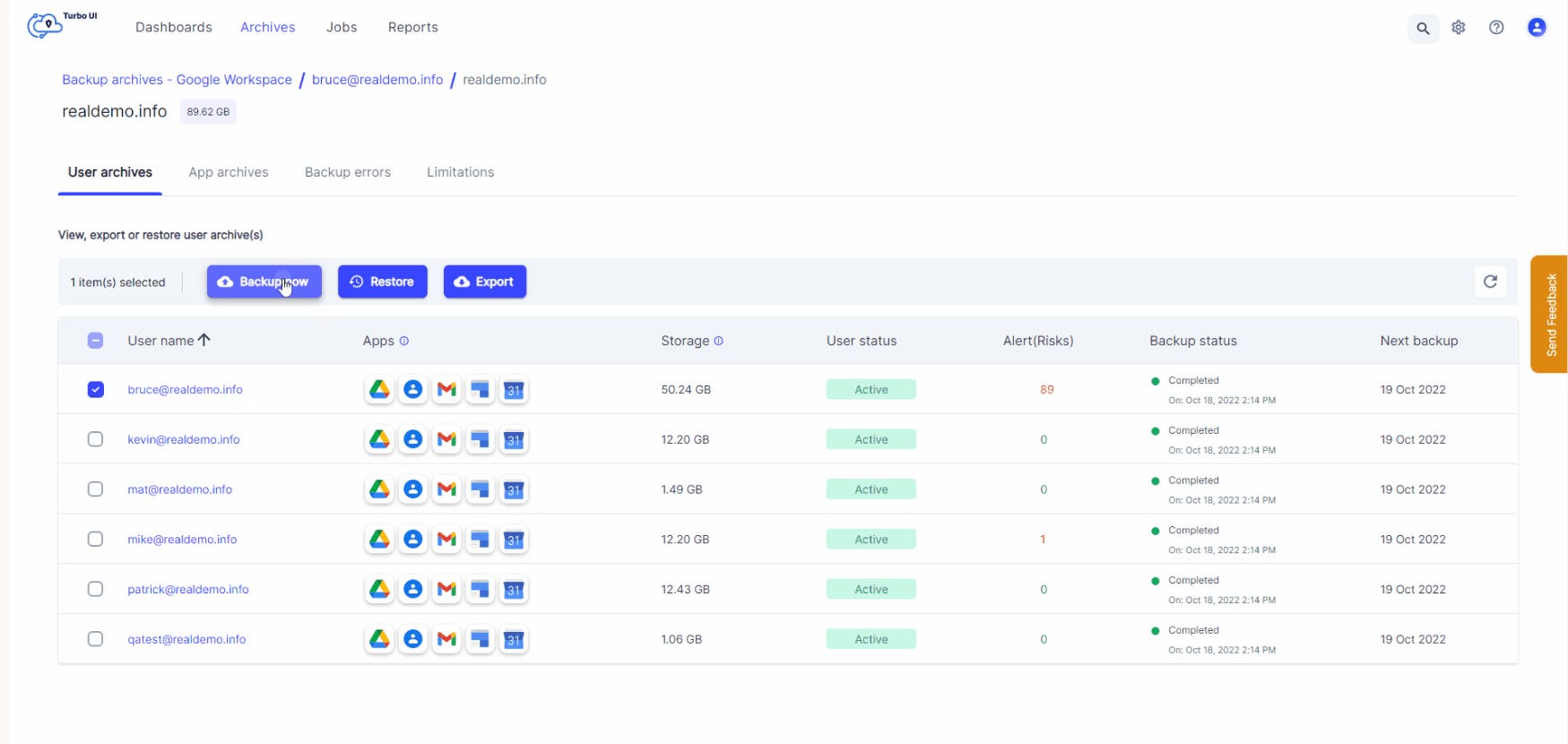
Use the on-demand backup option to instantly initiate backup for specific users. Admins can run an on-demand backup before rolling out major changes to a Google Workspace account such as data migration, third-party app integration, or data deletion to ensure that the latest data is available for restore in the event of data loss or corruption.
Intuitive Backup Dashboard
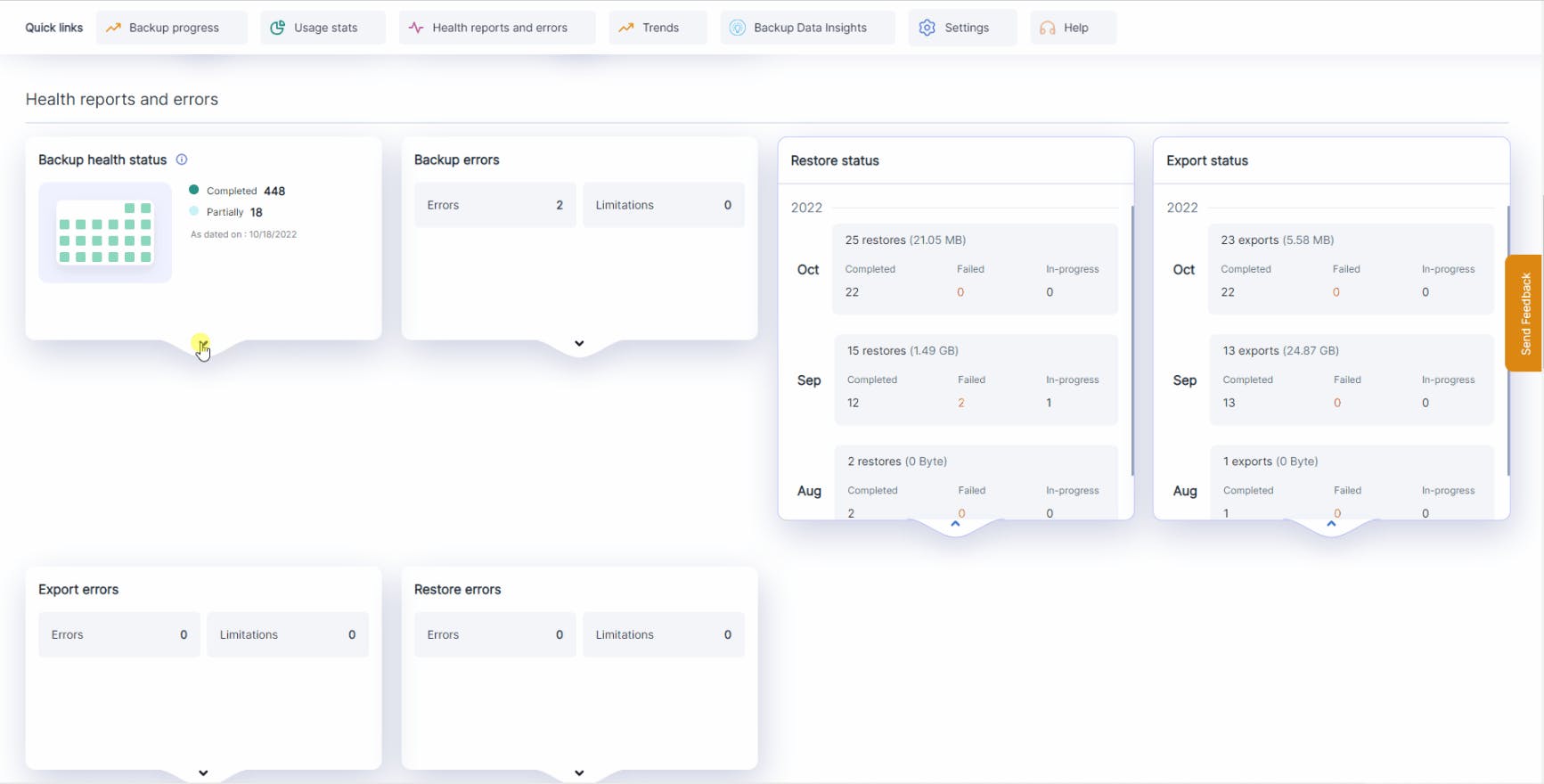
Real-time backup, restore, and export status
Get real-time status of the backup, restore, and export activities. The dashboard provides a complete backup health status for the past 30 days, and restore and export status for the past 90 days.
Administrators can drill down from the dashboard to see the number of in-progress and completed backups tasks, and restore and export requests.
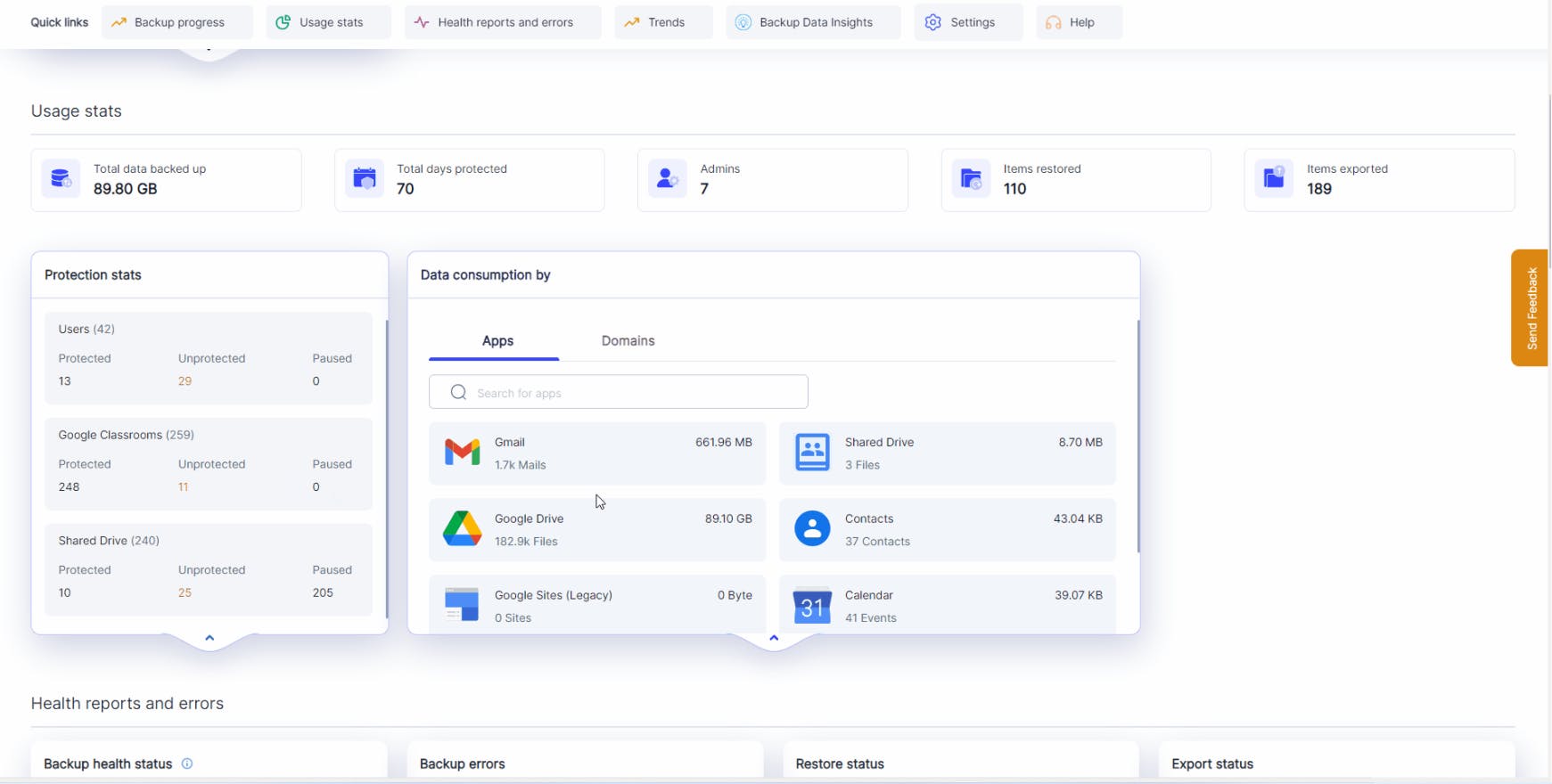
Usage status
View the total amount of data backed up, the number of days the data has been protected, the number of items restored and exported, the number of users, shared drives and classrooms backed up, and the total storage consumed at an app and domain level, all from a single dashboard.
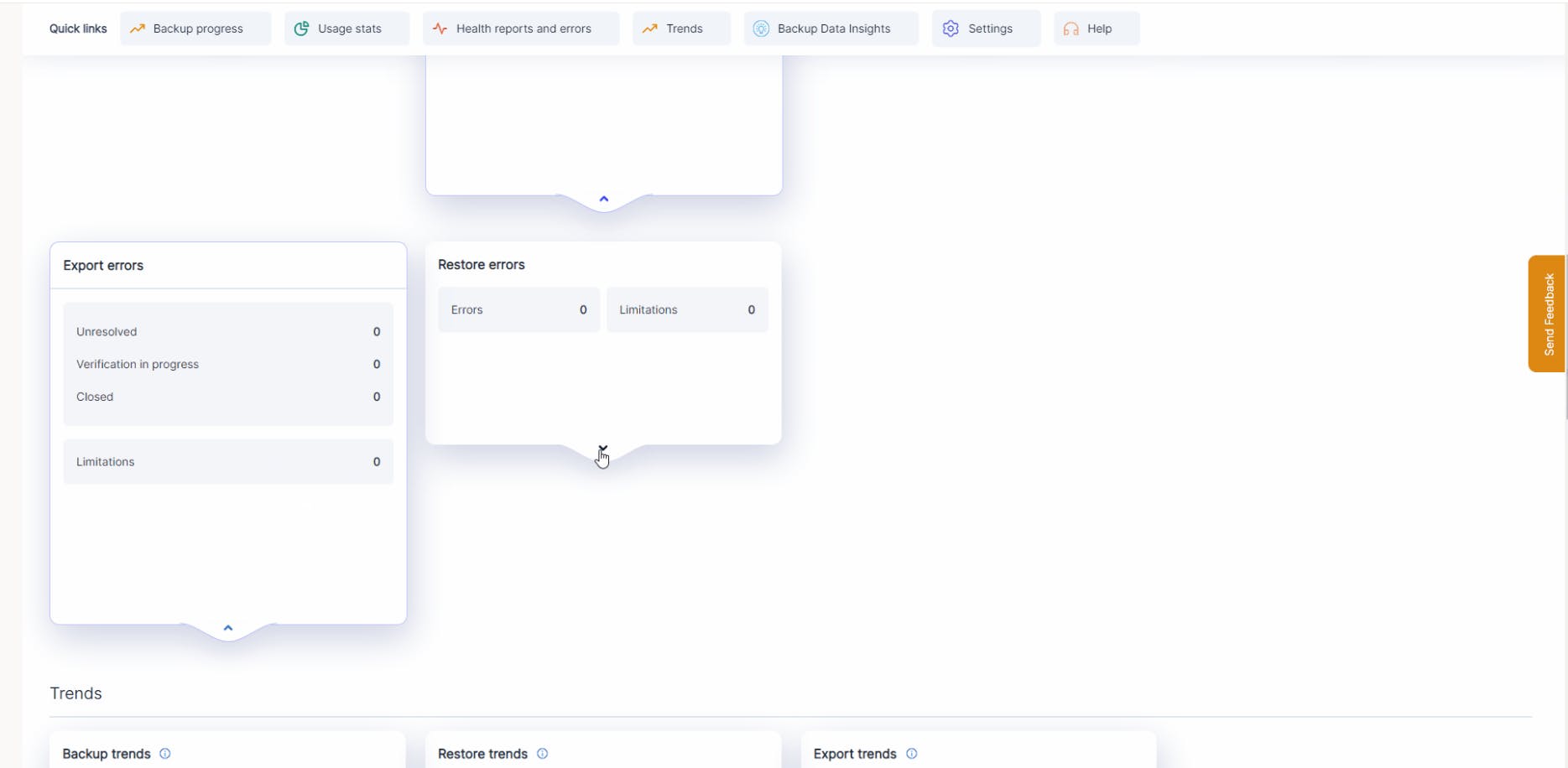
Error notifications
Quickly identify and resolve any errors with SysCloud’s backup, restore, and export error notifications. Admins can drill down from the dashboard for more information and get helpful tips to fix the errors.
Ransomware Protection
Get ransomware threat notifications on the Google Workspace dashboard. The ransomware threat card can be expanded to display details of the threat. Admins can further drill down to view details such as the ransomware type, owner of the infected file, and the date when the threat was detected, to take proactive actions.
With SysCloud, admins get a consolidated view of every ransomware threat found in the latest backup, covering batch programs, executables, and macro-enabled files that have not yet run, as well as files that have already been encrypted. Admins can trigger automated remediation with Action Flows, or select a safe snapshot to recover clean data.
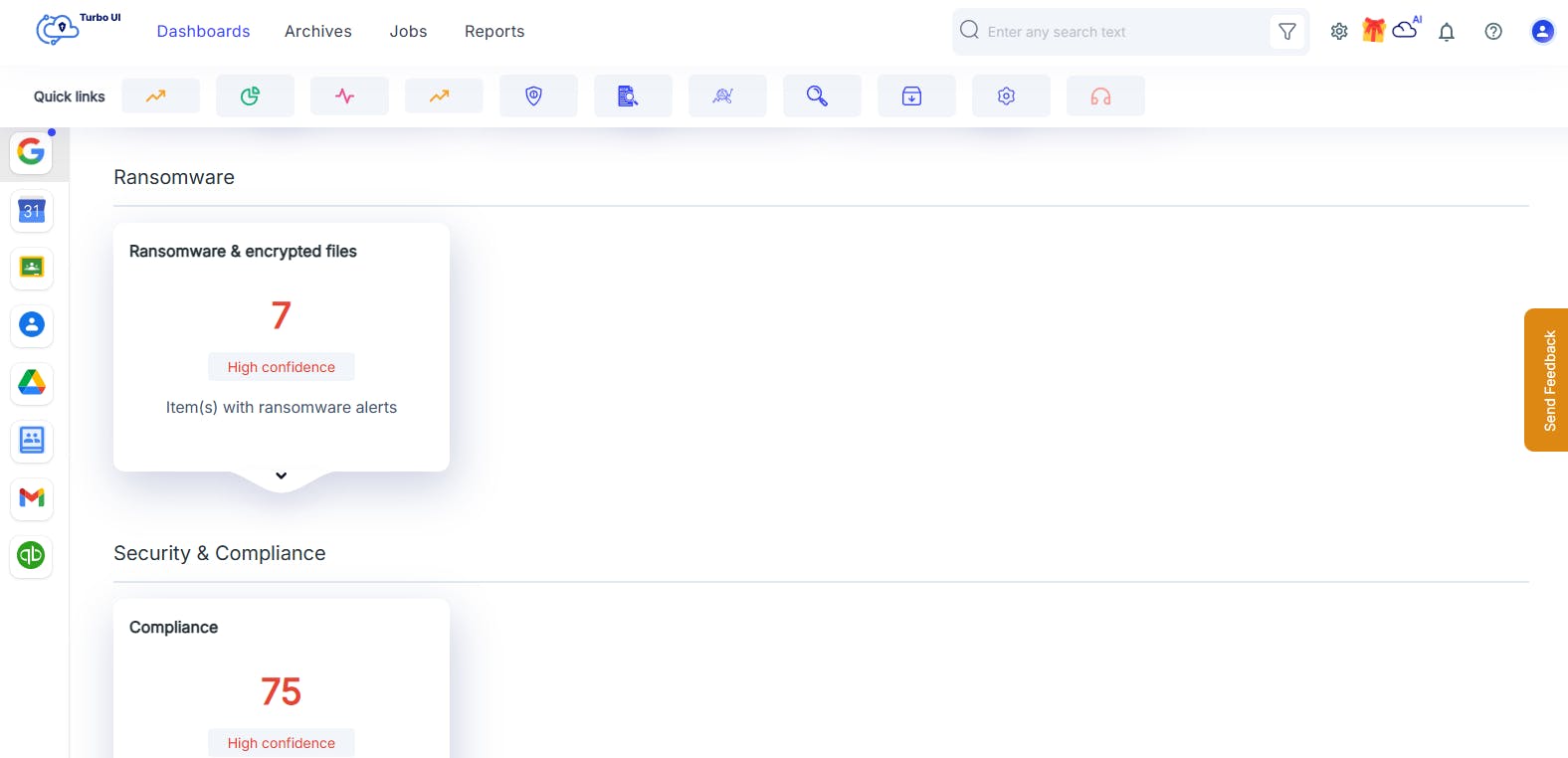
Security & Compliance
With SysCloud's Security & Compliance, get a unified view of compliance violations and security alerts right on your dashboard, spot data sharing, detect policy violations, and respond instantly.
Admins can drill down to investigate flagged files or emails, revoke sharing, and transfer ownership for remediation.
With SysCloud, admins can address compliance requirements, safeguard sensitive data, and maintain airtight security from a single pane of glass.
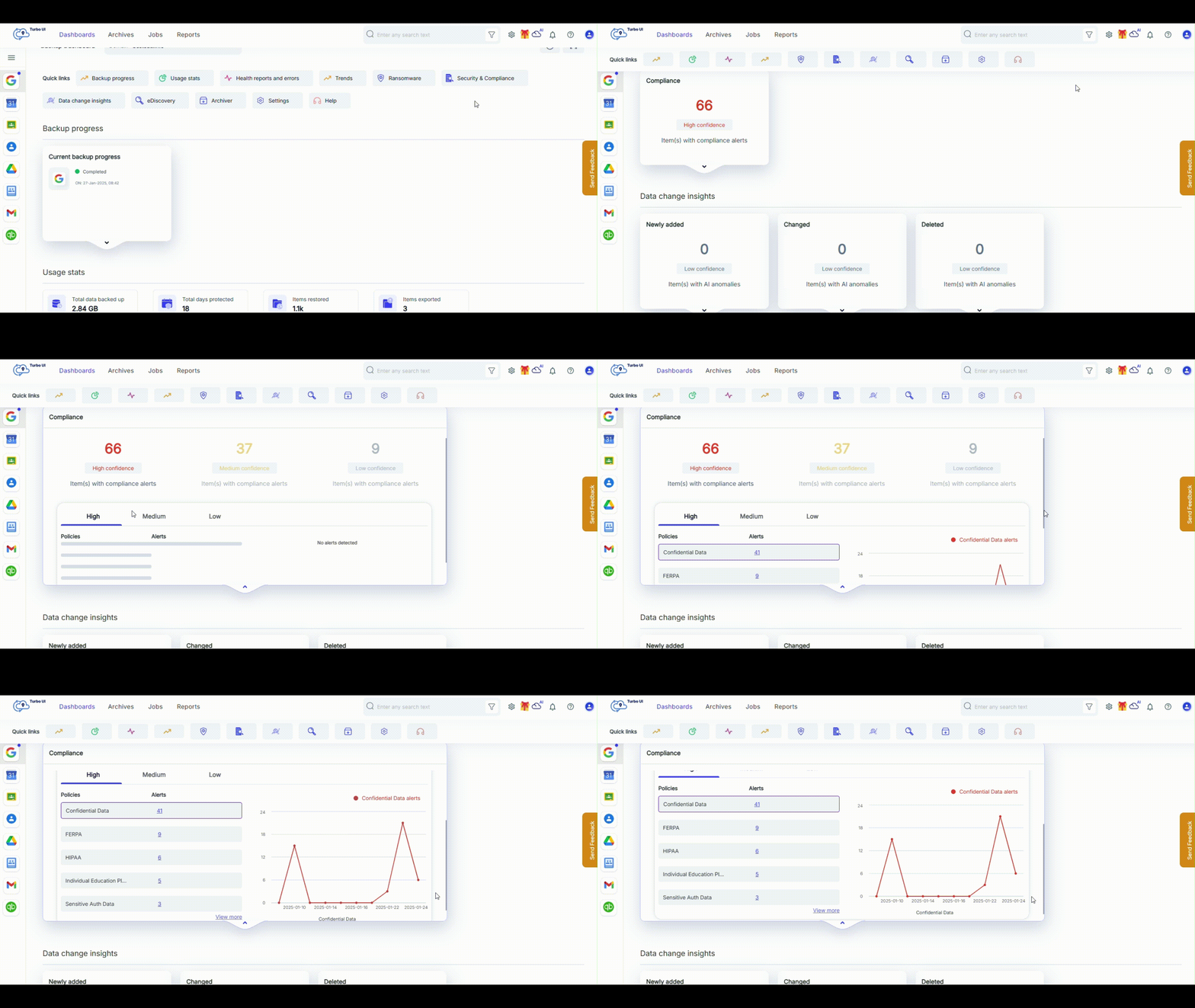
eDiscovery Search
Easily manage searches with the eDiscovery dashboard. The eDiscovery card provides a quick overview of saved searches and legal hold details.
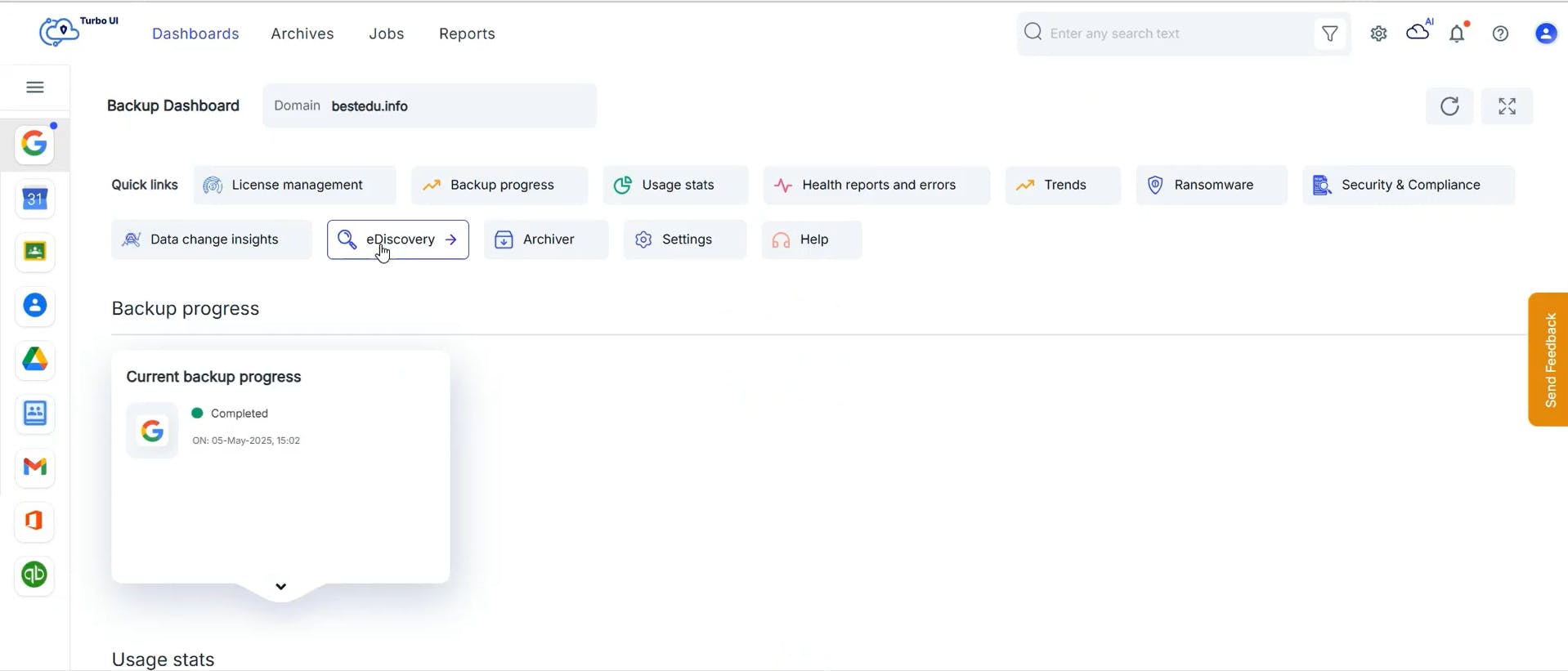
Data Change Insights
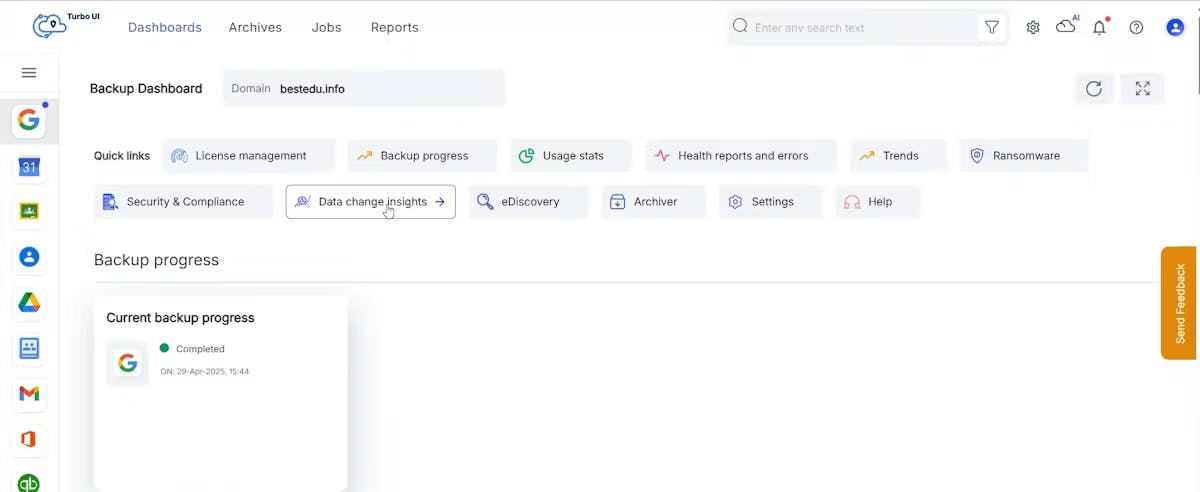
As part of Data Change Insights, track data changes and get AI-detected anomalies directly on the dashboard for newly added, changed, or deleted items, providing an instant overview of changes.
Admins can drill down to investigate flagged changes, view anomaly trends, and take corrective actions, such as exporting data for audits or addressing insider threats.
With SysCloud, admins gain a comprehensive view of data changes and anomalies, enabling proactive responses to maintain data integrity and compliance across their SaaS applications.
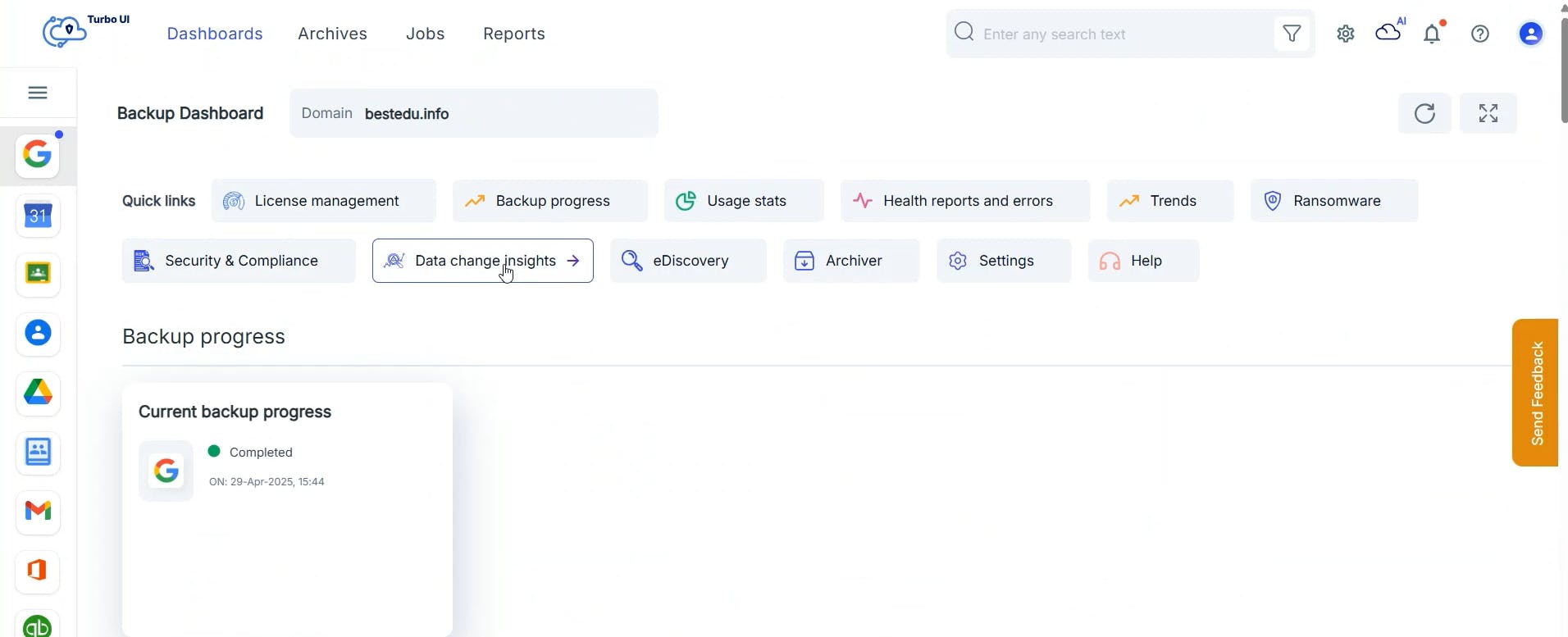
Monitor archiving efforts
Track storage savings and archived data directly from the intuitive dashboard. Get a detailed breakdown of archived emails, files, and calendar events, allowing admins to easily analyze their data management efficiency.
Admins can drill down further to view specifics such as data types archived, dates of archival, and the amount of storage freed up. This granular visibility ensures that organizations maintain optimal storage utilization while adhering to compliance policies like SOX, which require data retention.
With SysCloud, admins gain complete control over their archival processes, ensuring that no unnecessary data remains in the system while critical data stays accessible.
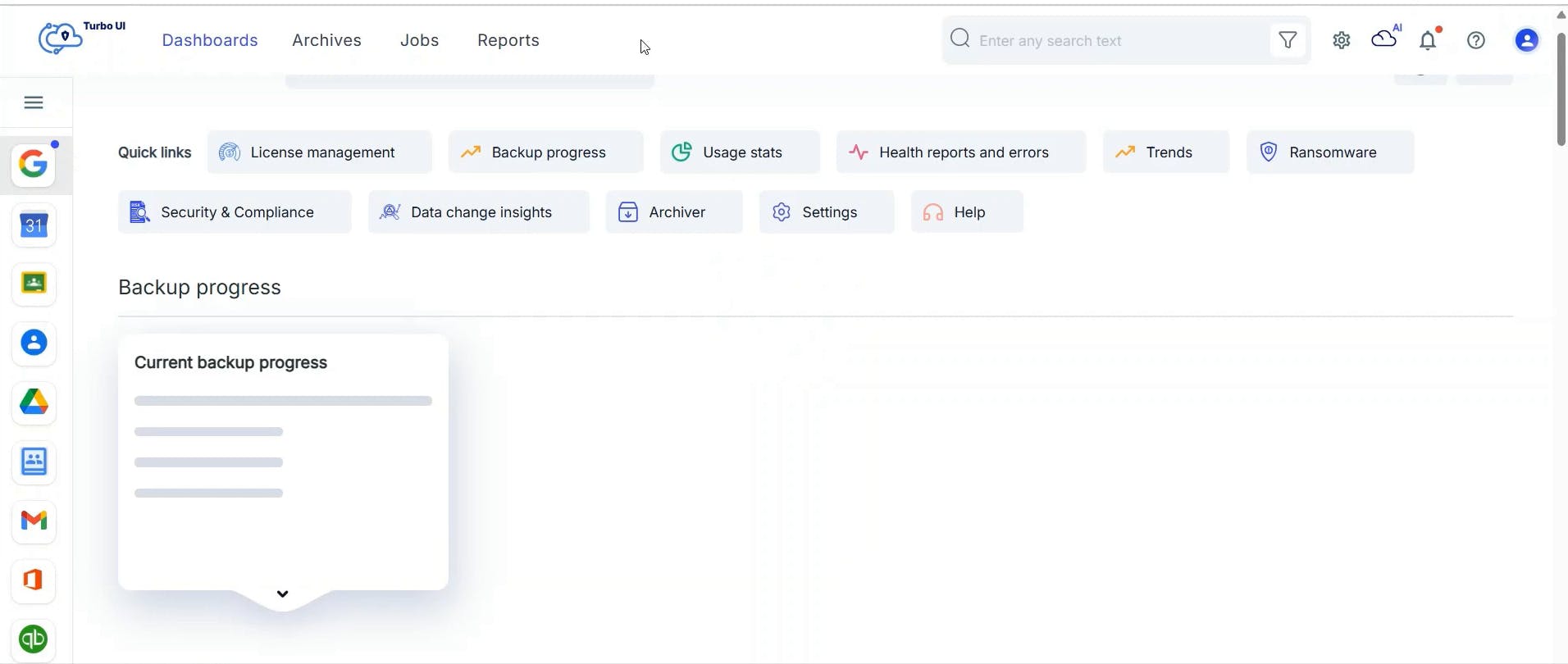
Flexible dashboard views
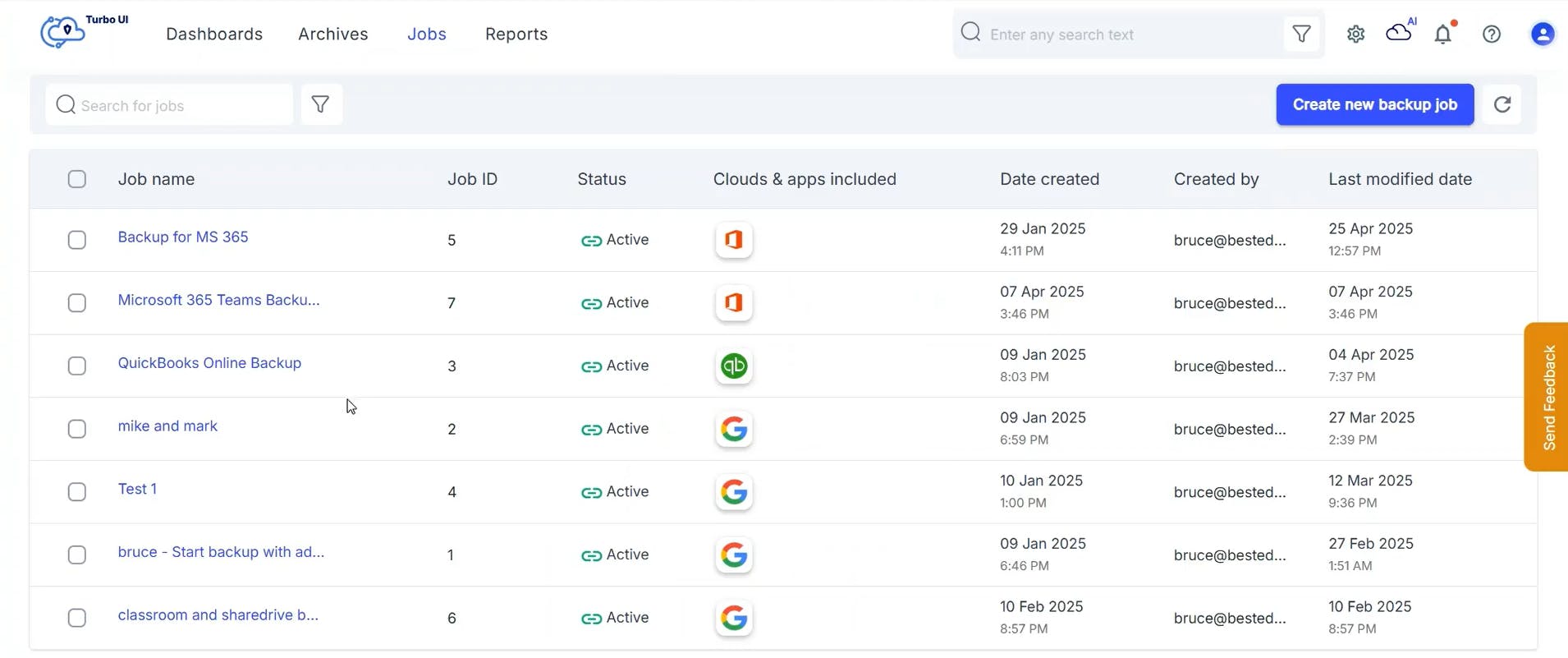
SysCloud offers admins the flexibility to monitor backups at different levels. Easily switch between dashboards to view data at a cloud level, app level, domain level, or even at a user level.
Use the cloud-selector dropdown to view the dashboard for any specific cloud or application. Type the domain or user name in the search bar to view the dashboard for specific domains or users.
Automated Action Flows
Action Flows
Action Flows let admins build automated remediation workflows that run when specific risks or threat detections occur in your Google Workspace application. Instead of manually investigating and remediating every alert, admins can define trigger criteria, and one or more actions SysCloud should run automatically. You can also setup email notifications to keep the right stakeholders informed.
Action Flows help administrators respond faster, reduce operational effort, and enforce consistent governance across users and data.
Note: Action Flows are only available to customers who have purchased any of the following add-ons:
• Ransomware Protection
• Security & Compliance
• Data Change Insights
End-to-end incident handling
• Detect risk: Flag unusual changes, ransomware indicators, sensitive data exposure, and policy violations.
• Alert owners: Send email notifications to the right stakeholders.
• Act fast: Revoke sharing, transfer ownership, delete flagged items, place items on hold or export flagged items.
• Standardize response: Use runbooks to enforce a consistent incident response process.
Ransomware Protection
Ransomware alerts and recovery
SysCloud scans the data being backed up to detect different types of ransomware, including batch programs, executables, and macro-enabled ransomware files.
Administrators can review ransomware alerts directly from the dashboard. To take action:
Transfer ownership: Reassign ownership of the file from the user to another user in the organization.
Remove sharing: Restrict access to the infected file by revoking all sharing permissions.
Mark as true positive: Identify all ransomware violations associated with the selected items as confirmed threats.
Delete: Remove the infected file from both SysCloud backup archives and the user’s Google Drive.
Dismiss: Mark the threat as a false positive if no risk is identified.

Identify encrypted files and recover safe snapshots
SysCloud identifies files that have been encrypted by ransomware, allowing administrators to delete these compromised files.
In the event of a ransomware attack, SysCloud assists you in restoring a safe version of encrypted files. SysCloud recommends safe versions of the files for recovery and also offers an option to choose from deleted files in the latest known safe backup snapshot.
Ransomware Action Flows
Ransomware Action Flows help administrators automate remediation when ransomware-related detections occur. Set a trigger for ransomware detection, then run one or more automated actions to contain the incident quickly.
Supported triggers
• Ransomware files
• Encrypted files
Supported actions
• Transfer ownership / Grant access
• Remove all sharing
• Remove link sharing
• Remove external sharing and collaborators
Admins can also configure optional email notifications, so the right teams are informed when the flow runs. Multiple ransomware Action Flows can be created for the same category, such as separate flows for High vs. Medium risk, each with different actions and notifications.
Delete ransomware/encrypted files
SysCloud helps administrators permanently remove ransomware-encrypted files from both the backup archives and the SaaS account, preventing reinfection and eliminating access to compromised content.
In the event of a ransomware incident, SysCloud enables targeted deletion of encrypted or suspicious files, so they don’t remain available in users’ drives or persist in retained backup snapshots. This ensures ransomware-affected files are fully purged, while clean versions can be retained for recovery from the latest known safe backup snapshot.
Security & Compliance
Automated monitoring
Automatically scan Google Workspace data with pre-defined policies for regulations. Following are the pre-defined policies:
• PCI
• FERPA
• HIPAA
• CIPA
• Movies & Audio filter
• IEP
• Sensitive Auth Data
• Confidential Data
• Sales Data
• Marketing Data
Custom compliance policies
Create your own compliance policies using simple rules like keywords, patterns (regex), and thresholds. You can choose where each policy should apply, such as specific email scope (Sent emails only, or all sent and received emails) and file-sharing scope (all stored content, content shared externally, content shared internally, or content shared internally or externally). Add exceptions when needed and monitor sharing trends across emails and files to reduce the risk of data exposure.
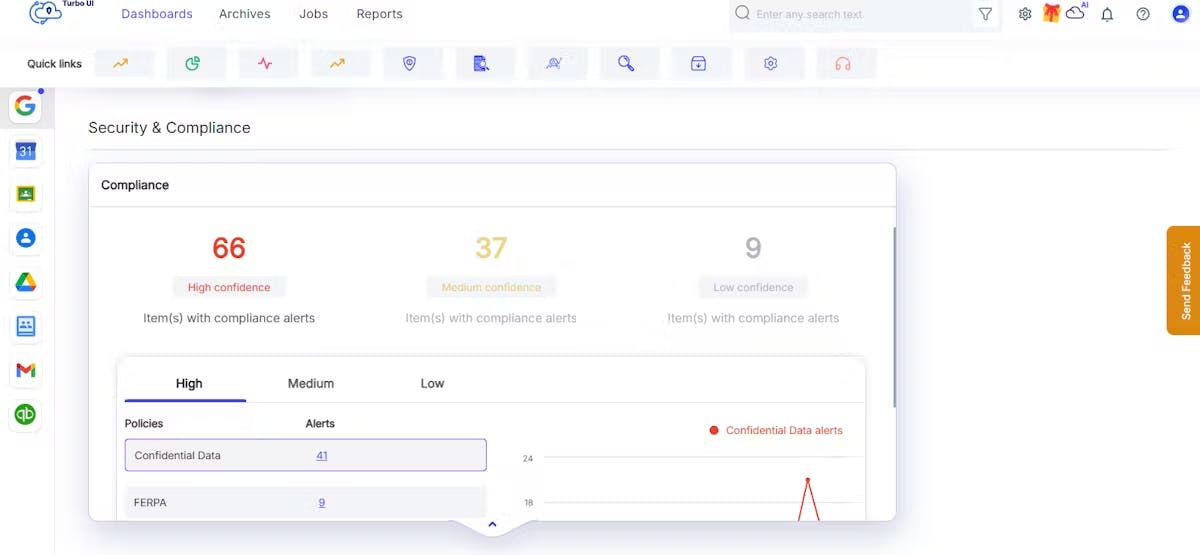
Perform actions instantly
Respond to compliance violations in real time with automated workflows, saving time and reducing risks.
Perform on-demand actions like revoking sharing, quarantining files, and controlling email access to mitigate risks.
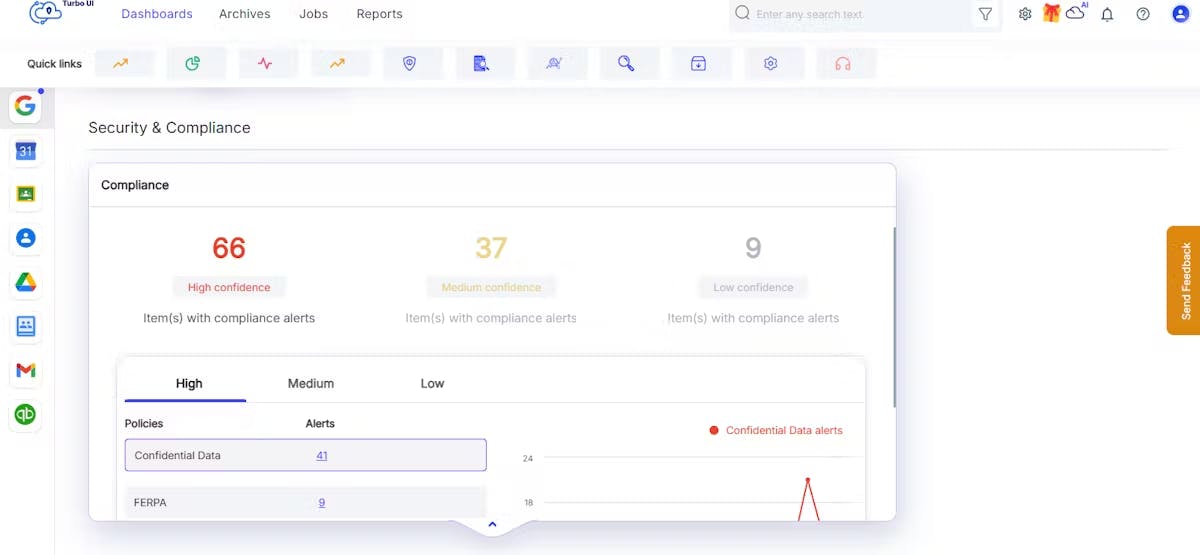
Preview flagged content instantly
Review files and emails flagged by compliance alerts to quickly validate the violation and assess impact.
Preview the flagged item before executing remediation steps such as revoke sharing, place on hold, export, or grant admin access.
Delete flagged items
Remove high-risk emails or files as soon as they’re flagged by security or compliance alerts to reduce exposure and contain risk faster.
Delete specific items from both the backup archives and the SaaS application when remediation requires permanent removal, such as files with confidential data shared with multiple users.
Security & Compliance Action Flows
Security and compliance Action Flows automate remediation when content violates your compliance policies. Use policy-based triggers to standardize how violations are handled, and ensure the same actions are applied every time the criteria is met.
Supported triggers
• All pre-defined compliance policies
• Custom compliance policies
See What are the pre-defined compliance policies that SysCloud scans the data for?
Supported actions
• Transfer ownership / Grant access
• Remove all sharing
• Remove link sharing
• Remove external sharing and collaborators
• Place on hold
• Export items
Admins can also configure optional email notifications to route policy violations to the right stakeholders like security, compliance, or legal teams for investigation.
eDiscovery Search
Effortlessly locate backed-up files, emails, chats, and records with SysCloud’s eDiscovery search add-on. This allows admins to perform comprehensive content and metadata searches, ensuring quick access to critical information across all supported SaaS apps and data types from a single, intuitive interface. Once the search results are displayed, admins can take the following actions:
Hold: Place items on legal hold to prevent deletion and override retention policies.
Export: Export search results for further use.
Restore: Restore selected items to their original location.
Delete: Permanently remove items from SysCloud backup archives and user accounts.
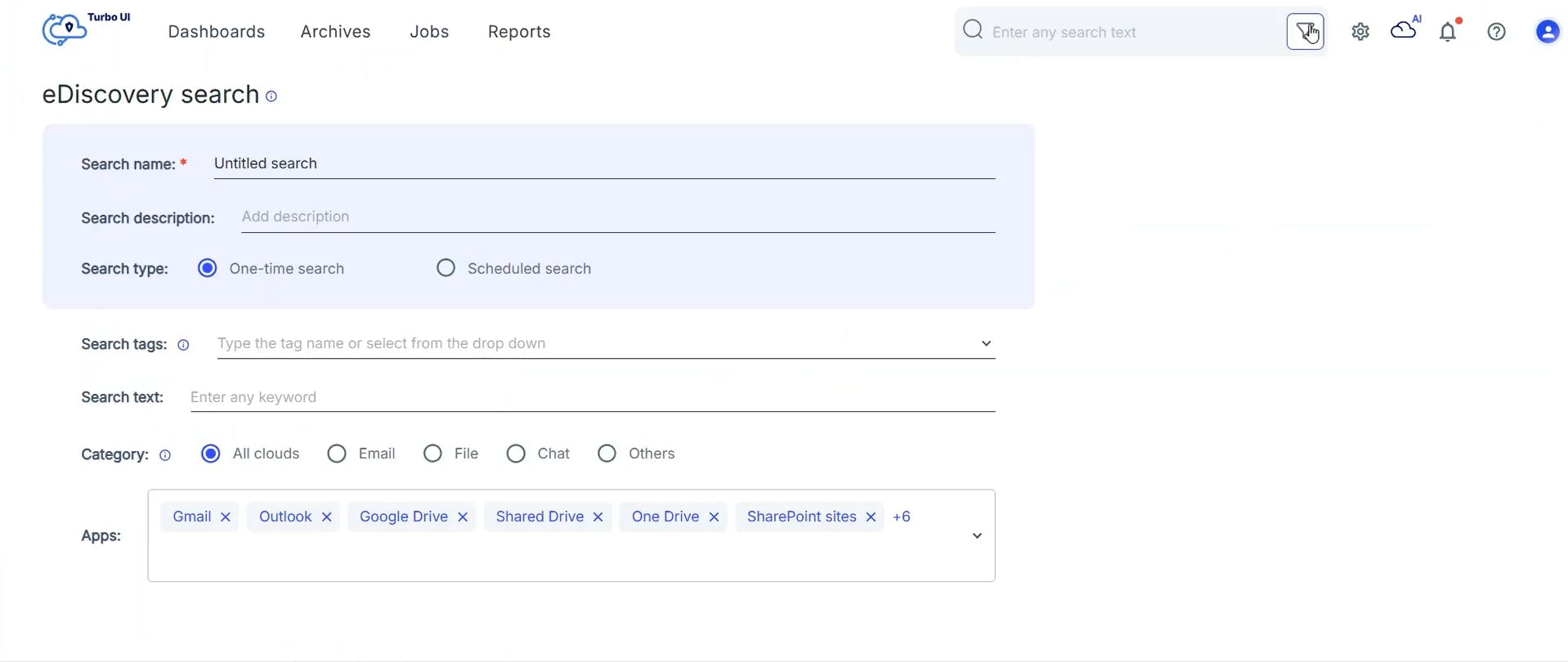
Bulk export search & hold results
Export eDiscovery search results in bulk across supported SaaS apps. You can also bulk export all items under a single legal hold, reducing manual effort and speeding up investigations.
Data Change Insights
Compare backup snapshots
Identify record-level and metadata changes by comparing two backup snapshots side by side.
Pinpoint discrepancies to address data integrity issues and streamline compliance with detailed insights.
AI-powered anomaly detection with actions
Detect unusual data activities like excessive deletions or unexpected modifications using AI algorithms.
Take immediate actions on flagged anomalies, such as investigating malicious insider activities or exporting data for audits, ensuring swift threat mitigation.
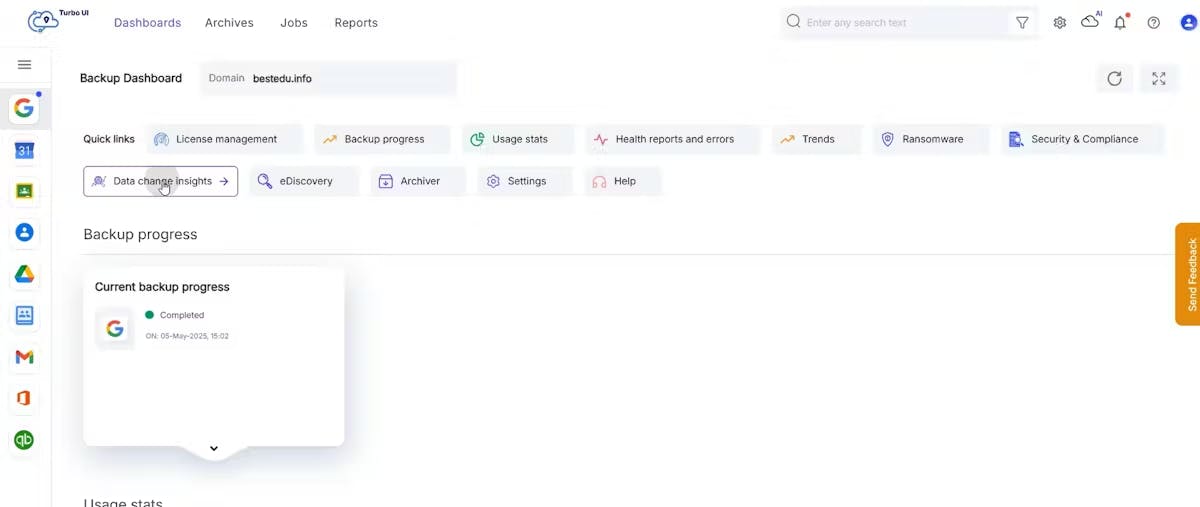
Unified dashboard for insights
Monitor all data changes and AI-detected anomalies from a single, intuitive dashboard.
Data Change Insights Action Flows
Data Change Insights Action Flows help administrators respond to unusual changes in data by triggering export-based automated workflows for audits and investigations.
Supported triggers
• Newly added
• Changed
• Deleted
Supported actions
• Export items
Admins can also configure optional email notifications to notify change events to the right stakeholders.
Archiver
Automated archiving
Automate the archiving of inactive Google Workspace data by setting up custom rules and policies tailored to your organization's needs.
Archive specific data types, such as emails and files, to save storage costs while ensuring critical information is protected.
On-demand archiving & restore
Instantly archive non-critical data whenever needed, helping you manage sudden storage needs or regular cleanups.
Restore archived data, including emails and files, back to Google Workspace effortlessly, ensuring quick access without workflow disruption.
Unlimited retention & compliance-centric policies
Retain archived data for as long as required to meet your business or compliance needs, including legal and audit demands.
Set up retention timelines to comply with regulations like GLBA, ensuring you meet data retention mandates without extra storage costs.
Archiver dashboard insights
Track storage savings and monitor all archived items with an easy-to-use dashboard.
Get a clear view of how much storage you’ve freed and the compliance status of your archived data.
License optimization for Google Workspace for Education
License optimization helps Google Workspace for Education administrators reduce licensing costs by automatically identifying paid users who no longer need full licenses and recommending the right downgrade option based on real usage signals.
Identifies reclaimable users using activity insights
License optimization analyzes login signals and application usage across Google Workspace for Education to surface users who appear inactive or are no longer actively using core services (such as Gmail, Drive, and Classroom). It highlights dormant and suspended accounts that can be right sized without relying on SIS or HR triggers.
Inactive vs mobile users
Native Google reports can mark some users as “inactive” even when they still rely on Gmail on mobile. License optimization distinguishes these low-activity mobile users from truly dormant accounts, so active teachers and staff are not disrupted during license clean-up.
Recommends the right license action
For each identified user, the license optimization widget and report recommend whether the account should be converted to:
• Gmail-only, or
• Archived User
These recommendations help admins safely right-size licenses with minimal manual review.
Estimates cost savings
License optimization calculates projected cost savings based on the recommended changes and helps administrators understand budget impact ahead of Google Workspace renewals.
Smart Navigation
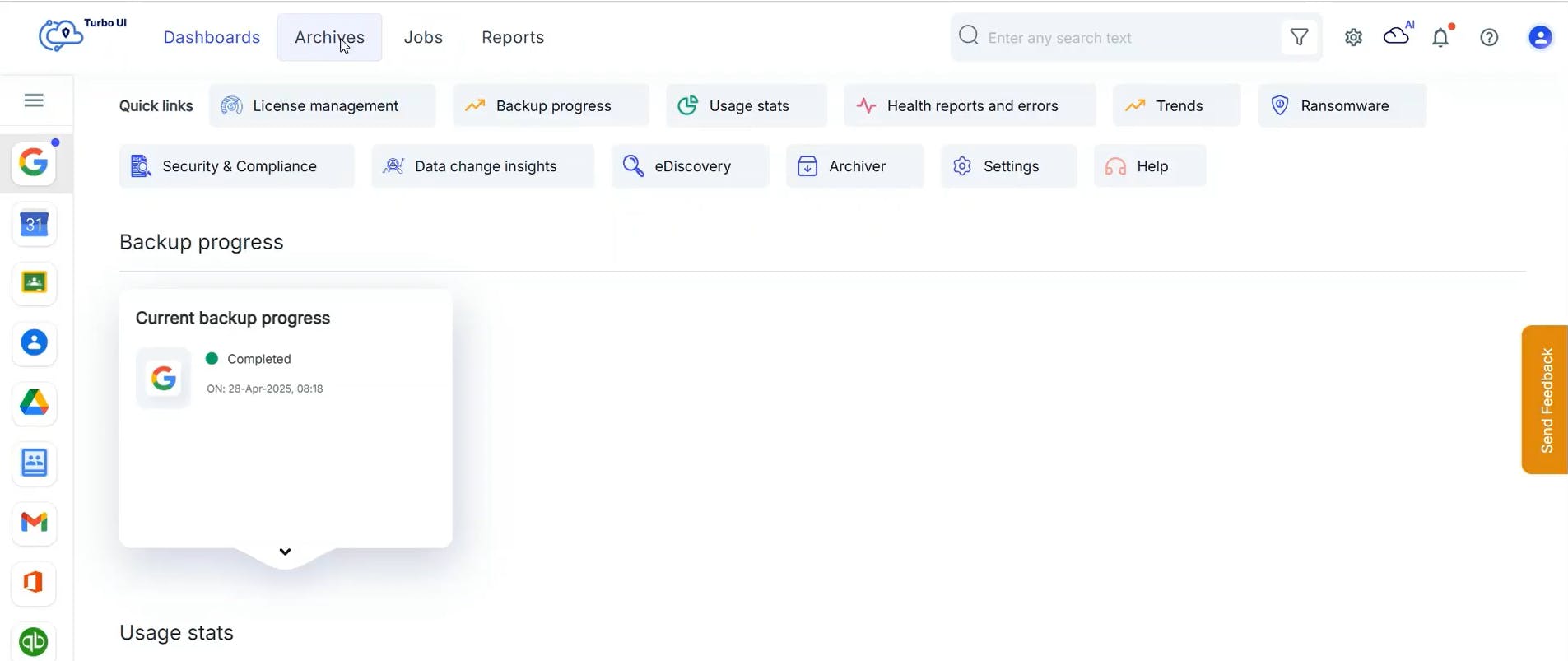
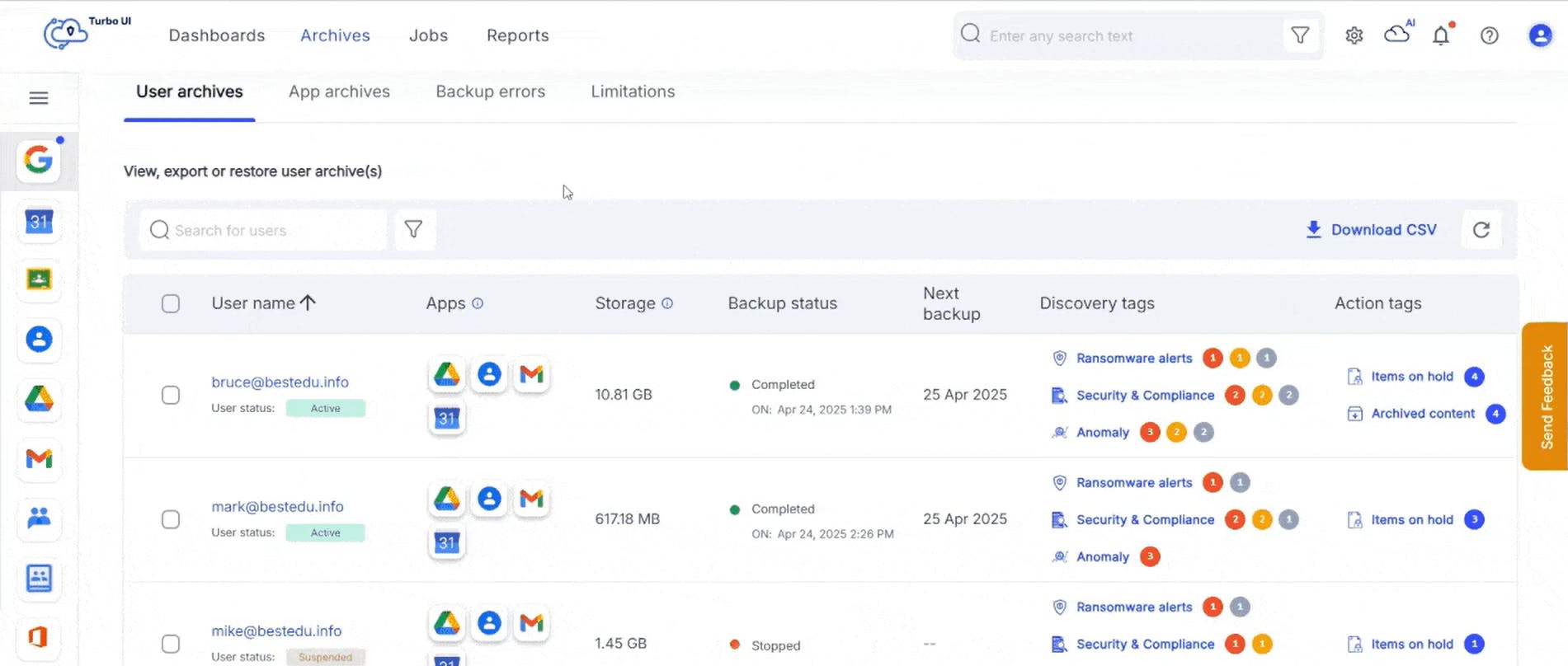
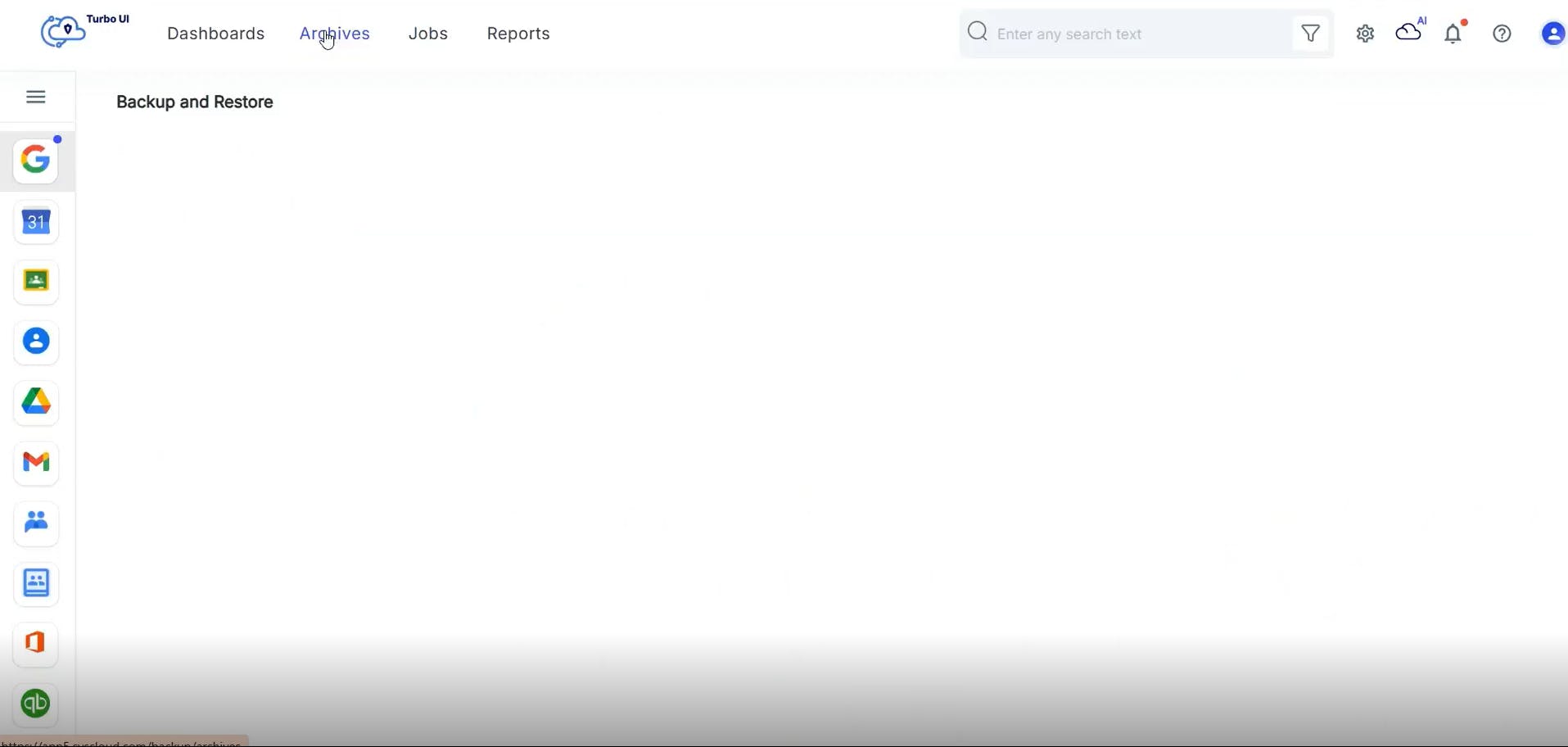
Easily navigate to the archives or dashboards for any account, domain, app, user, shared drive, or classroom. Admins can search for any valid combination of cloud name, account name, domain name, app name, username, shared drive name, and classroom name. Learn more
Smart navigation allows admins to quickly find the dashboard or archive even when managing a wide variety of apps and clouds.
Advanced search filters
Easily locate any file in the backup archives using keywords in the metadata such as Subject, Sent/received date, From, To, Cc, Bcc (for Gmail), File owner, Last modified by, File name, Folder name (for Google Drive), Organizer name, Organizer email, Event create date (for Google Calendar), and Name, Email, Date created (for Google Contacts).
Advanced restore and export capabilities
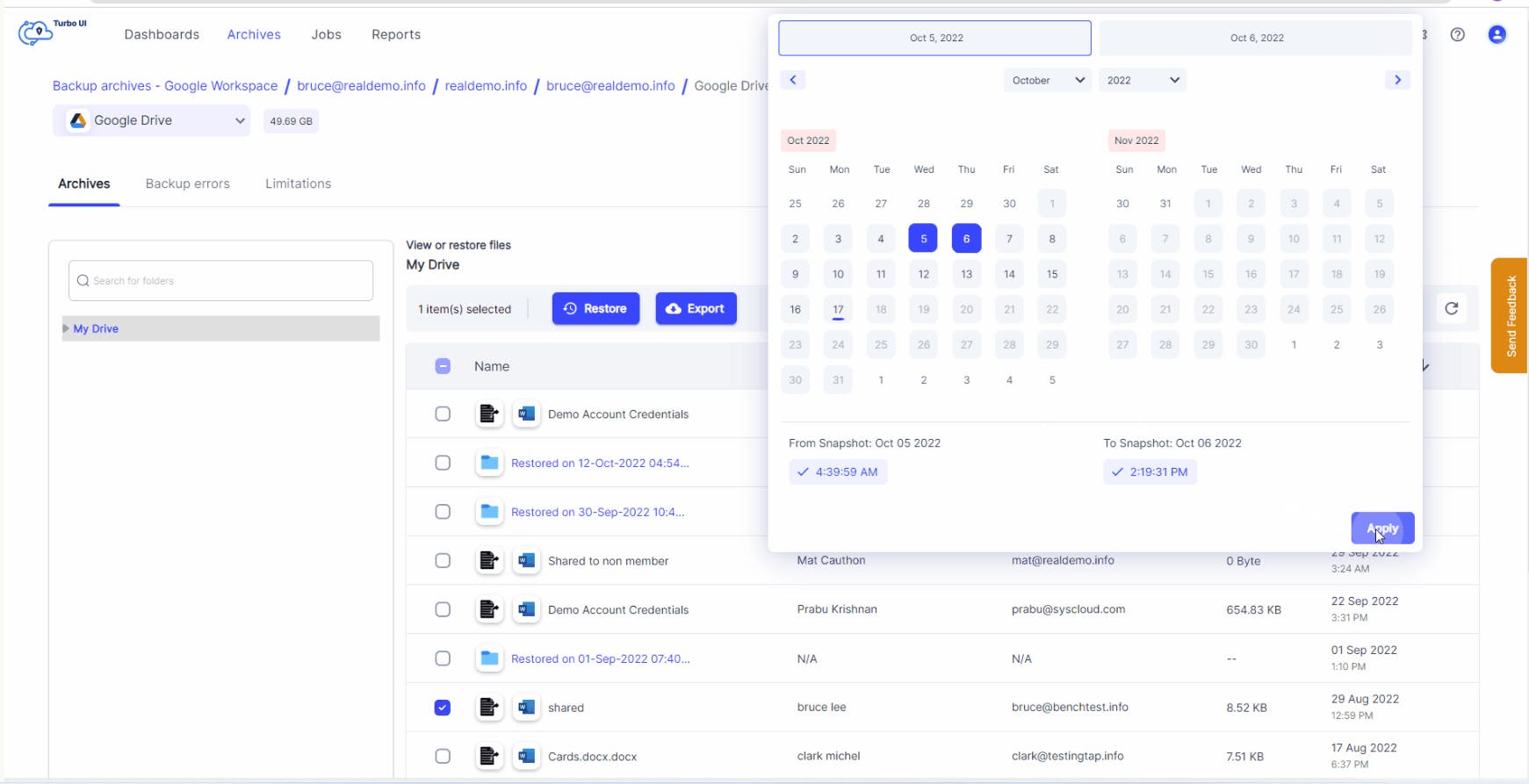
Point-in-time restore
Go back in time to recover from accidental deletions, ransomware attacks, or data corruption using point-in-time backup snapshots. Admins can review all the backup instances and choose the right version of the data that needs to be restored.
Cross-user restore with sharing permissions and folder structure intact
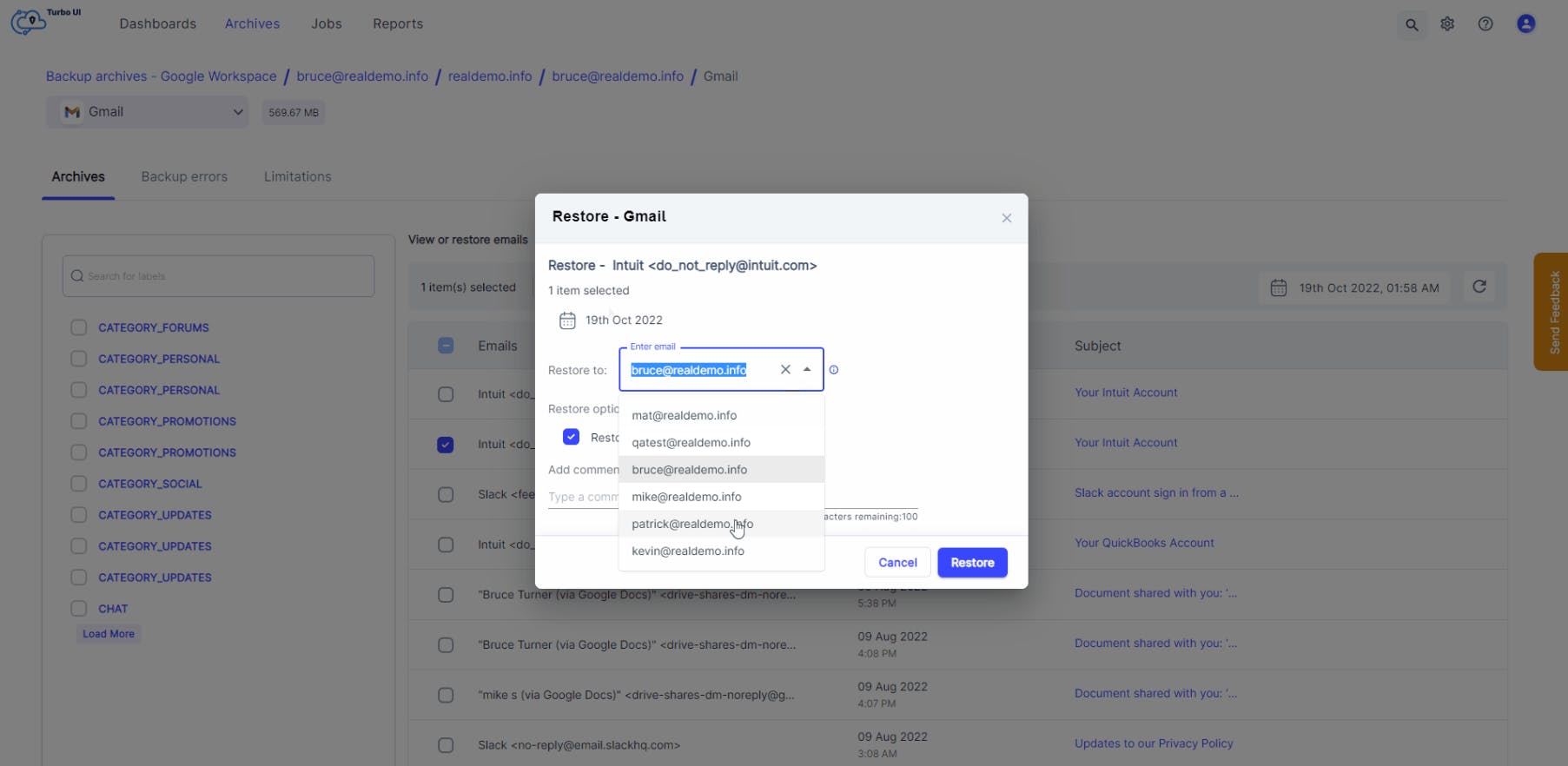
Easily transfer ownership of data by restoring backed-up files, emails, contacts, and calendar events to a different user account in the same domain, with sharing permissions and folder structure intact.
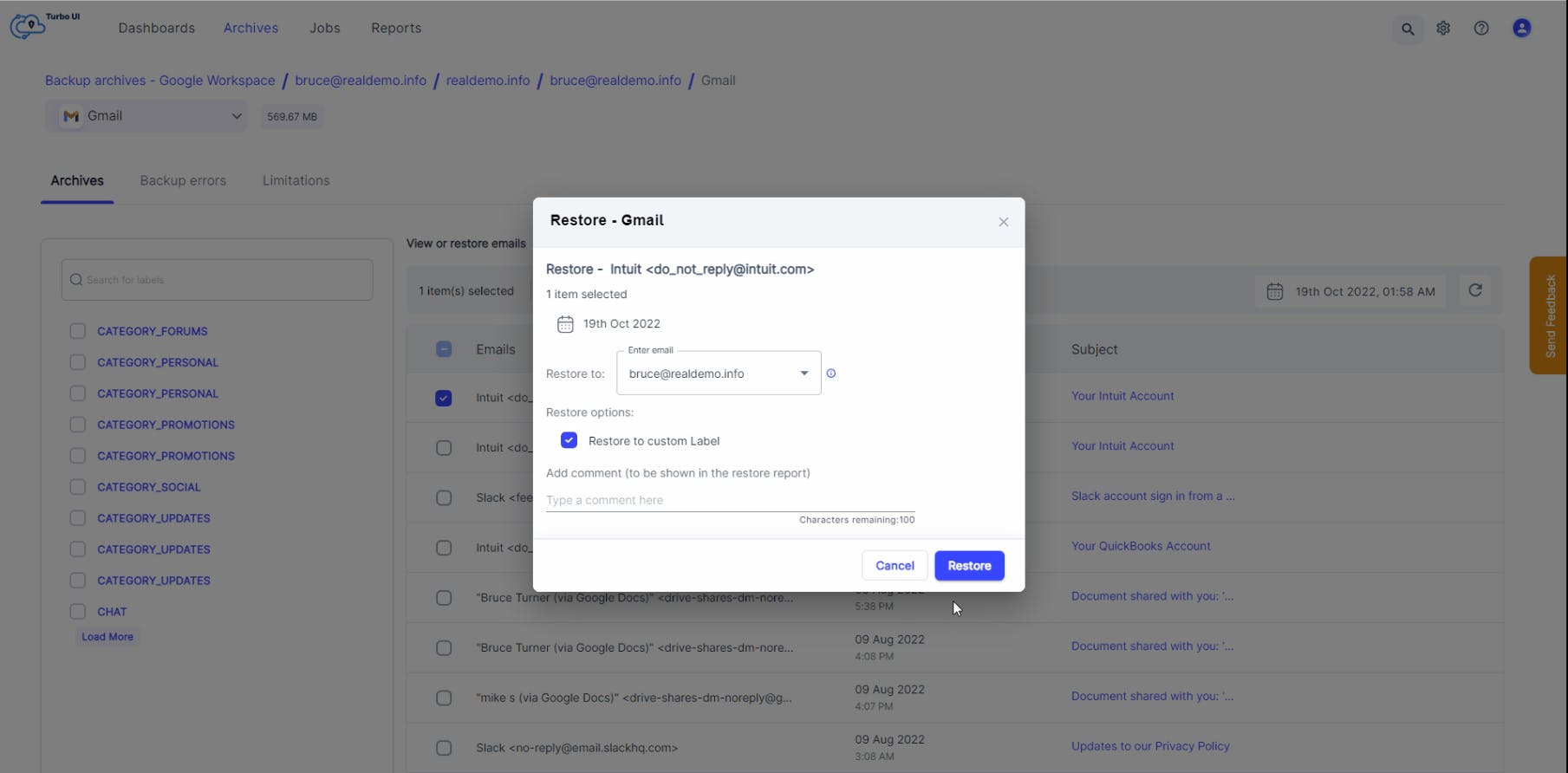
Restore to a custom label or folder
Restore Gmail emails and Google Drive files either to their original location or to a custom label/folder. Restoring to a separate label/folder lets users easily identify the restored data.
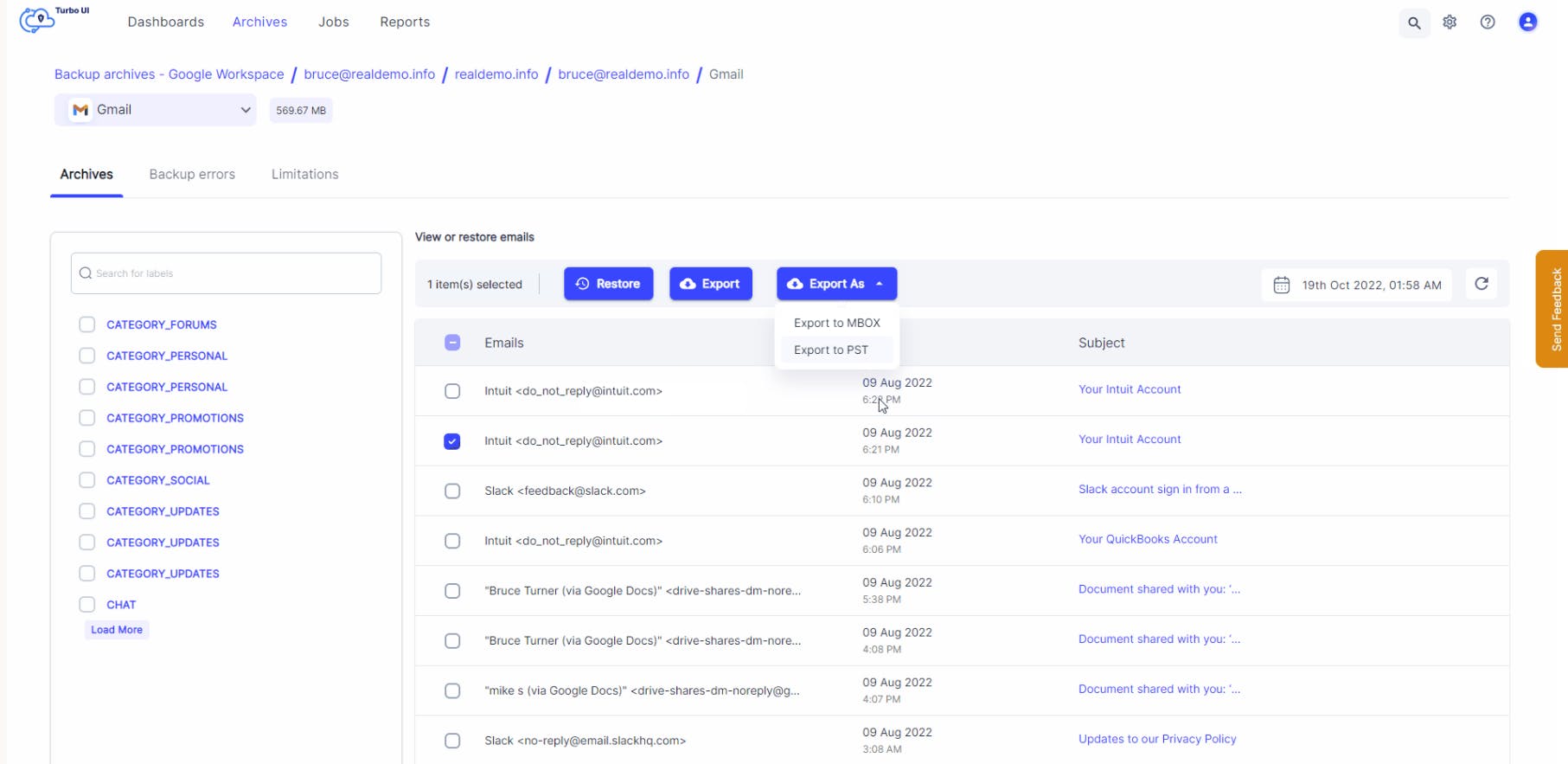
Export emails in MBOX and PST formats
Export or download emails in both PST and MBOX formats. Quickly import downloaded emails into popular email clients without wasting time in converting the downloaded emails into a compatible format.
Restore and export progress and reports
Easily access restore and export reports to stay updated on the progress of restore/ export requests, along with key information such as the restore source and destination, number of restored/exported items, restore/export type, user who initiated the restore/export, and restore/export date.
Automated error management
Spend less time fixing backup errors and focus on other critical admin tasks while SysCloud automatically resolves cloud API errors.
Easily track manual error resolution tasks to completion with error resolution workflows.
Managing your account
Cloud connection management
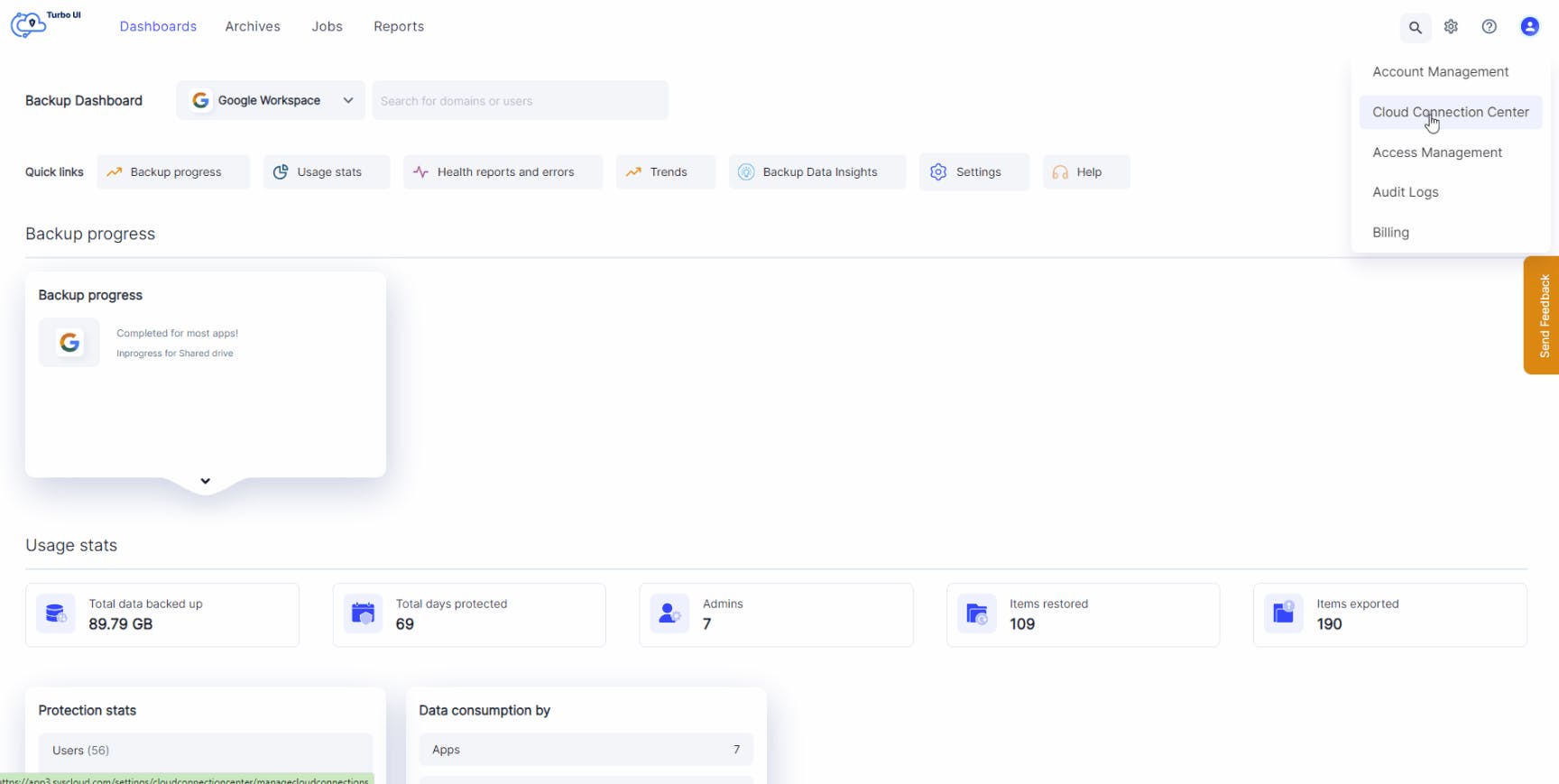
Manage all the clouds and accounts connected to the SysCloud backup application from the Cloud Connection Center. Admins can connect new Google Workspace accounts, perform an on-demand sync, and resolve sync errors - all from a single screen.
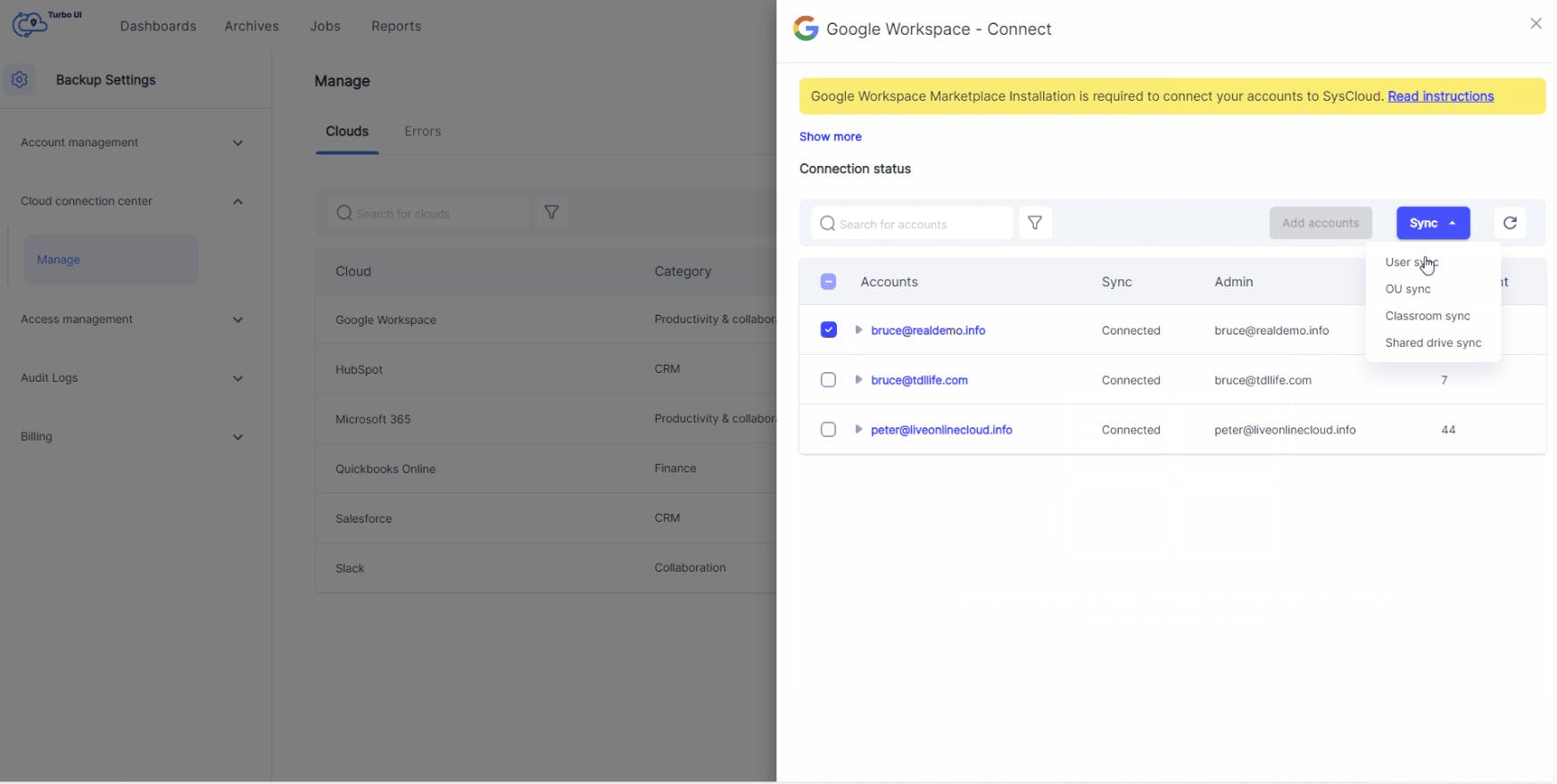
On-demand cloud sync
Initiate an instant cloud sync anytime between two backup schedules to enable backup for new users, OUs, classrooms, or shared drives without waiting for the daily backup cycle.
Notifications
Stay updated with email and in-app notifications for key events across:
• Backup: Job edited, job paused, cloud connection completed, cloud connection failed
• Restore
• Export: Export, bulk export
• Delete: Emails and files
• Search: Search completed
• Holds: Hold, release hold
• Archiving: Archive
• Security actions: Mark as true positive, dismiss
• Reports: Monthly status report; data protection reports for Ransomware and Security & Compliance (daily or weekly)
You can choose which notifications to turn on based on your needs. However, some critical notifications cannot be disabled, including cloud sync errors, backup errors, and billing or license updates.
Access management
Admin roles
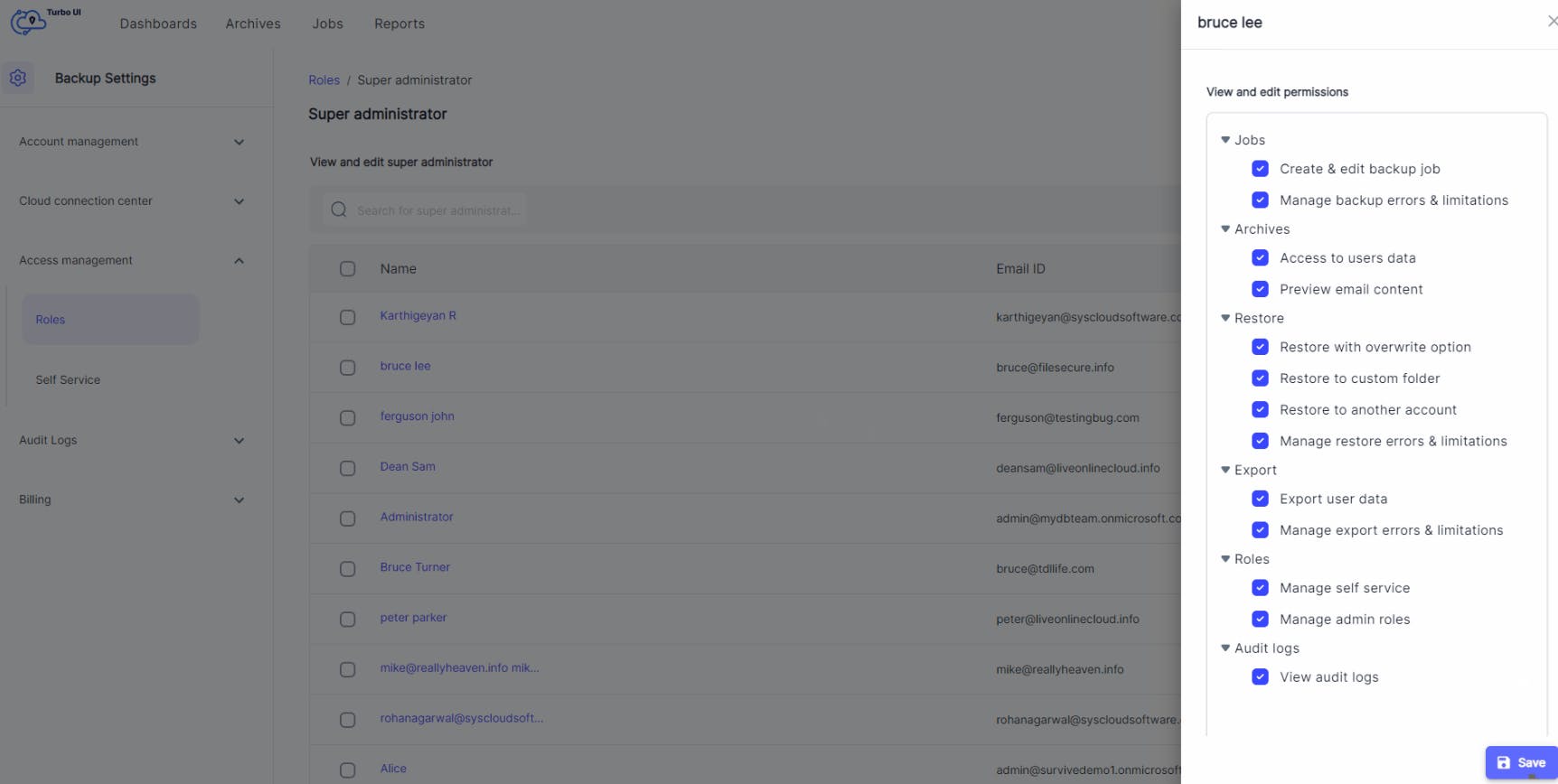
Create any number of backup admin roles to distribute admin workload among the IT team and easily manage restore requests. Admins can assign granular permissions to specific users and edit them as required.
End-user self-service
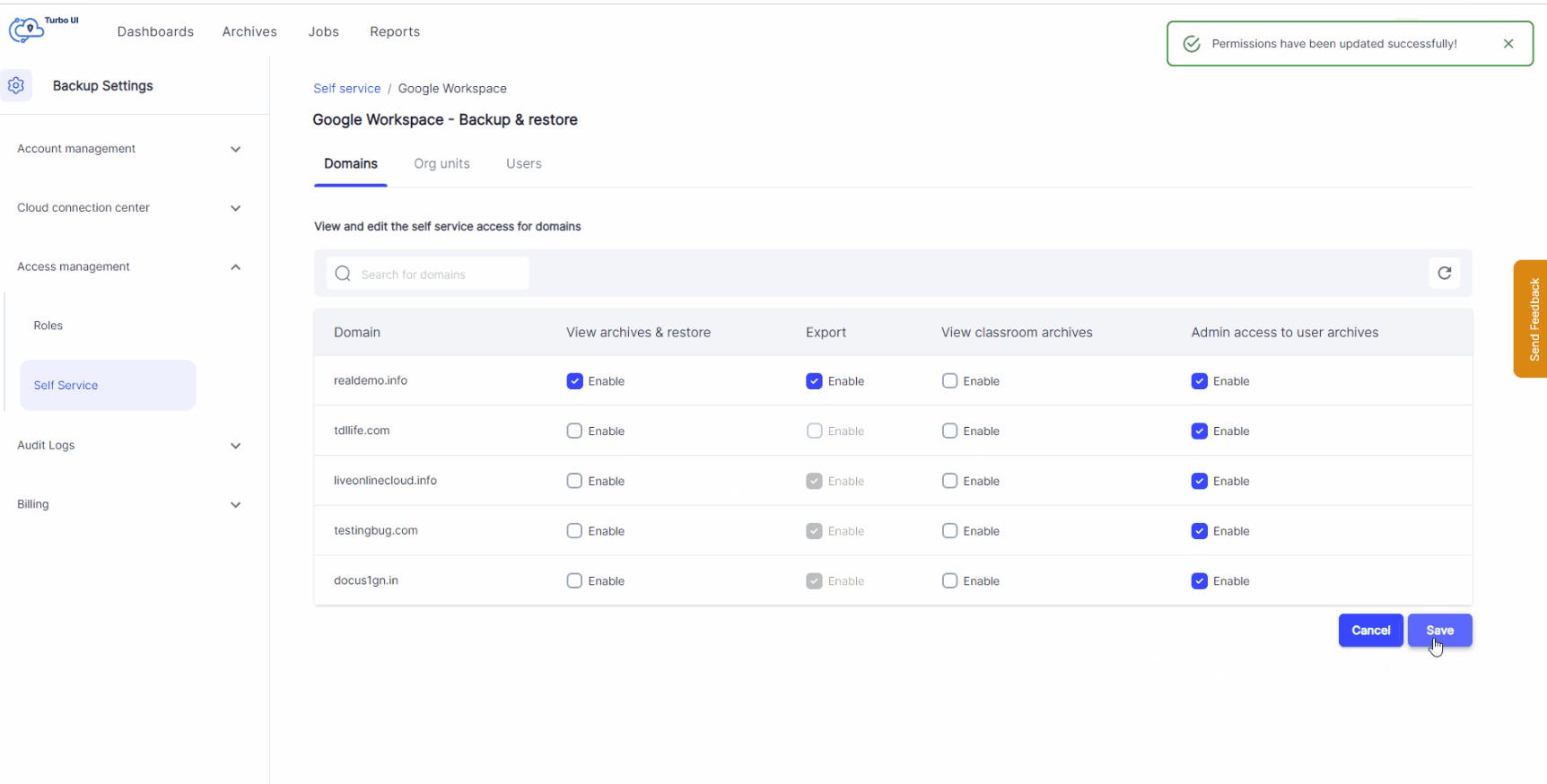
Improve your recovery time objective (RTO) by authorizing end-users to restore or export their lost data from the SysCloud backup archives - with zero IT intervention. This feature can be turned on or off at a domain, organizational unit, or user-level.
C-Suite archive data protection
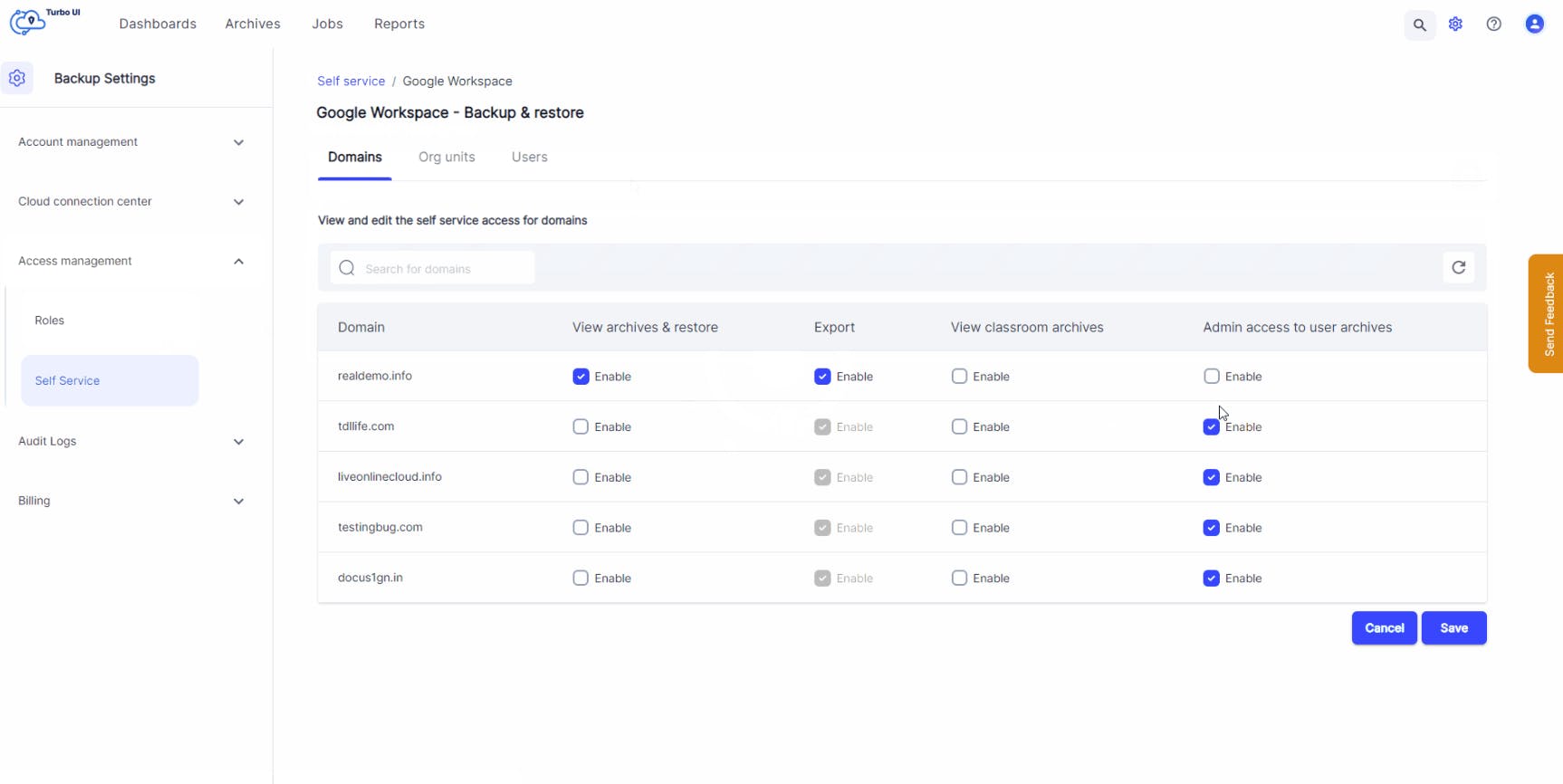
Protect sensitive information by disabling admin access to backup archives of specific users such as CEO or CFO.
Audit logs
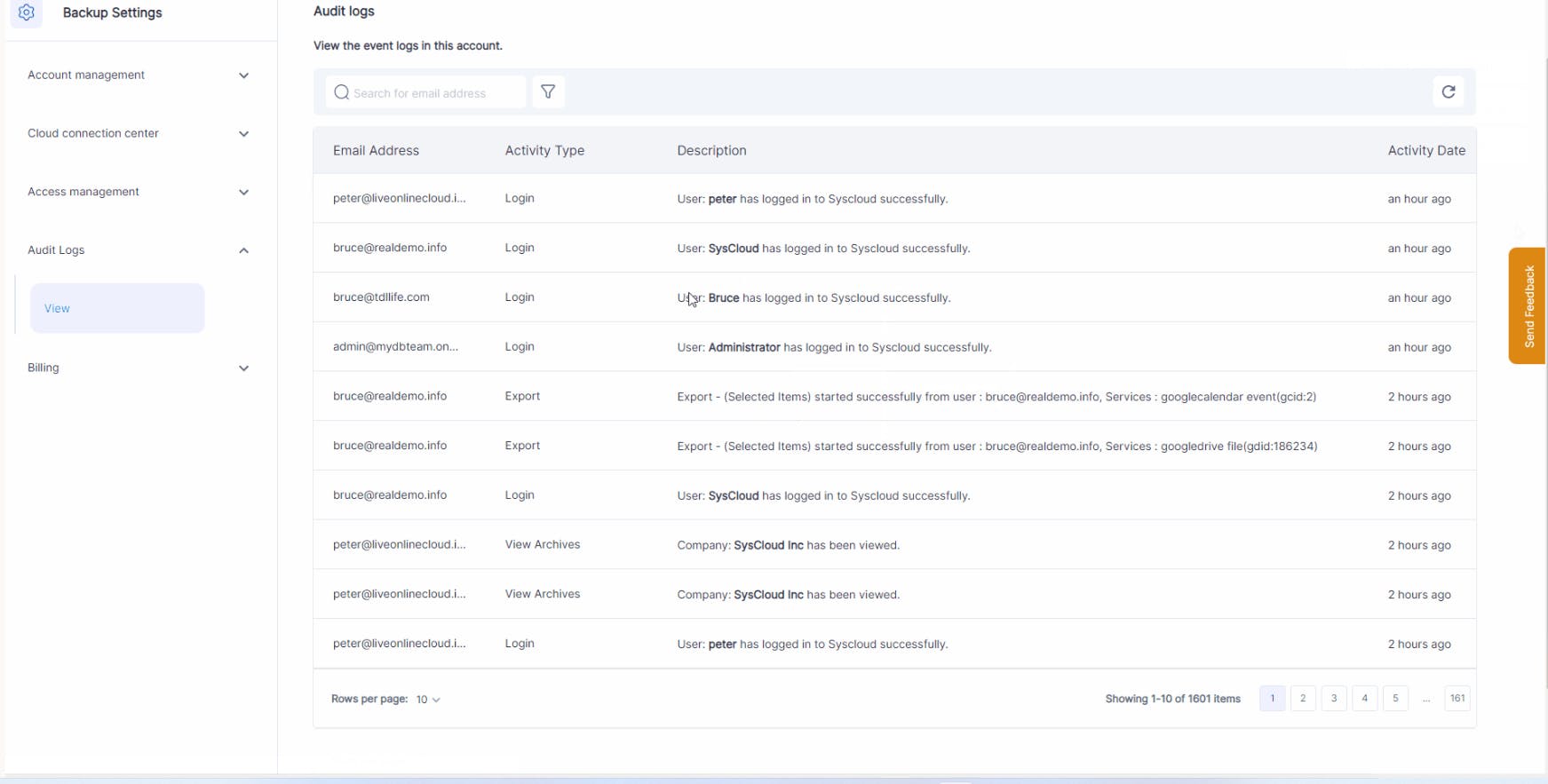
Get full control and visibility over all admin and end-user actions by viewing detailed audit logs for backup, restore, and export events. You can also export audit logs for reporting and compliance.
SysCloud Public API
Build custom workflows and reporting on top of SysCloud with our public API. Retrieve backup job details (including job status and retention settings), synced entity data across supported clouds, and restore or export reports from your SysCloud installation.
Query backup, restore, and export trends along with storage consumption at the cloud, service (Google Workspace and Microsoft 365), or entity level for up to the last 30 days.
Authenticate using client credentials (short-lived access tokens), with per-endpoint rate limits to ensure consistent performance.
SysCloud for Splunk
Get a comprehensive view of SysCloud backup, restore, and export activity in Splunk. The SysCloud Add-On for Splunk collects SysCloud trends and entity data as events, and the SysCloud App for Splunk turns that data into visualizations for trends and storage consumption over time.