Secure Your Data Your Way with Enterprise Controls
SysCloud delivers advanced security, governance, and integration out of the box. Easily connect your identity provider, manage precise access permissions, own your encryption keys and storage, and sync seamlessly with your existing security stack.
Single Sign-On
Role-based access
Public API
SIEM integration
AI surfaces
Authenticate through the identity providers your team already trusts
SysCloud integrates with your existing identity infrastructure, so backup access is governed by the same credentials, MFA policies, and deprovisioning workflows you already manage.
Supported providers
Google Admin Console
Microsoft Entra ID
Okta
Xero
No separate credentials
Administrators log into SysCloud with existing directory credentials. There are no additional passwords to create, rotate, or manage.
Inherits your MFA policies
SSO enforces the multi-factor authentication policies already active in your identity provider.

Centralized deprovisioning
When a user is removed from your directory, they lose SysCloud access automatically.
Multiple identity providers
Connect more than one identity provider to the same SysCloud account.
Audit trail
SSO login events are logged and available in SysCloud audit logs.

Partner and MSP support
SSO works for partner accounts managing multiple SysCloud tenants.
Delegate precise permissions without rebuilding your directory
SysCloud role management gives security, compliance, and IT teams precise control over who can access what, scoped to specific apps, organizational units, groups, or individual users, with a full audit trail.
1Connect your directory
Microsoft Entra ID
Syncs via SCIM. Assign roles to individual users, Entra groups, or security groups.Google Directory
Syncs users, OUs, and Google Groups. Assign roles to individual users, OUs, or groups.
Hybrid environments: Reference both directories within the same role.
2Scope the role
Granular per-app permissions
Define which actions each role can perform for each connected SaaS app independently. A role scoped to Google Workspace has no visibility into Microsoft 365 data.Data-scope restrictions
Limit role access to a specific domain, organizational unit, group, or set of users.Read-only roles
Disable all action permissions while keeping reporting and monitoring access enabled.Immutable audit log
Every role creation, update, and binding change is captured for SOC 2, ISO 27001, or internal access reviews.
*Per-app and per-action role scope with immutable audit logging is available for Google Workspace. Microsoft 365 and other apps to follow. Directory sync is available for both.
Connect backup operations to the systems your teams already use
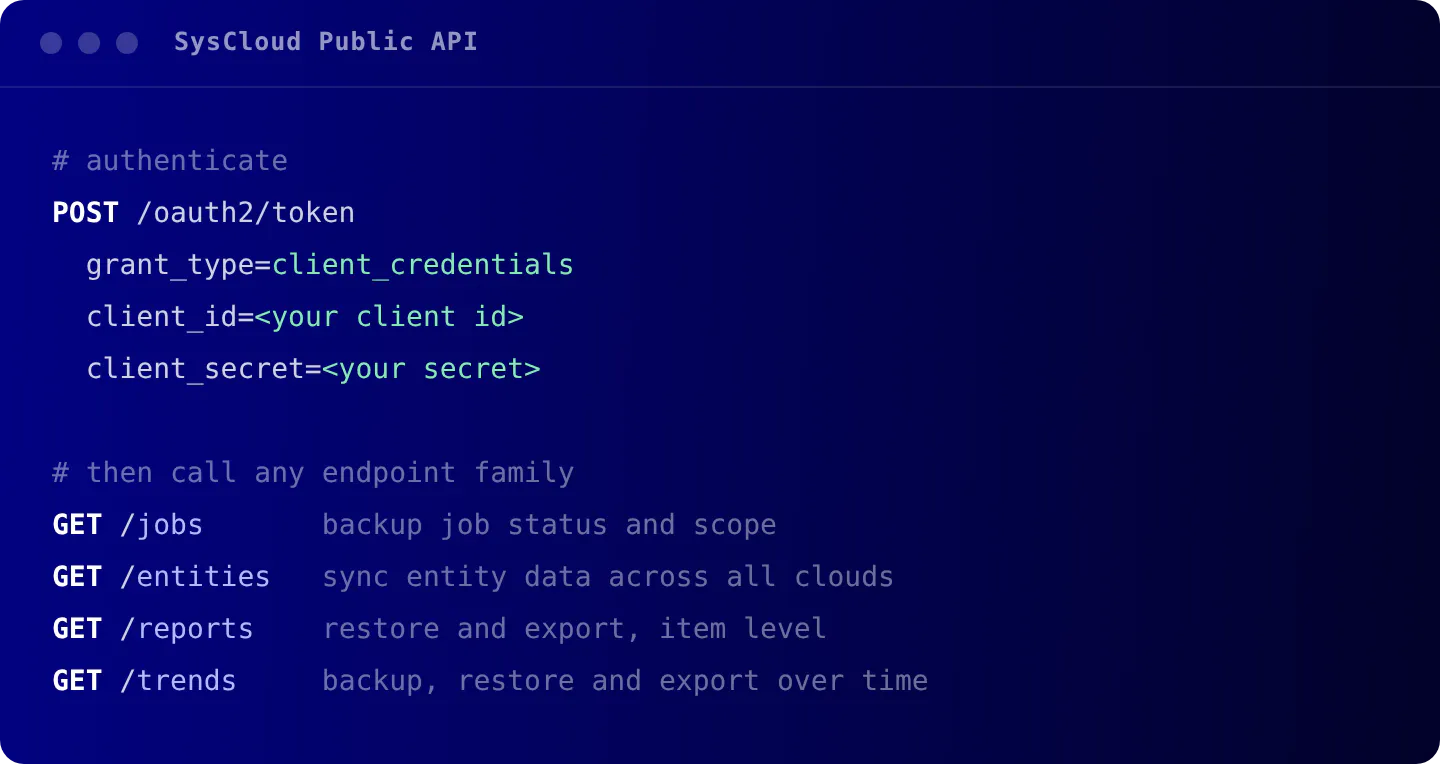
The SysCloud Public API exposes backup jobs, entity coverage, restore and export reports, and trend data through a REST interface with OAuth 2.0 authentication and scope-based permissions.
OAuth 2.0 client credentials
Machine-to-machine authentication with no custom SDK required.
Scope-based permissions
Register applications with only the scopes they need.
Credential management in the app
Generate your client ID and secret from Account Management in SysCloud.
Stream backup and recovery events into your SIEM
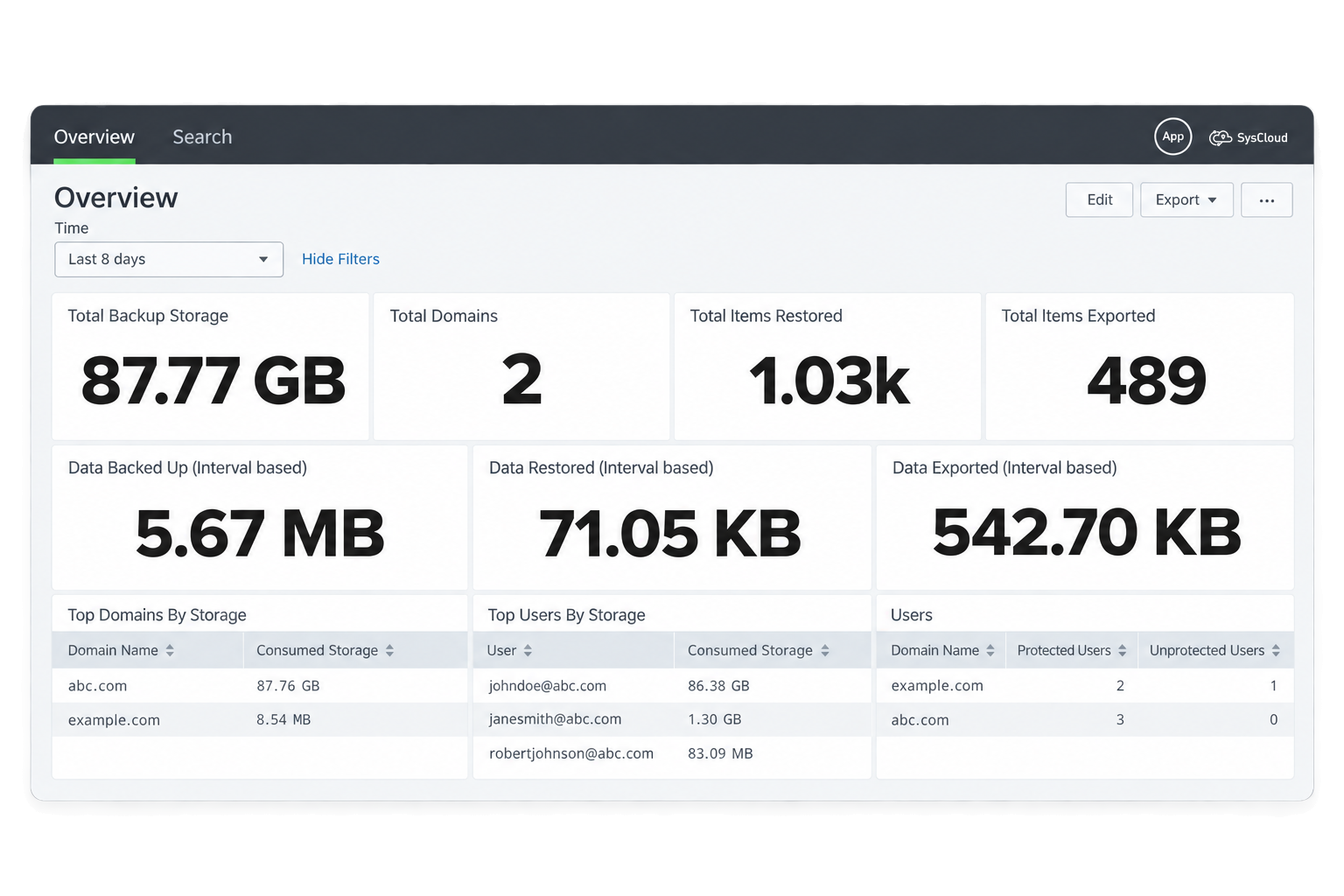
SysCloud integrates with Splunk to bring backup, restore, and export activity into the same monitoring surface your security analysts already use.
SysCloud App for Splunk
Pre-built dashboards that visualise backup, restore, and export trends over the timeframes you choose.

SysCloud Add-On for Splunk
Collects and ingests SysCloud events into your Splunk environment, covering backup, restore, and export trends along with entity data.
Install from Splunk
Install directly from the Splunk home dashboard, or upload the app package manually.
Searchable in Splunk
All ingested data is queryable in Splunk Search and Reporting.

Security & Compliance
Review SysCloud's compliance certifications, encryption controls, and security practices that protect your data end to end.

11 Million +
Users protected from data loss
51 Billion +
Emails backed up on our servers
35 Billion +
Files backed upFrequently asked questions
If you're hesitating, do not worry, we are here to explain everything you might want to know. Let us help!
Is SSO available on all SysCloud plans?
Yes. SSO is available on all plans, including the free trial, and you can connect more than one identity provider to the same account.
How does SysCloud handle conflicting role assignments?
If a user qualifies for multiple roles through direct assignment, OU membership, or group membership, they see all applicable roles at login and choose which to use for that session. Permissions do not merge.