Automated Google Drive Backup with Unlimited Retention

Do away with complex retentions and manual restorations for Google Drive

Do away with complex retentions and manual restorations for Google Drive
Google Drive backup features
Make smarter backups
Automate Google Drive backup with comprehensive backup settings. Let SysCloud handle all API errors and give you complete visibility on backup.
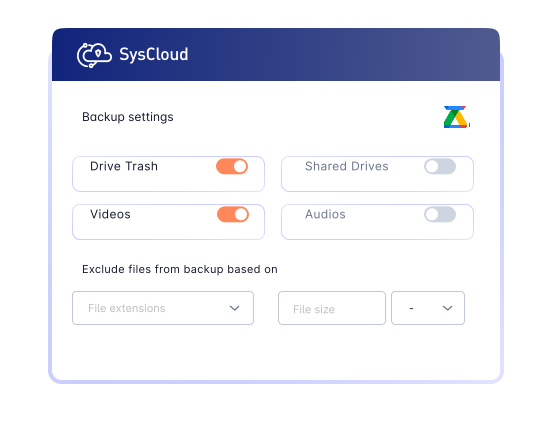
Enhance Google Drive backups with advanced visibility and protection
Add-on
Detect ransomware attacks, encrypted files and automate recovery.
Safeguard Google Drive data by detecting encrypted or malicious files in backup snapshots and recovering safe versions to minimize downtime and ensure business continuity. Use recommended runbooks to automate remediation and quicky notify the right teams with Action Flows.


Don’t stop with Google Drive. Backup everything!
SysCloud Google Drive backup also includes backup for all critical Google Workspace apps.


Related Resources
A Guide to Google Drive Retention Policy for Businesses
9 Apr 2025 | 12 min read | Annu Sabu
Google Drive has become a critical platform for storing and collaborating on business data across Google Workspace. As organizations rely more heavily on Drive for day-to-day operations, the risk of data loss increases due to accidental deletion, limited native retention options, compliance requirements, and gaps in built-in recovery capabilities.
Learn more
How to Backup Google Shared Drive?
17 Apr 2025 | 5 min read | Anju George
Google Shared Drives have become essential for team collaboration, giving organizations a centralized space to store, manage, and access business-critical files. As reliance on Shared Drives grows, so does the risk of data loss caused by accidental deletion, limited native backup options, administrative changes, and gaps in built-in recovery capabilities.
Learn more
How to Recover Deleted Files from Google Shared Drive
7 Aug 2024 | 6 min read | Anju George
Google Shared Drives have become a critical part of team collaboration, helping organizations store, manage, and share business-critical files at scale. As adoption of Shared Drives continues to grow, so does the risk of accidental or permanent data loss caused by user errors, deletion, retention limitations, and administrative changes.
Learn more