Automated Google Drive Backup with Unlimited Retention

Protect Google Drive data with immutable backups. Detect ransomware, compliance risks, and unusual data changes, and remediate fast with automated actions. Restore from point-in-time snapshots, use eDiscovery to quickly locate the right files, and archive data to reduce licensing costs.
Without SysCloudWith SysCloud
30
Trash is emptied after 30 days
55
Admins cannot recover data after 55 days
no-gradiant

Do away with complex retention and manual restorations for Google Drive

gradient

Do away with complex retention and manual restorations for Google Drive

Google Drive backup features

Make smarter backups

Automate Google Drive backup with comprehensive backup settings. Let SysCloud handle all API errors and give you complete visibility on backup.
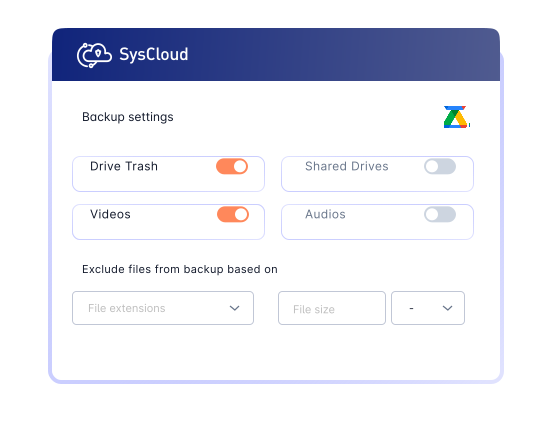
Stylized screenshot showing SysCloud's backup settings for Google Drive. Users can configure backups for Drive Trash, videos, shared drives, and audios. It also allows excluding files based on extensions or size to optimize the backup process.

Add-on

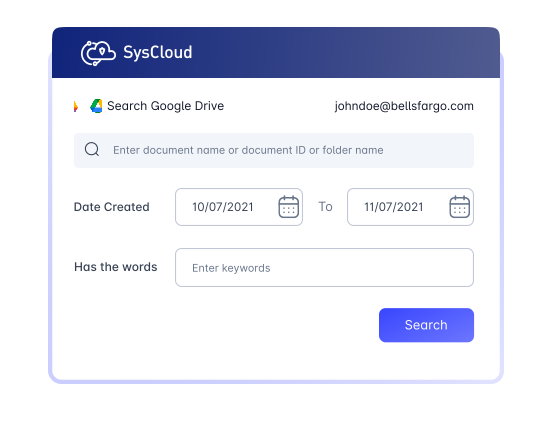
Easily locate lost data

Use advanced search filters to quickly locate files in your Google Drive backup archives.

Stylized screenshot showing SysCloud's advanced search feature for Google Drive backups, allowing users to locate lost files and folders by entering document names, IDs, keywords, and using date filters to refine the search.

Unlock your recoveries

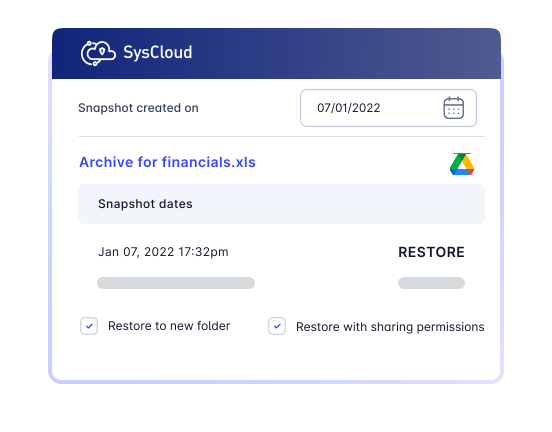
Restore any point-in-time backup snapshot of your files and folders with an option to retain sharing permissions and folder structures and restore to a different user.

Stylized screenshot showing SysCloud's restore interface for Google Drive, highlighting the ability to restore a point-in-time backup snapshot of a file  with options to restore to a new folder and retain sharing permissions and folder structure.

Import data into another domain

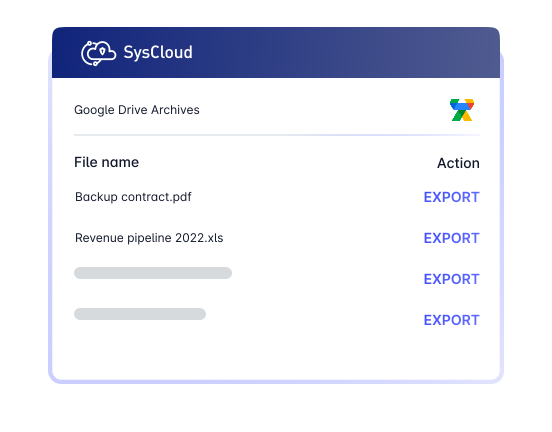
Instantly export or download multiple Google Drive files to import it into a different domain.

Export multiple files easily

Enhance Google Drive backups with advanced visibility and protection

Elevate your backup with SysCloud’s add-on suite for greater visibility, automated threat detection, stronger compliance controls, actionable data insights, and automated archiving.

Add-on

Detect ransomware attacks, encrypted files and automate recovery.

Safeguard Google Drive data by detecting encrypted or malicious files in backup snapshots and recovering safe versions to minimize downtime and ensure business continuity. Use recommended runbooks to automate remediation and quicky notify the right teams with Action Flows. 

Add-on

Detect compliance violations and secure data with automated actions.

Protect Google Drive by detecting violations with standard (PCI, FERPA, Confidential Data, etc.) and custom policies. Use recommended runbooks to automate remediation with actions like revoke sharing, quarantine files, or place content on hold and route alerts to the right owners with Action Flows.  

Add-on

Streamline audits and investigations with eDiscovery Search

Seamlessly search backed-up Google Drive data. Place search results on legal hold and export items on hold to speed up investigations. 

Add-on

Detect insider risks and excessive data changes with Data Change Insights

Detect unusual modifications, additions, or deletions of Google Drive data using our AI-powered anomaly detection algorithm. Use recommended runbooks to automatically trigger exports of change details and notify the right teams with Action Flows. 

Add-on

Automate archiving to optimize storage and reduce license costs

Archive inactive data from Google Drive using scheduled policies or on-demand archiving to reduce storage usage and license costs.

Don’t stop with Google Drive. Backup everything!

SysCloud Google Drive backup also includes backup for all critical Google Workspace apps.

svg

Start enjoying faster and easier backups, today

Avoid costly data retention gaps and minimize time to recovery with SysCloud's cloud backup.Start 30-Day Free Trial
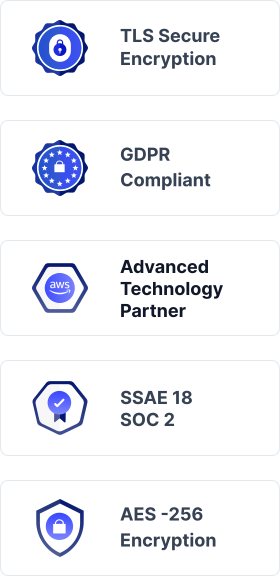
Certifications
Certifications

Related Resources

A Guide to Google Drive Retention Policy for Businesses

9 Apr 2025 | 12 min read | Annu Sabu


Google Drive has become a critical platform for storing and collaborating on business data across Google Workspace. As organizations rely more heavily on Drive for day-to-day operations, the risk of data loss increases due to accidental deletion, limited native retention options, compliance requirements, and gaps in built-in recovery capabilities.


Learn more 
How to Backup Google Shared Drive?

17 Apr 2025 | 5 min read | Anju George


Google Shared Drives have become essential for team collaboration, giving organizations a centralized space to store, manage, and access business-critical files. As reliance on Shared Drives grows, so does the risk of data loss caused by accidental deletion, limited native backup options, administrative changes, and gaps in built-in recovery capabilities.


Learn more 
How to Recover Deleted Files from Google Shared Drive

16 Apr 2025 | 6 min read | Anju George


Google Shared Drives have become a critical part of team collaboration, helping organizations store, manage, and share business-critical files at scale. As adoption of Shared Drives continues to grow, so does the risk of accidental or permanent data loss caused by user errors, deletion, retention limitations, and administrative changes.


Learn more