Automated SharePoint and OneDrive Backup With Unlimited Retention
Protect SharePoint and OneDrive data with immutable backups. Detect ransomware, compliance risks, and unusual data changes, and remediate fast with automated actions. Restore from point-in-time snapshots, use eDiscovery to quickly locate the right emails and files, and archive data to reduce licensing costs.
Without SysCloudWith SysCloud
 SharePoint Online
 OneDrive
93
Users and admins cannot recover data after 93 days
107
Microsoft deletes SharePoint files forever after 107 days

Break free from SharePoint Online and OneDrive data retention shackles

Break free from SharePoint Online and OneDrive data retention shackles

Did you know?
Microsoft Teams data on SharePoint and OneDrive are stored in the SharePoint content database. Find out how SharePoint and OneDrive data can be safely retained.
SharePoint Online and OneDrive backup features
Make smarter backups
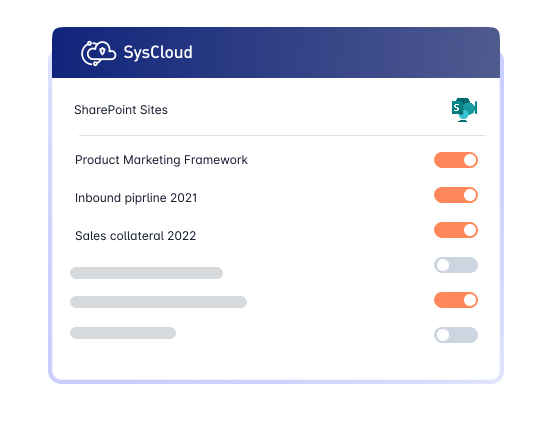
Automate SharePoint and OneDrive backups with comprehensive backup settings. Let SysCloud handle API errors and give you complete visibility on backup.
Enhance SharePoint and OneDrive backups with advanced visibility and protection
Elevate your backup with SysCloud’s add-on suite for greater visibility, automated threat detection, stronger compliance controls, actionable data insights, and automated archiving.
Add on
Detect ransomware attacks, encrypted files and automate recovery
Safeguard OneDrive and SharePoint data by detecting encrypted or malicious files in backup snapshots and recovering safe versions to minimize downtime and ensure business continuity. Use recommended runbooks to automate remediation and quicky notify the right teams with Action Flows.


Don't stop with Microsoft SharePoint and OneDrive. Backup everything!
SysCloud SharePoint and OneDrive backup also includes backup for all critical Microsoft 365 apps.


Related Resources
SharePoint Online vs. OneDrive for Business: A Comparison
SharePoint Online and OneDrive for Business have become essential components of Microsoft 365, helping organizations manage, store, and collaborate on business-critical files across teams and individuals. As businesses rely more heavily on both platforms, it becomes increasingly important to understand their different use cases, collaboration models, and potential data protection gaps.

A Complete Guide to Microsoft SharePoint Retention
SharePoint has become a core platform for collaboration and document management, helping organizations store and manage business-critical data across Microsoft 365. As businesses rely more heavily on SharePoint, the risk of data loss increases due to accidental deletion, limited native retention windows, compliance requirements, and gaps in built-in recovery capabilities.
A Guide to OneDrive for Business Data Retention
OneDrive for Business has become a core platform for storing and managing business-critical files across Microsoft 365 environments. As organizations depend more heavily on OneDrive for everyday collaboration and file access, the risk of data loss increases due to accidental deletion, limited native retention windows, compliance challenges, and gaps in built-in recovery capabilities.